Creating a UI for Fancy Mansion.
|
This week I took on the job of creating a UI for our game. The different aspects that our UI had to cover was a way to count and visually represent score or the goal, visual representation of an inventory for our powerups, a way to show the player how many glowsticks he or she had left. The last two things we needed to show was an inventory or counter for the carry limit and a way to show the player when he or she is over encumbered. I listed all of these things in order to keep track of what to do.
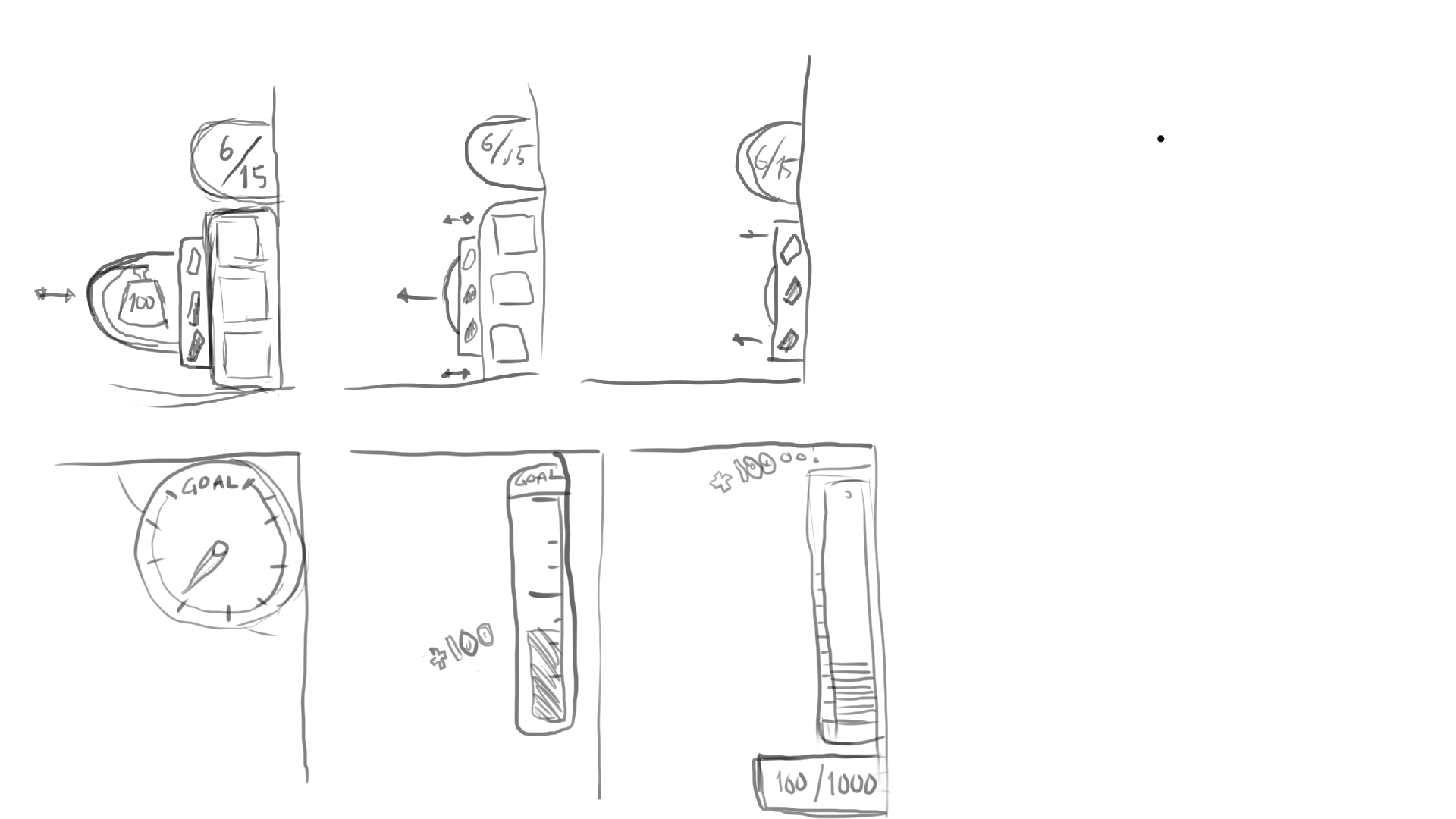
When I had everything I needed I drew some quick sketches of a thought process. The three sketches above incorporates the pickup limit, our powerup inventory, glowsticks and over encumbered. The three below those are versions of score or goal counters, we went with the one on the right. It is a coin holder that fills up with coins as you progress through the level and the small box below that show the same thing but in numbers.
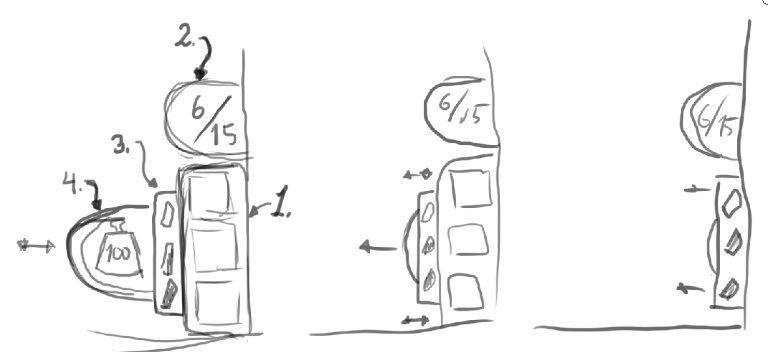
This menu works in the way that the only things that will always be on screen is 2 and 3 which are the displays for pickup limit(2) and the counter for glowsticks(3). 1 the inventory for powerups will slide out from the edge when the player picks up a powerup and will slide back when the player no longer has any power ups. 4 will slide out when the player is carrying a heavy object in order to represent that the player is now slower and make more noise. We went with this approach as we wanted minimal UI on screen as to not obstruct anything that is happening in the game.
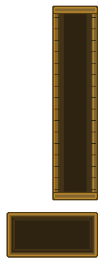
This is what the finished product look like, I went with a sort of copper or bronze feel as I wanted them to somehow fit into the general feel of the game. I also wanted them to be discreet so that they didn’t draw too much attention from the game. Next up was to create all the icons that should fit into the UI. So, I started to write down all the icons I could come up with referring to the design document. Once I had a concrete list I begun to work on the icons, I had already set a universal size for all the powerup icons. The scorecounter with coins, left picture, had marked notches for each step, 16 in total. What I can take with from this experience is that when creating a UI you should take a lot help from the rest of the group, code and game design in order to make sure that the UI covers all the functions that it has to.  |