Last Signal – Level Implementation and new Room System
|
This week I have been working on implementing the level files that our level designer has produced. I have encountered a few problems with this, and this is mostly due to how I created the Room System that I have written about in a earlier post. The first problem was that the text file with the data for tiles, walls, etc contained too much information for it to be readable. If someone wanted to make changes to the level, they would have to scroll through a lot of data did not make sense to a person unfamiliar to the project, and if they made a change that did not fit with the system, the program would either freeze, not read correctly or just crash. This image shows a visualization for the old system and when it was only one text file for each level: 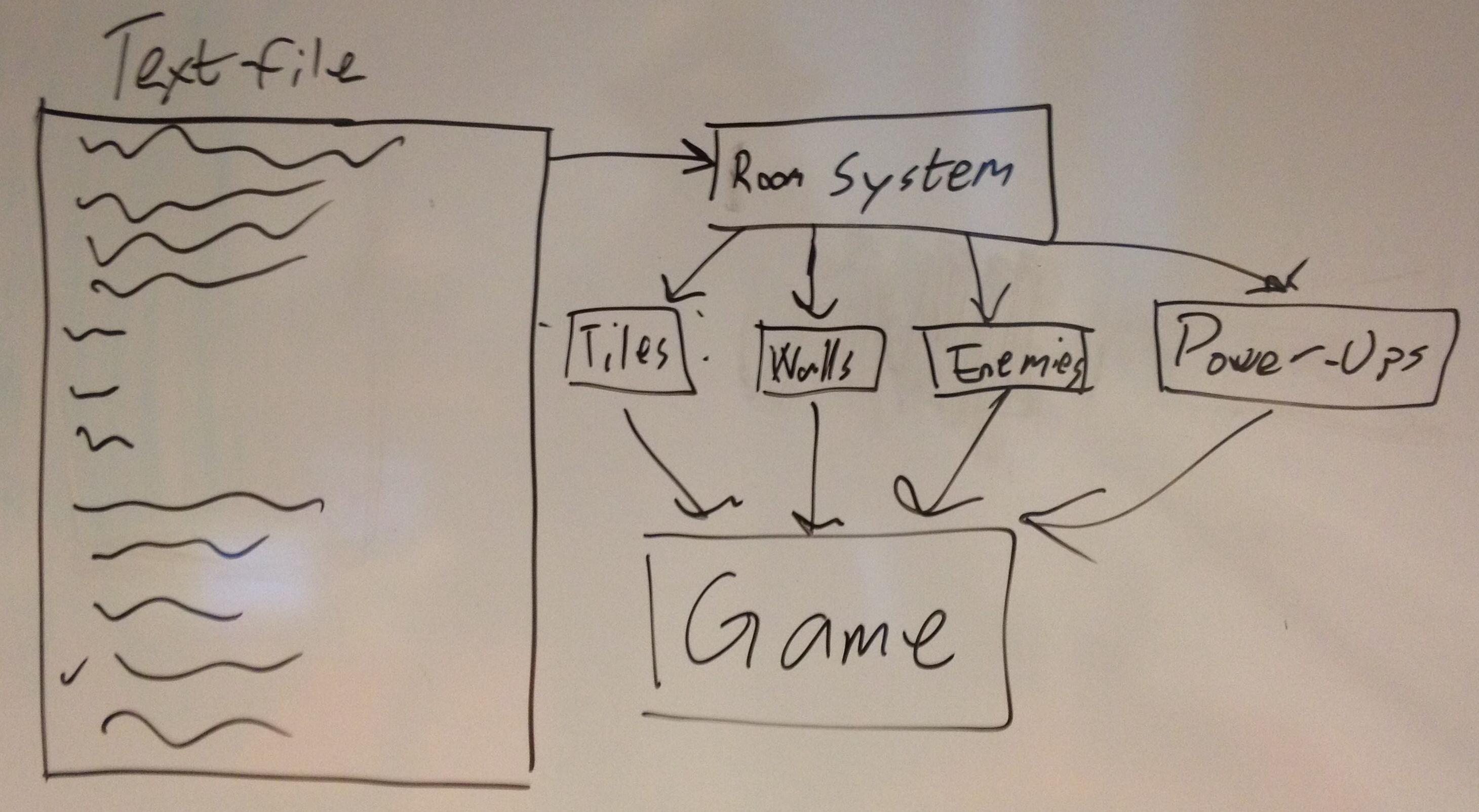
Old System This was solved by dividing up the text document into several smaller documents, which made gave a better overview of what data represented what it would produce in the game when read. The text files are placed in folders after the levels that use them, and a so called master file is read for each level that contains the filenames for the individual files. Each level is represented by a master file and a folder that has the individual text files for the data to be read. This image shows a visualization for the new system and how the master system links to the individual text files, as well as how modular the system has become: 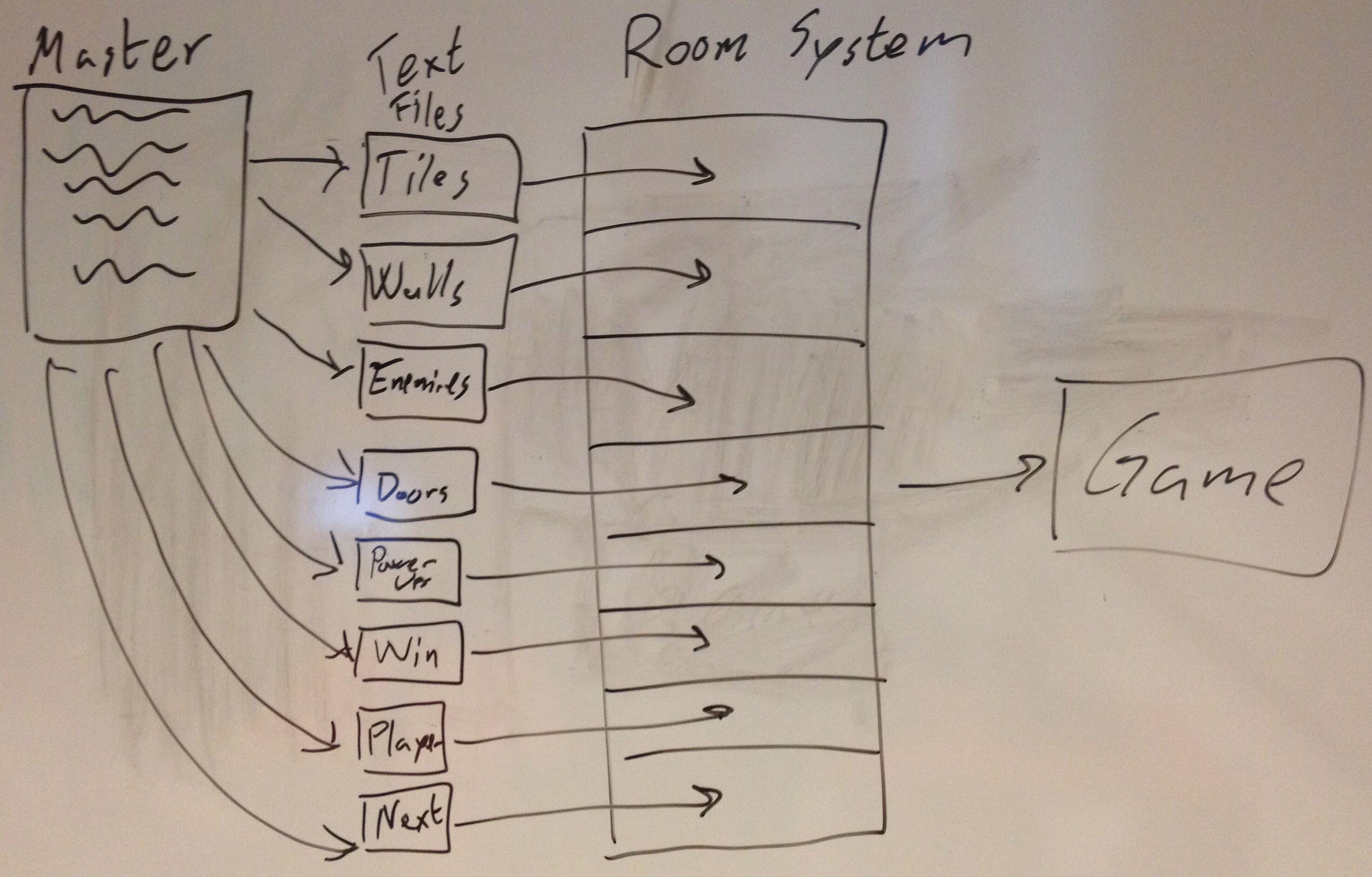
New System A second problem was in the code, and it was that the member function for reading the files was to long which caused problems when trying to add in functionality for reading in things like props and doors/switches. I solved this problem by dividing up the member function into several smaller functions that did more specialised work for each individual piece of data that would be read. I also added to the code that it would clear out the data currently stored in the room object in order to read the next master file without having to create a new instance of the room object. The filename for the next levels master file is stored in the master file for each level and is the last thing in each master file. For the last level instead of a filename there is instead a -1, and a check for the -1 is made each time the level is cleared. If it sees the -1 in the master file, the game goes to the outro sequence, which eventually leads to the main menu screen.  |

