BGP: Refracted Fate – Interaction
|
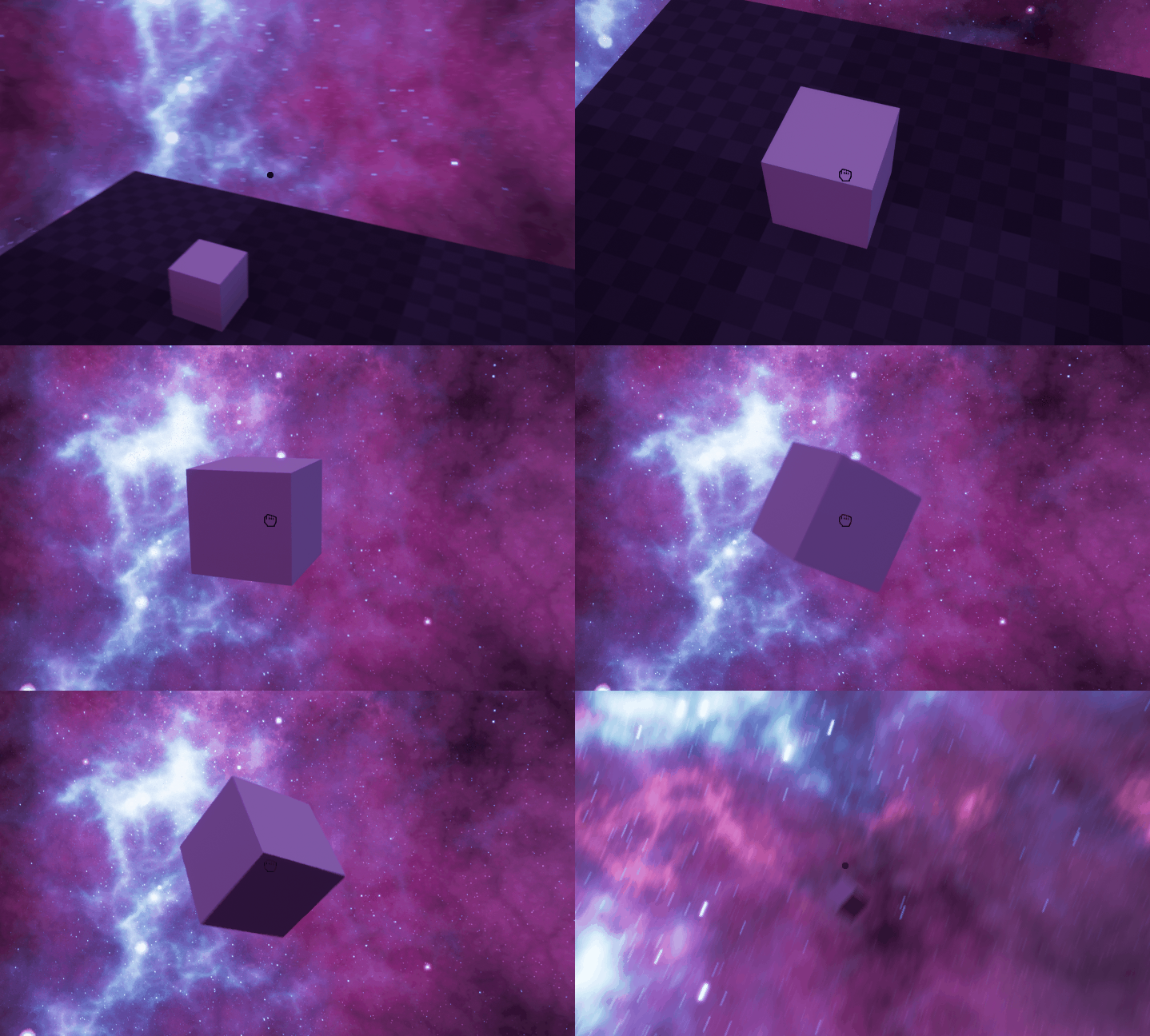
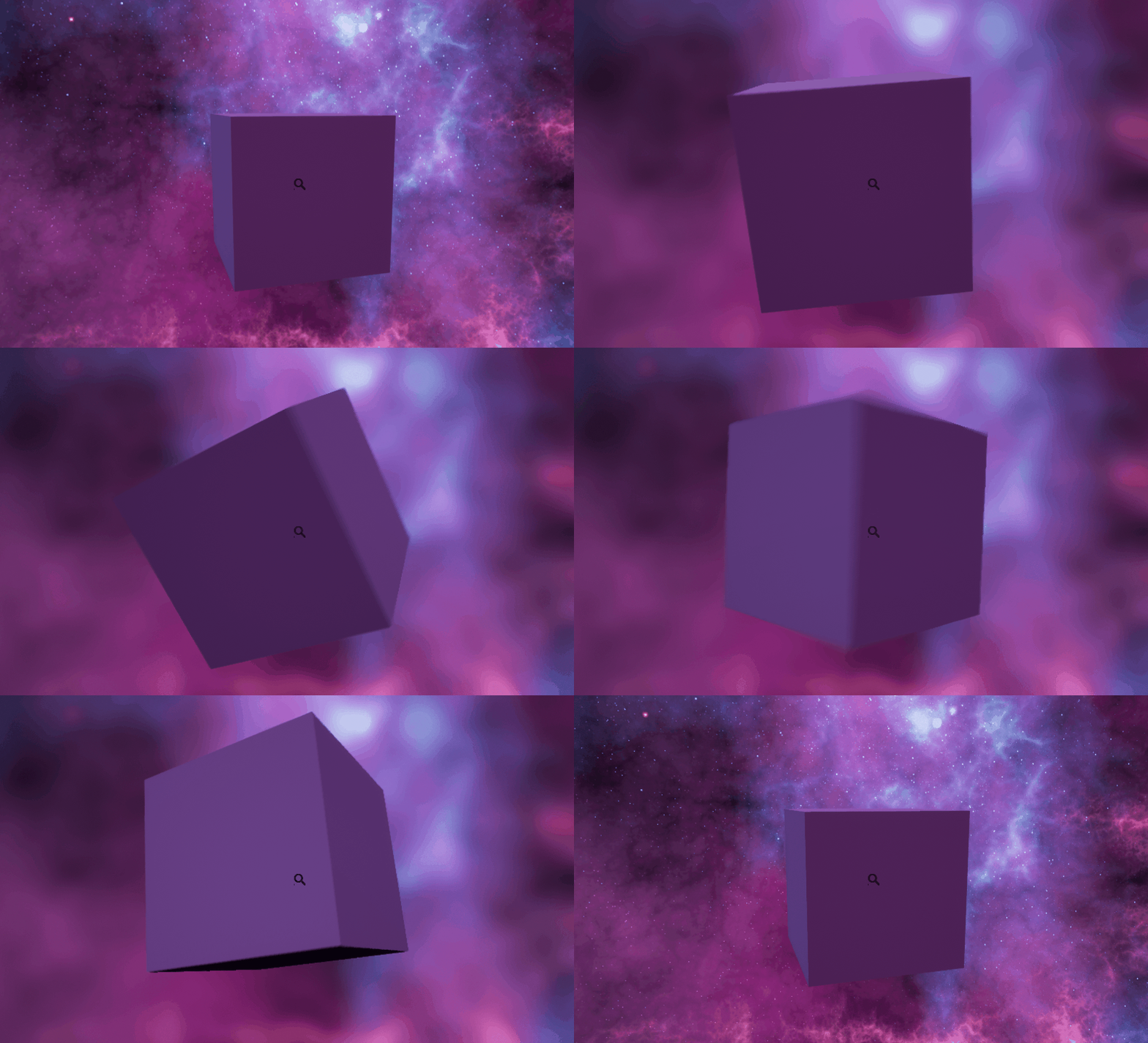
Hello, all readers, we recently started a new course called “Big Game Project”, In the course, me and my group are making a game called Refracted Fate and each week I will post about different things I have been making in the game. I will often be making a lot of different things in a week, so instead of writing about each feature I develop I will each week pick a specific area that is of more interest and write about it. Before we start I can just barely quickly explain the game, Refracted Fate is a first-person adventure horror game with puzzle-platformer sequences depending on the environment. The goal of the game is to overcome the challenges in front of you and escape the place you’re stuck in, by using the powers given to you as a toolkit. Anyway, moving on to things I have been working on this week. This week I will be talking about different objects in the world that the player can interact with and how they work. So, let’s get started! Different SystemsThe way I made the interaction system is that each actor can have several types of tags depending how the user can interact with them, the tags can for example be “Pickup” if the player should be able to lift up and move around the object in the world, or “Inspect” if the player should be able to inspect and rotate the item, but not move it in the world space. The way the system work is that each tick the character system sends out a line trace from the player camera forwards a specific number of units that can easily be adjusted from a variable. If the line trace hits any physics body objects it will return true and check them. If the collided object has for example the tag “Pickup” it will change the player icon to the “Open Hand” crosshair. Below I have included a diagram of how the system kind of works. The system is a lot bigger as the line tracing check for all the several types of tags and not only the pickup, but also the left mouse button is used for pressing buttons etc. and not only lifting objects. However, just reading text and checking diagrams are kind of boring, so I have included 2 gifs showcasing the inspect system and the pickup system in action. (All assets are temp white boxing, so do ignore them)
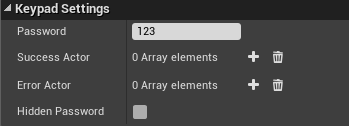
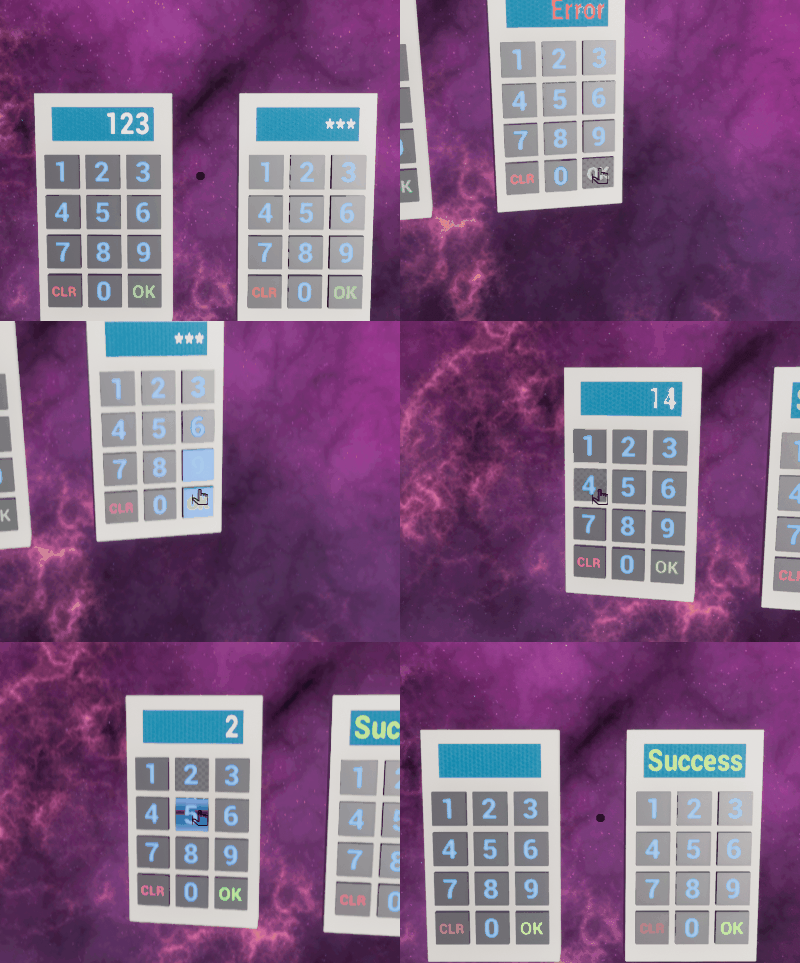
(Left = Pickup system: Right = Inspect system) Keypad systemThe keypad system is a lot like the previous system that in utilize the line tracing mechanic. However, the different between it and the other is that the keypad itself is its own object and cannot be applied to other object via tags. Instead the buttons on the keypad uses the tag “Clickable Button” so the line trace system know how to recognize it. While making the keypad, I tried to make so it could easily be reused on various parts of the game. When placing a Keypad object in the world it has its own settings files that can be changed in the world editor. This option let the level creator set the correct password, wish actors it will call when the player enters the correct password, but also wish actors it should call when the player enters the wrong password. It also has a checkbox if the password should be hidden (numbers are replaced with starts) while the player enters the password.
The keypad also has a class interface that make it easier to create doors and other world objects that can utilize the keypad successful/failure system. Below I have included a simple gif that showcase the keypad in action. The assets of it is currently just temporary white boxing.
The EndWell this is most it for me this week. Other things I have also been working on is mostly basic functions of the player character. Next week I will be working on the dimension shifting part of the game, so that should be a lot of fun exploring! Anyway, thanks for reading and be sure to leave a comment if you have any questions!  |