Animation of enemies
|
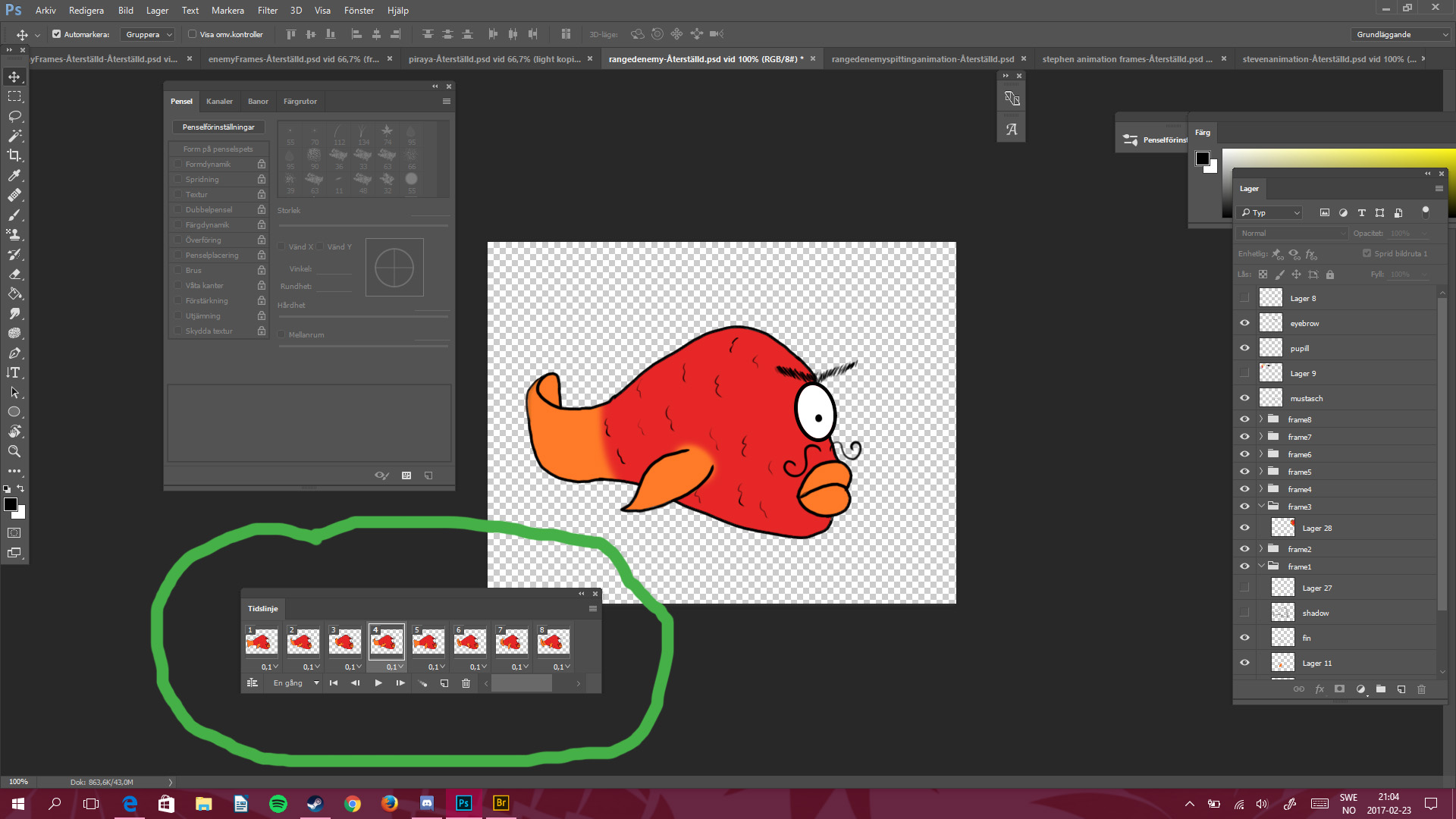
This week, I am going to introduce you to two of the three enemies in Selfish, a ranged enemy and a melee enemy. I will also describe how and why I did it and my thoughts about it. Every animation I create is with the frame by frame method in Photoshop, which means; I recreate and draw every frame in the animation by hand, at least some parts of the picture. This is what I mean when I meantion frame by frame, I create a timeline (inside the green marking) with each picture that I can play as an animation.
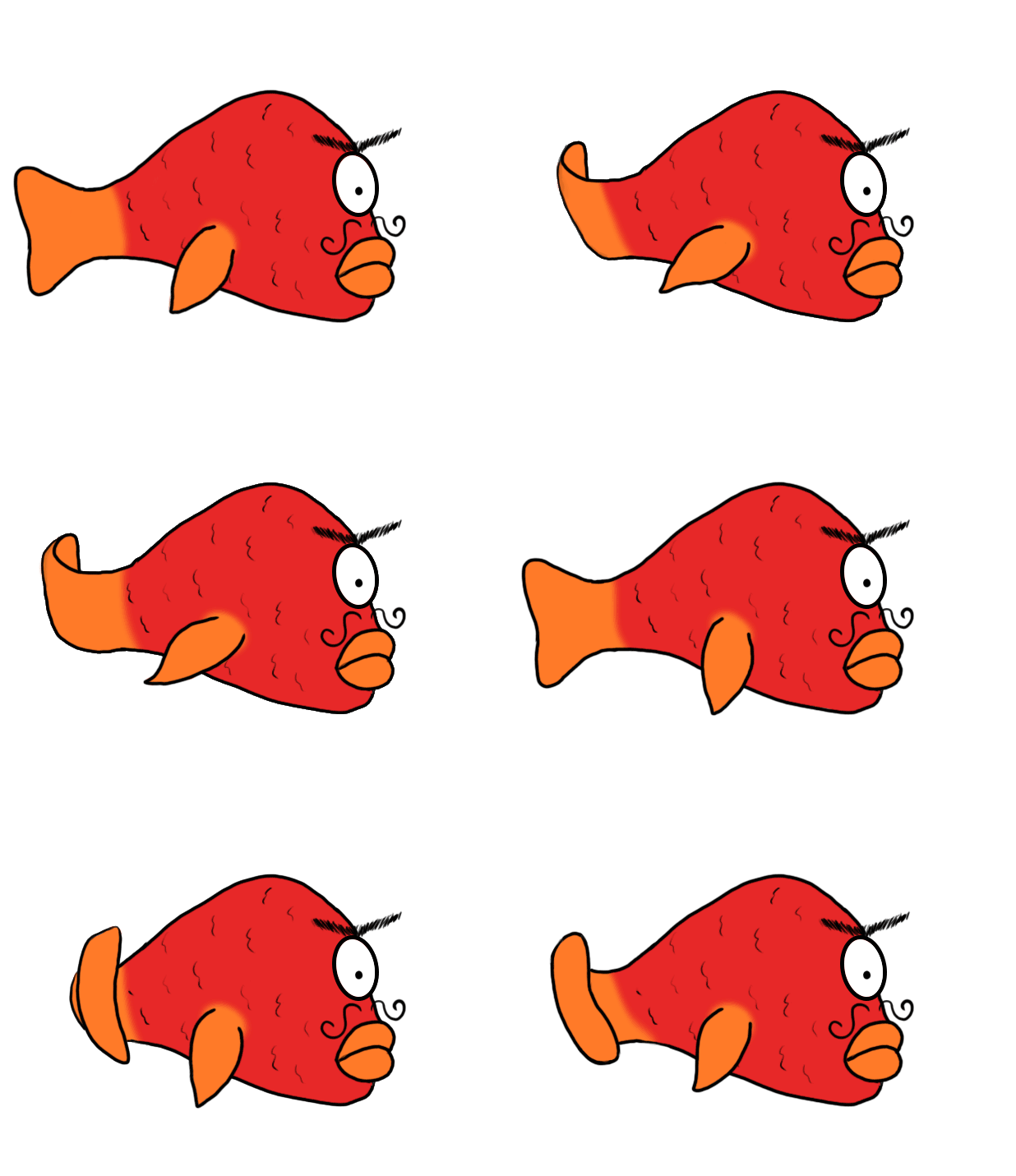
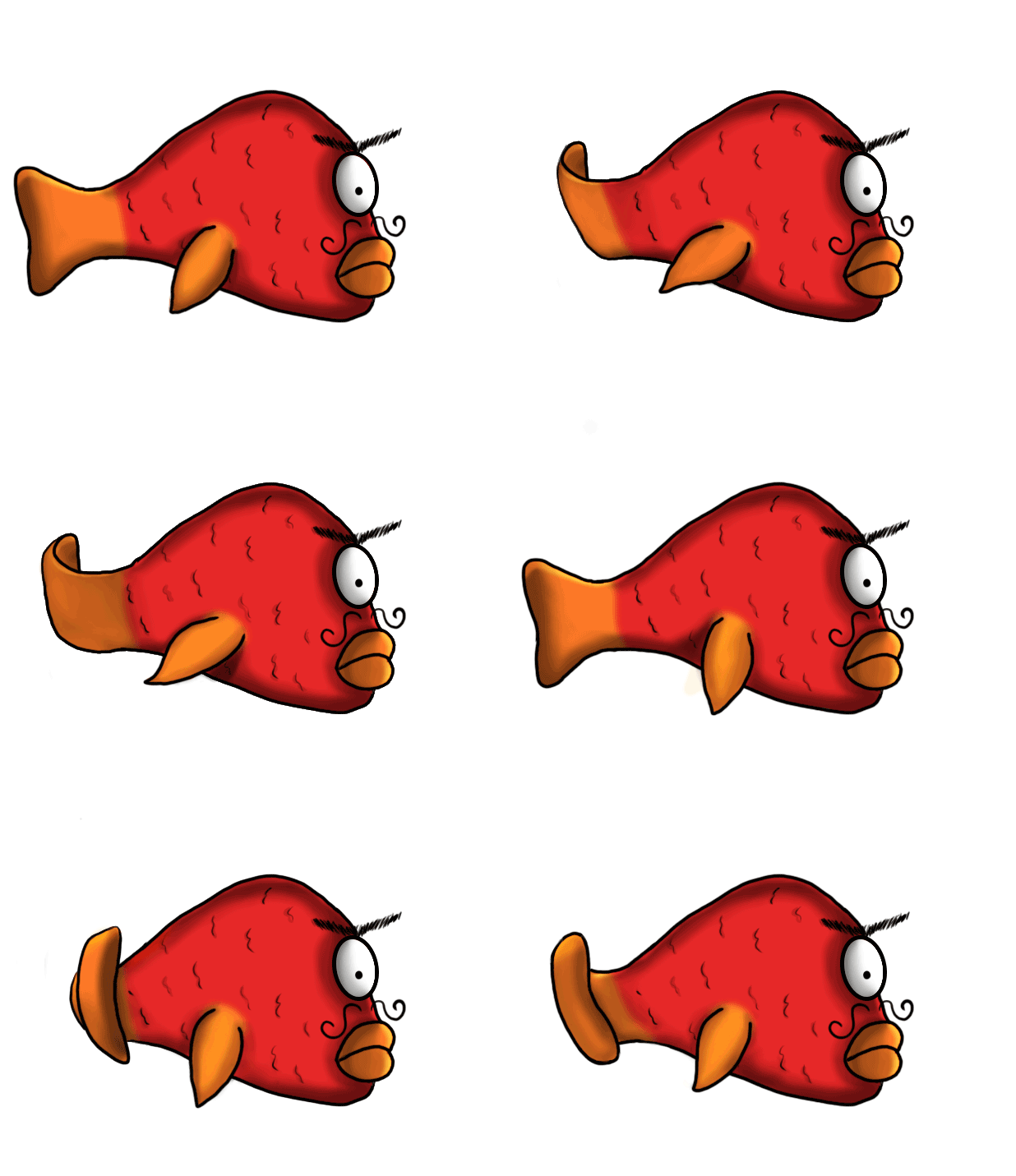
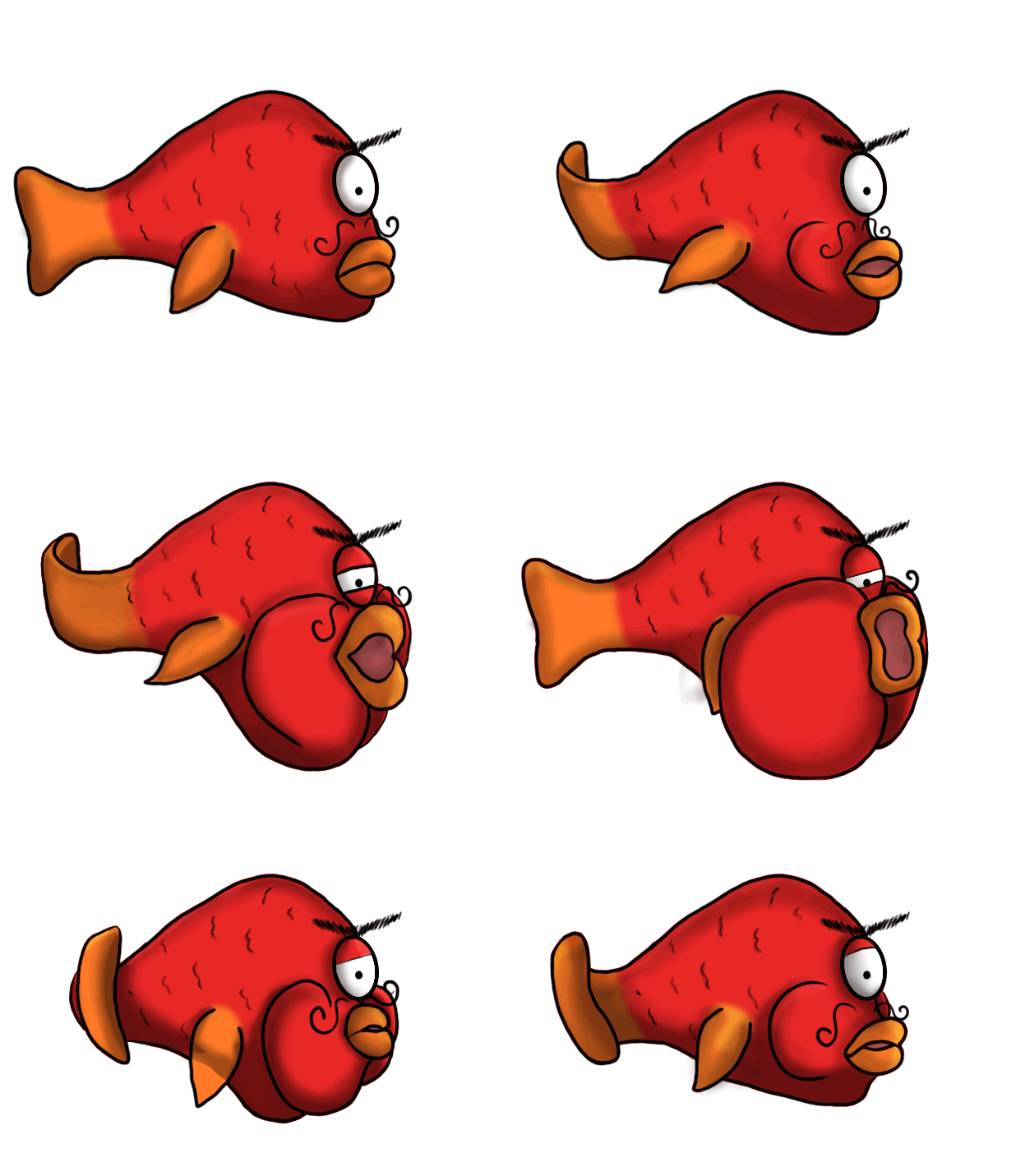
Ranged enemy swimming animation In the beginning of this sprint I already had the line art of the ranged enemy for every frame of my animations from the week before, a swimming animation and a spitting animation. The line art for the swimming animation, which I created first, was not that difficult to create, although it is always tricky to get the movements of the fishtail to look just right. The first version of this animation was just with local colors (no light and shadows). I talked to the lead artist about the colors for this enemy and we both agreed that red and orange will make it pop out from the background.
The next step in the process was to add the light and shadows to give this character more life and make it pop. As you can see in the first version, it is very flat looking and not very interesting to look at. This is the second and the final version of the swimming animation with local colors and light+shadows. I am for the most part happy with the final outcome because it fits the cartoony art style we went for, but everything can always be improved.
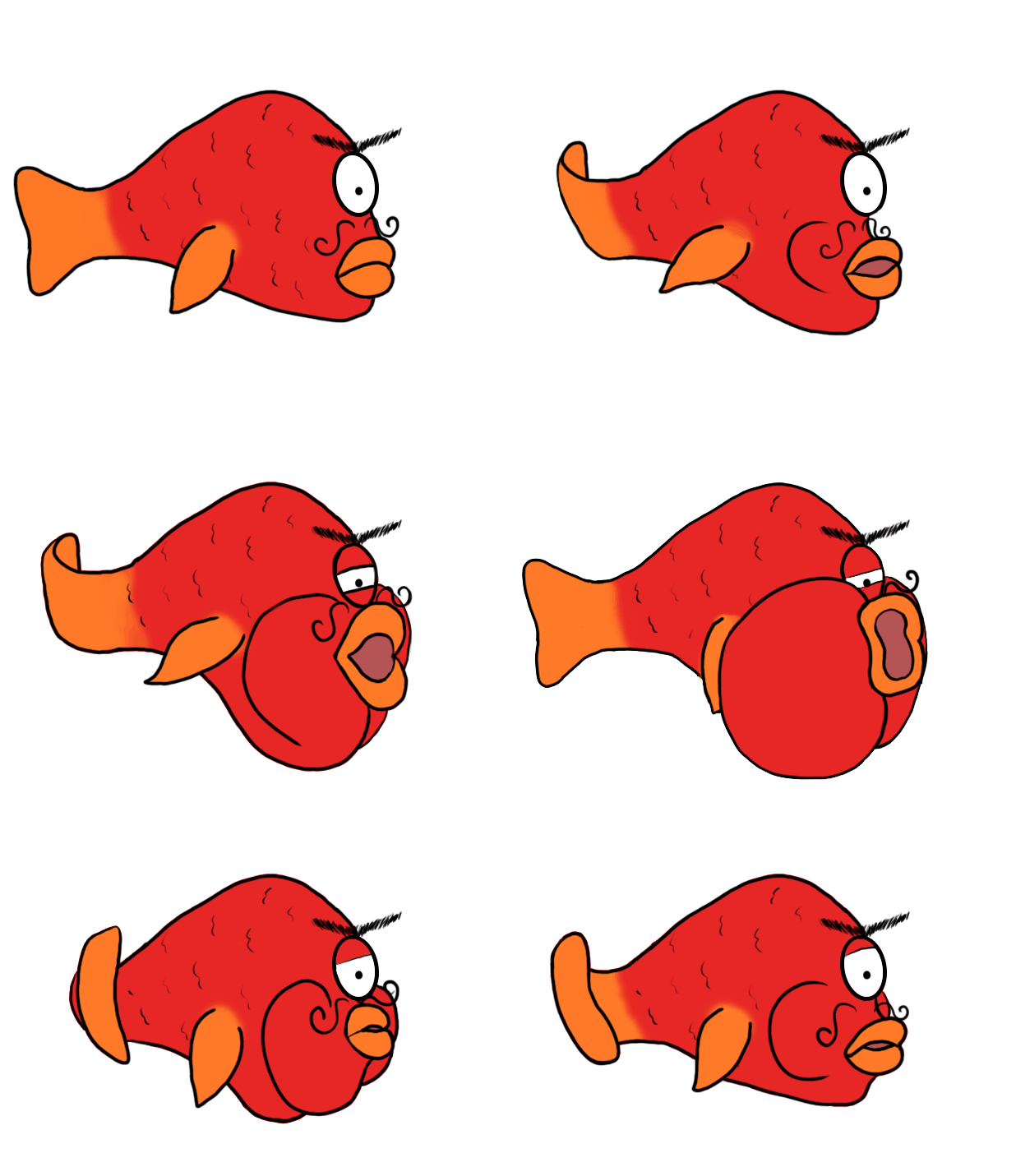
Ranged enemy spitting animation The spitting animation was a bit harder to create because I had to change the face for each frame which was a challenge because ; how does a spitting fish look like? But since I already had the swimming animation I could just copy that one and only erase the face and draw a new one on each frame, and that made my life easier and saved me a lot of time. I did the exact the same thing with this animation as with the swimming one, I started with the local colors and then added light and shadows.
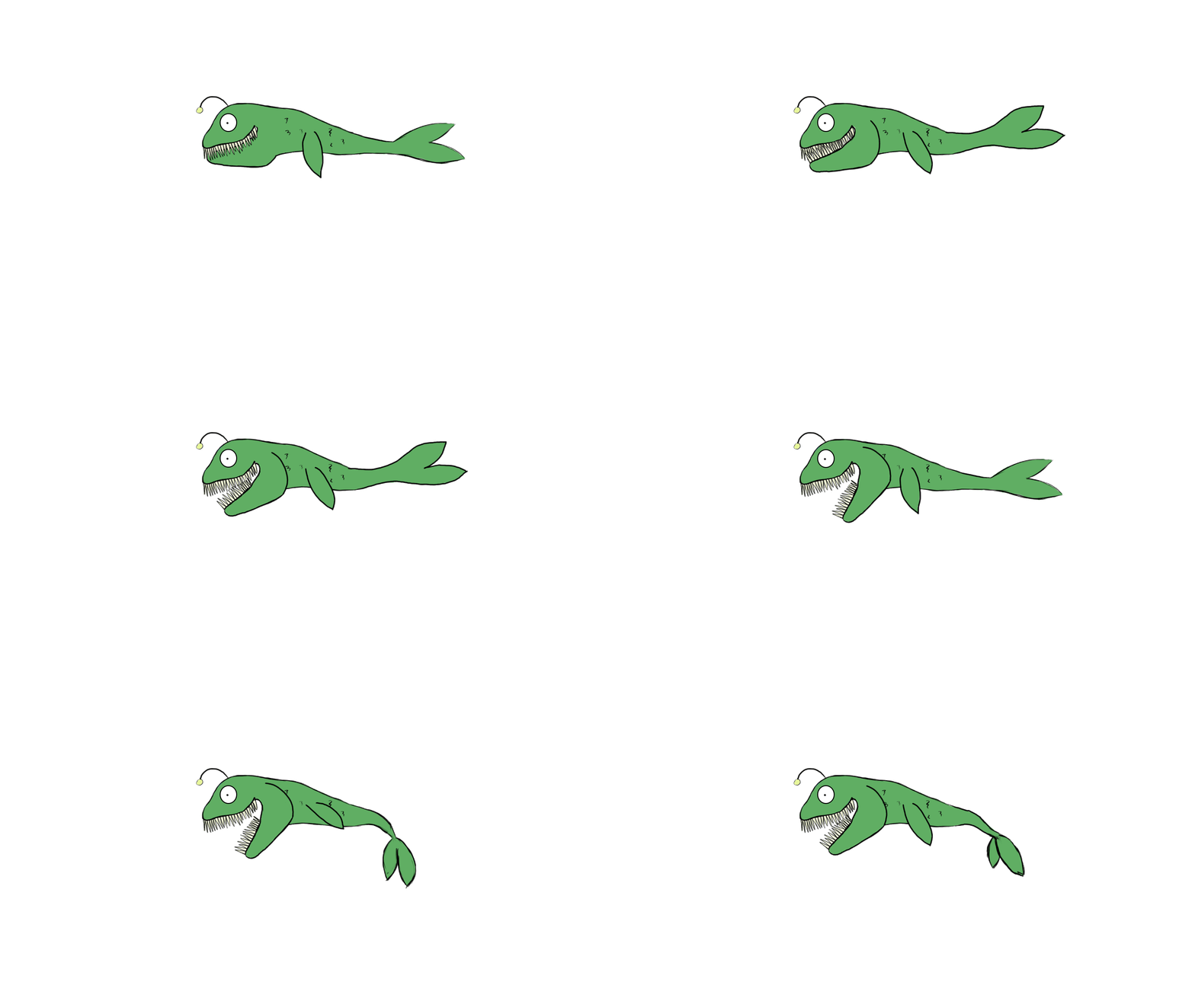
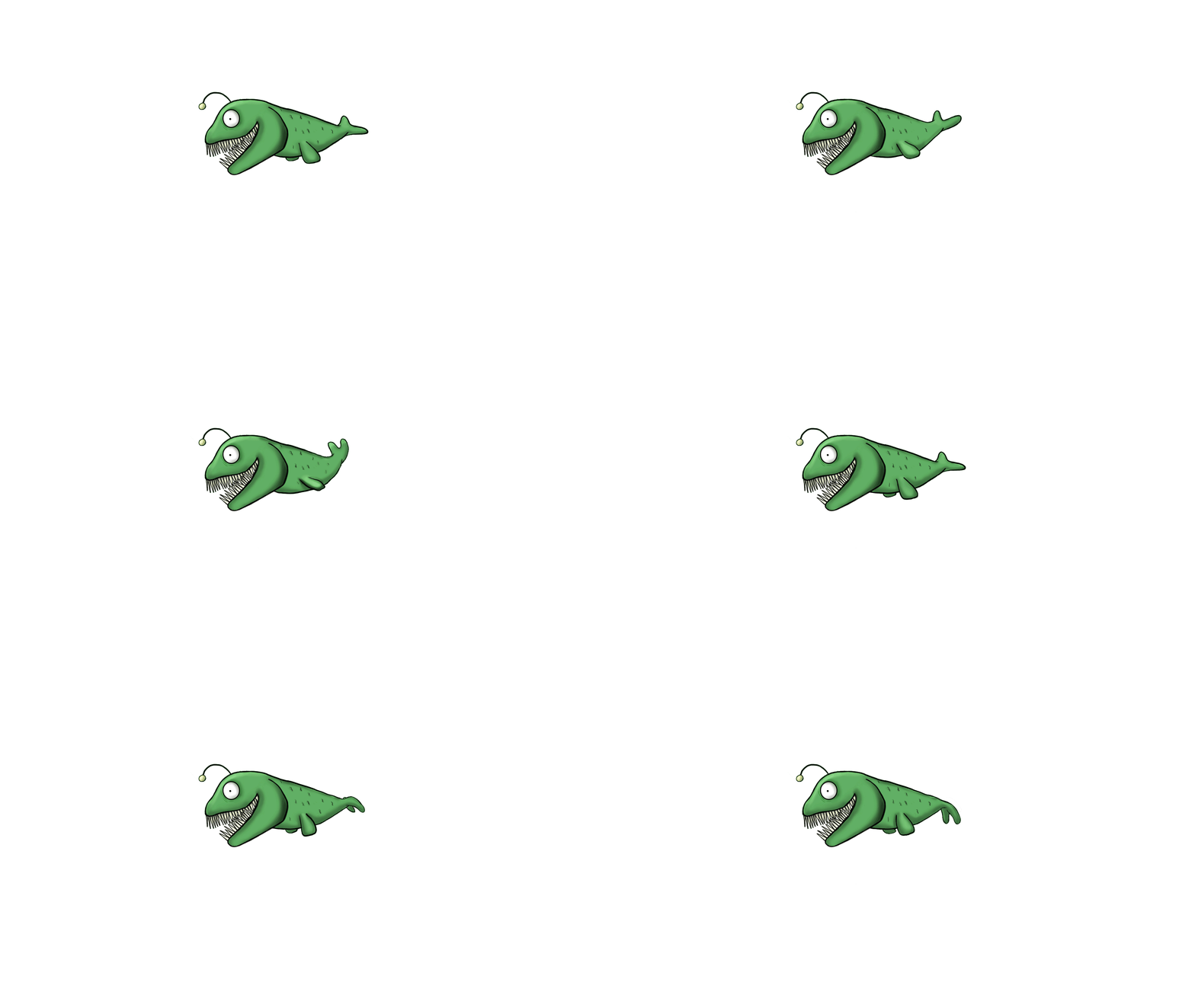
This enemy is going to spitt pebbles at Stephen and that is why we need a spitting animation. When the cheeks expand, it is sucking in water/air and prepare for spitting, which is when the cheeks are getting smaller. Melee enemy, Piranha One of my other tasks in this sprint was to create the piranha (meele enemy) that is going to hunt Stephen down. I had a sloppy first version of this enemy from a couple of weeks back but I was not satisfied with how it turned out.
I talked with the designer about how I should recreate it to fit its purpose better. We decided to keep the head, the jaw and its color. I just made its body smaller and more compact. The end result of the recreation turned out way better than the first version would have. The jaw is a separate asset that is going to be animated in Unity to make it open and close whenever we want it to. This green color is also going to stand out from the background and it will be easy for the player to separate the enemies from each other since they are all having their own colors. I did not feel like this enemy was difficult to create, the process went very smooth I must say. This may due to my increased knowledge and confidence in animation and the Project over all, I know what we are going for and what my group would like to see.
It has been a productive and fun week and Bunnyip is almost ready for the Beta!
 |