[5SD033]”That’s a wrap” or “I should really learn how to explain things better”
|
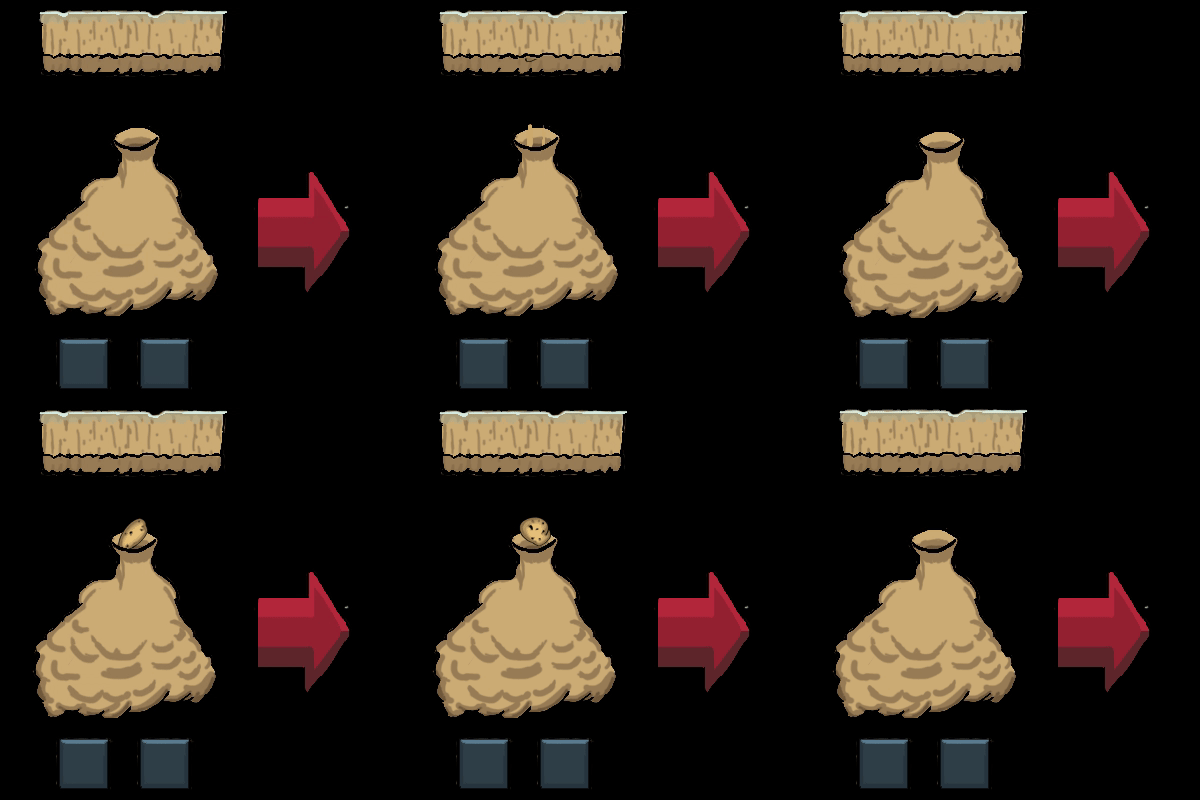
So this is my final blogpost of this project. I want to say sorry for the extremely long post. Basically everything is done now and nothing really big was done this week. It was mostly reiterating or changing around in some menues. Re-positioning buttons, changing textures and that kind of thing. 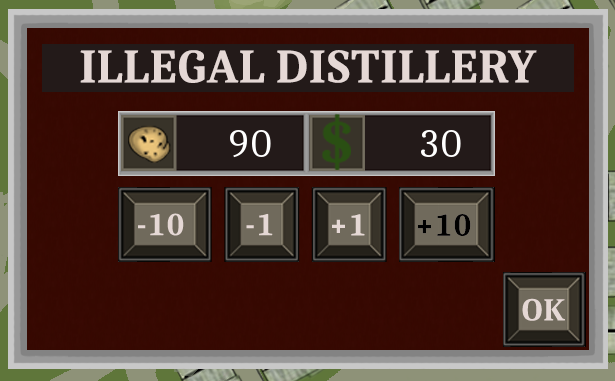 I guess the biggest thing I did was the new Potatodrop menu, the menu that pops up when the player flies close to a distillery to allow the player to drop potatoes and get points. It used to look like the picture to the left where the two numbers displayed the potatoes currently in the players cargo. The other the amount of money(points) that the player will recieve after pressing “OK”. As I believe I stated in an earlier post when this menu first was implemented that I was uncertain that it was obvious enough for the player what everything meant. I saw that some players figured the menu out while other did not. 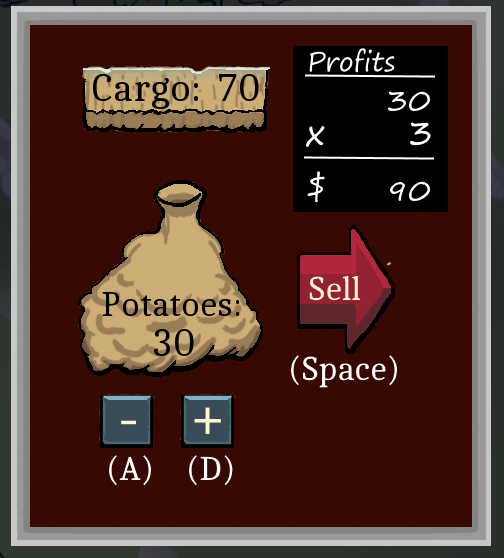 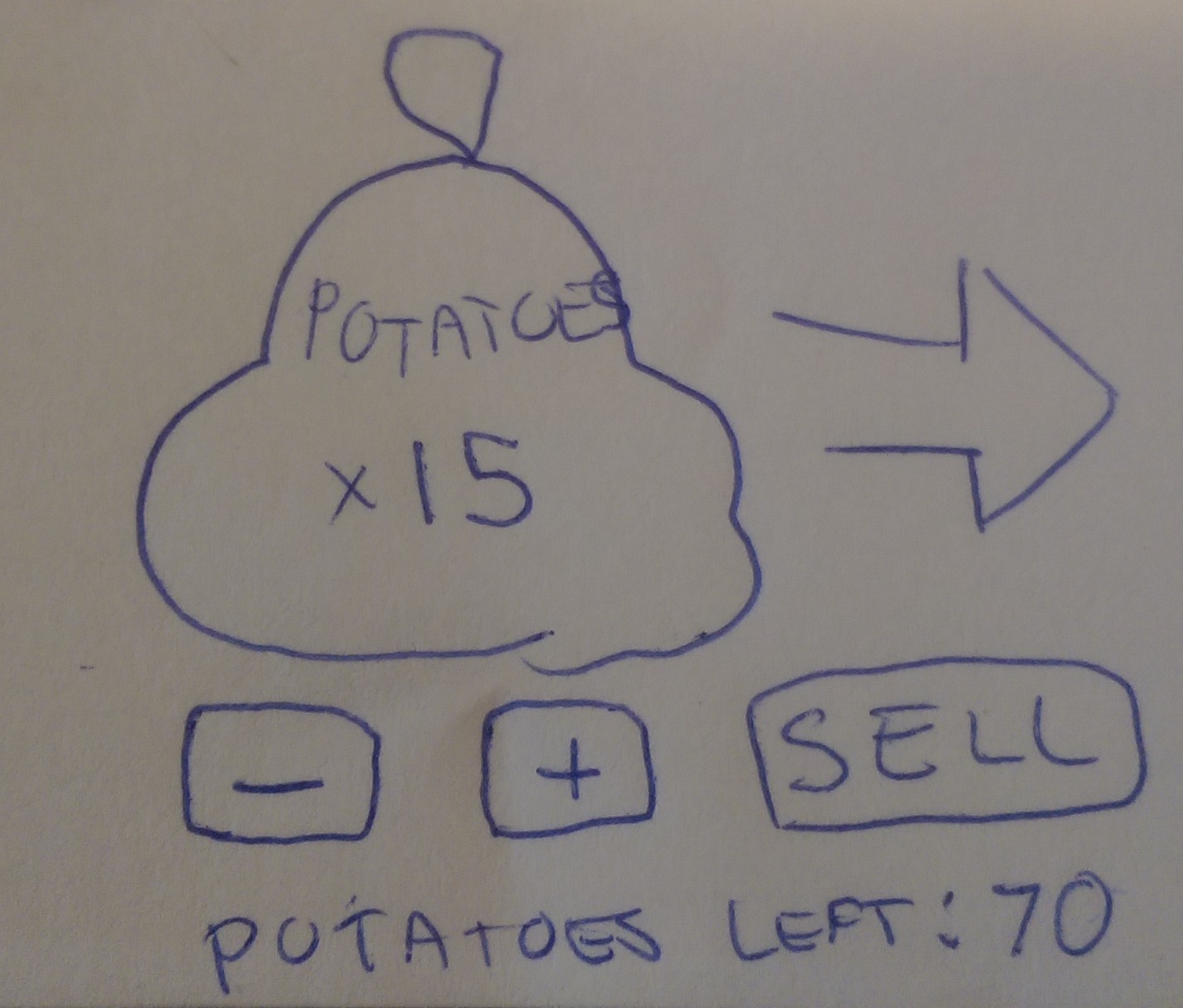 So Gustav and I started making sketches for a new menu that would be able to convey more information to the player. The picture to the upper left is the resulting sketch Gustav and I made, the right one is the finished result and the one we used in the “finished” game. The box at the top displays the current amount of potatoes in the players cargo and the sack below displays the amount of potatoes that will be sold. We also added a small blackboard to the side that displays the calculation of the players profits for the current drop. We added the tooltips to make it clear to the player how to use the buttons. To allow the player the most amount of freedom when choosing what amount to drop, for every press of A or D a potato is either dropped or “sucked” back up to the cargo box. We also added not one but two animations that will give the menu a bit more life. One where the potato is dropped and one where it is sucked back up. This animation was a bit different than the other ones I had done since this would only use a part of the spritesheet for each animation. Each animation in our game consisted of a sprite pointer, a clock and a 2 dimensional vector(Vector2) while also utilizing a function created by Erik Nord in our group. To be honest I am not entirely sure how the function itself works but I know how to use it.
The function uses our sprite and our Vector2 but also four integers, two for the minimum x and y values for our animation and two for the maximum values. Since we want to use the whole spritesheet we set both the minimum values to zero and the maximum values to the width and height of the spritesheet. We also enter every frames width and height. The function then uses the Vector to create every frame, now when Vector.x = 2, we are on the third frame along the x axis. So now we can create our animation in an if statemen. We begin by asking if the value of Vector.x is less than the total amount of frames along that axis. and if the elapsed time on our clock is less than the time we want every frame to be. Since we only want the animation to play after one of the buttons in the menu is pressed we also ask if a bool is true. If all the conditions are true we reset the clock and add one to Vector.x. We keep doing this until the last frame where we restart the clock, set the previously mentioned bool to false and set both the x and y vectors to 0. This will return the animation to the idle frame, where it won’t animate. We use this same if statement for both animations, we just change the y vector depending on what button is pressed. Well that was one big paragraph, so as a consolation heres the animation in .gif form.
So thank you for staying with me through this post and if you just skimmed past everything I won’t hold it against you. We’ll see if I post anything during the theme park starting in a few weeks.
 |