5th blog post of 10 Week Project – Implementing Altars
|
This week I have focused most of my work on updating the game design document as well as listen to possible sounds for our game. However, I also finished implementing the altars in our game, thus this blog post will be about the progress of implementing the altars! 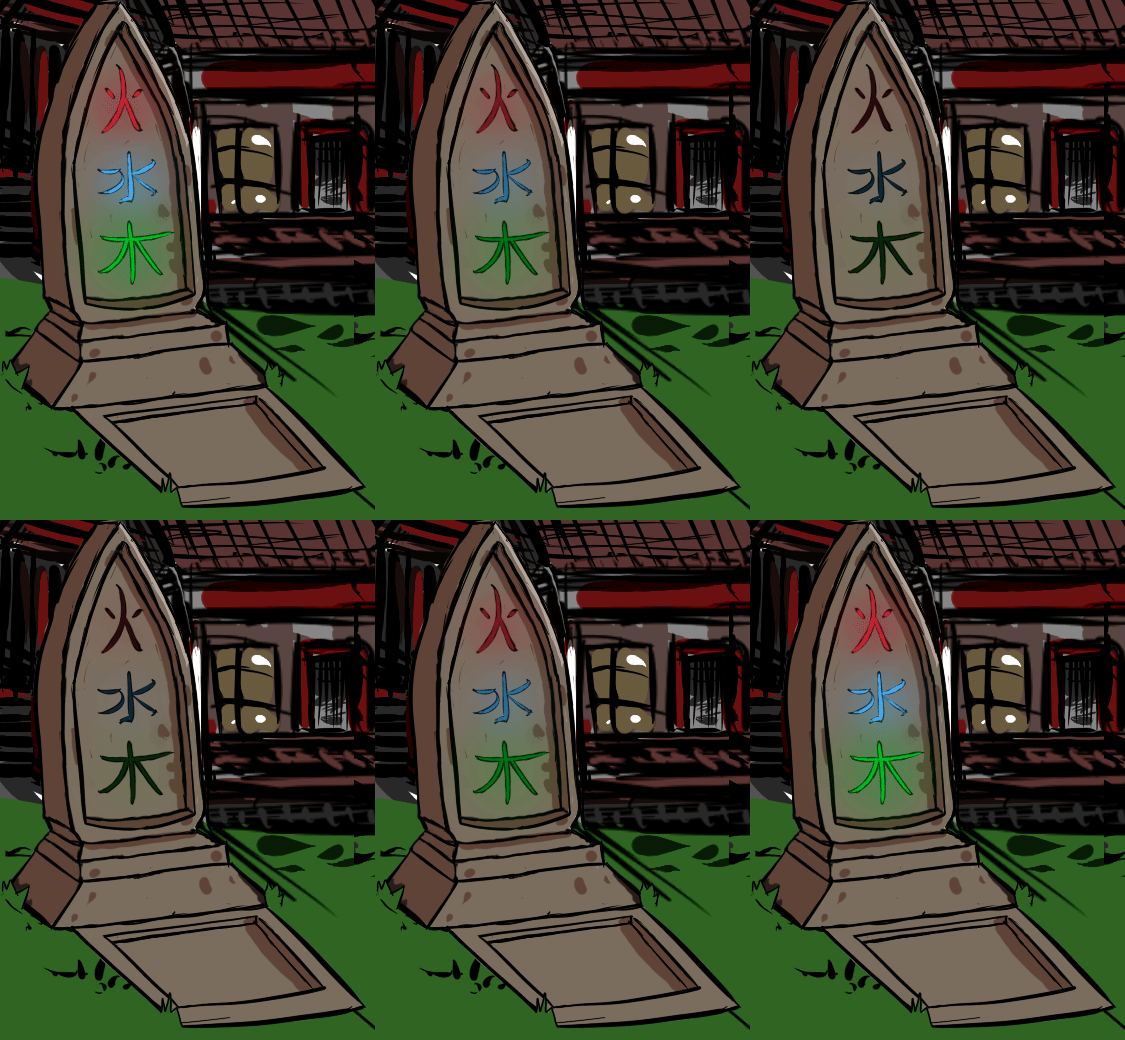
The altar sprite made by Alex Arnberg Untoro. The progress of implementing the altars is very similar to the progress of implementing the lost souls, which I described in an earlier post. Firstly, I created a new entity for the game by adding the entity’s name to the “Alignment”-enum, which allows me to add the altar to the collision map. Secondly, I created the altar class’ header and .cpp files. I also made a .txt for the altar’s hitbox, so that it is easier to configure. If you wonder how this works, check out Andrés blog post here. The class of the altars is called “AltarObject”, and it is publically inherited from the base class Entity. The functions of this class are the constructor, Initialize, Update and OnCollision. Not much happens in this class, the altar’s animation, position and hitbox position are all updated and the altar gets its hitbox’s width, height and offsets from a configuration .txt file. 
The altar seen next to the player. This is not the altar’s final position. The altars’ purpose is to give the player the possibility to use the elements that they have lost and they do not have any lost souls to use. This is how the altars should work; if the player out of points in an element you can go to altars placed across the map and be given one point of the empty element. If two of your three elements are empty when you encounter the altar you will get one point in each of those elements. If all three elements are empty, you have already lost the game. When an altar has been used you have to wait 10 seconds before being able to use it again. Implementing this was very simple. In the player object’s “OnCollision”-function, I firsly added an if-statement to check if the collision is with an altar, and then more if-statements that check if any of the player’s elements are empty. If this is true, then one elemental point is added to the empty element. In the two pictures below you can see that this works! 
Here, the player has lost all points in her fire element, thus it is unusable. 
The player walks onto the altar. One point is added to the empty element and it is usable again! When I was to create an altar and make it display in-game I ran into some problems. At first, it seemed as the animation did not work. I tried attaching the altar differently, but then it did not appear at all. I could not figure out the problem, but André noticed that there was one line of code missing in the altar object’s constructor, which was “flagged_for_death = false;”. So, the problem was that when the altar was created it was already marked as dead and it was instantly deleted. The reason why it appeared in my first try was because of the way that I attached it, which was that the altar would be attached to the game when there was only one other game entity visible, which was the player. This is why the animation was not working, because the altar that was seen on the screen was actually new altars being made showing their first frame before being deleted. Silly mistakes! |

