Post processing
|
Hello! In this short post I would like to talk a bit about post-processing and the difference it makes. So to start of I would like to say a few words about what the vision was for how the game would look. 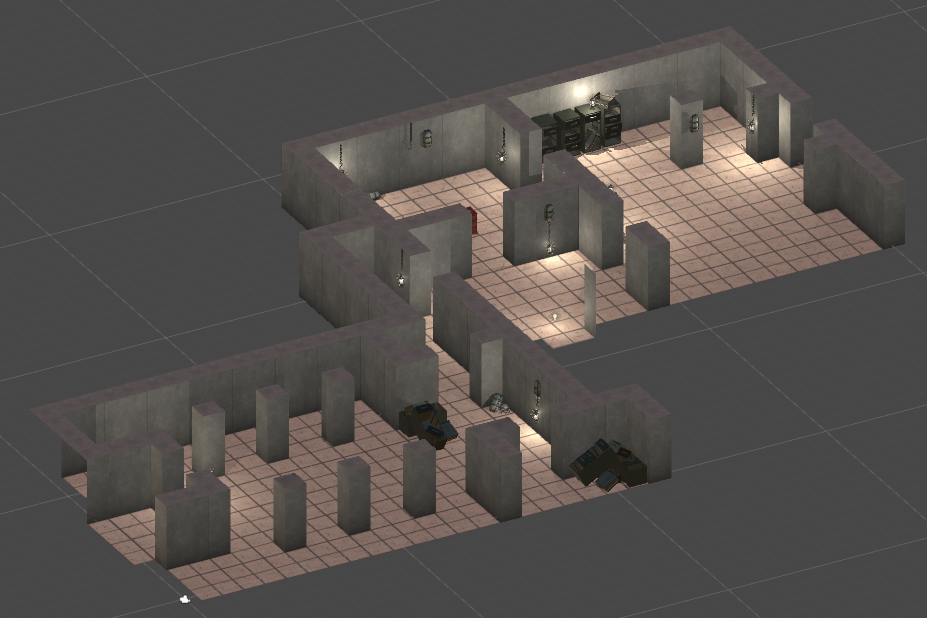 This result simply wasn’t what we were looking for. No matter how much we tweaked with the lights of the scene it still looked unlit, light and somewhat fresh. But with some guidence from our tutors we got hold of a post-processing script and learnt how to use it. Now this post-processing script offers a lot of customisibiliy and to my suprize made greater changes than I thought possible. So with much tweaking around with antialiasing, boosted ambient occlusion, eye adaption, bloom, and color grading we ended on this: 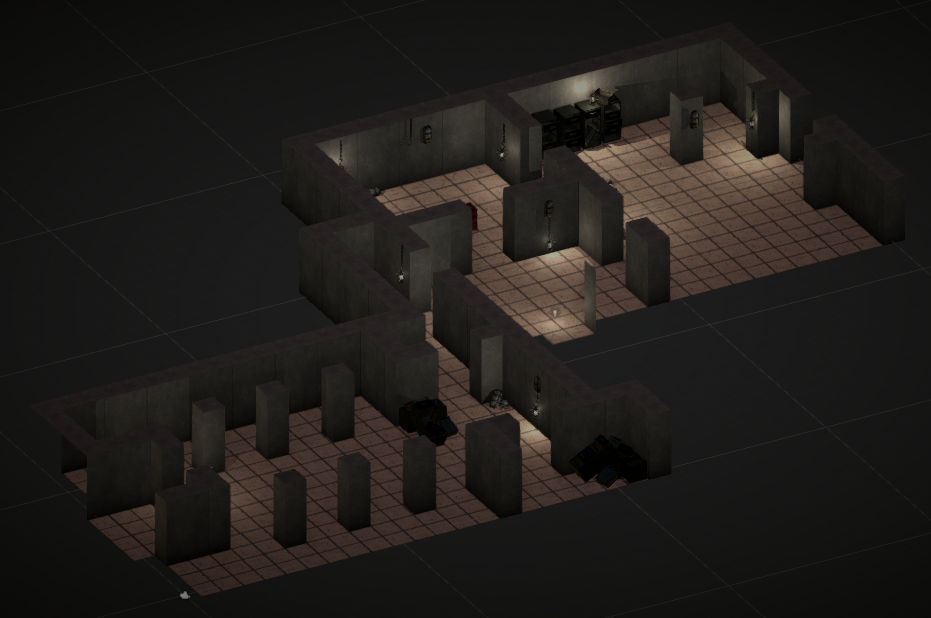 The difference is astounding and much more like we wanted it. So in conclusion adding a post-processing script and tweaking it has been done much more for our graphics than already in engine lights could. But you can not use this script however you wanted. Post-processing scripts can be heavy to use for the computer running the game. Every tweak has to be concidered with caution since it might put make lag up the game. But having small tweaks like mine did not do much. I can suggest playtesting the game with and without the post.processing on and checking the games performance on the computer. So that’s all for me, I hope this short post suffices! – Sakarias ‘Rostfritt’ Ståhl  |