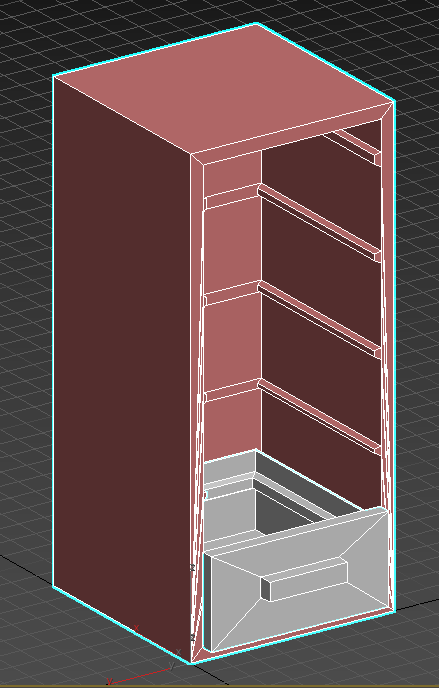
Hi! In this post I will talk about making prop prefabs in the engine in order to make the same mesh different. This is to make a single prop look different in the game. To start of what you need is a prop that is more than one mesh, is in seperate pieces. It can be a lot of things as long as the principle is the same, a lamp and its lamp-shade, bed and a matress, or a closet with its door. There can of course be more as many seperate pieces you want in an object which makes it the task more complex but offers more freedom and options in the end. The prop I will be showcasing is this cabinet.
The cabinet with the drawer and the rest as seperate meshes
This cabinet is only about 350 tris and is very simple to its form. Placing this over and over again in a level will make it obvious that it is the same prop.
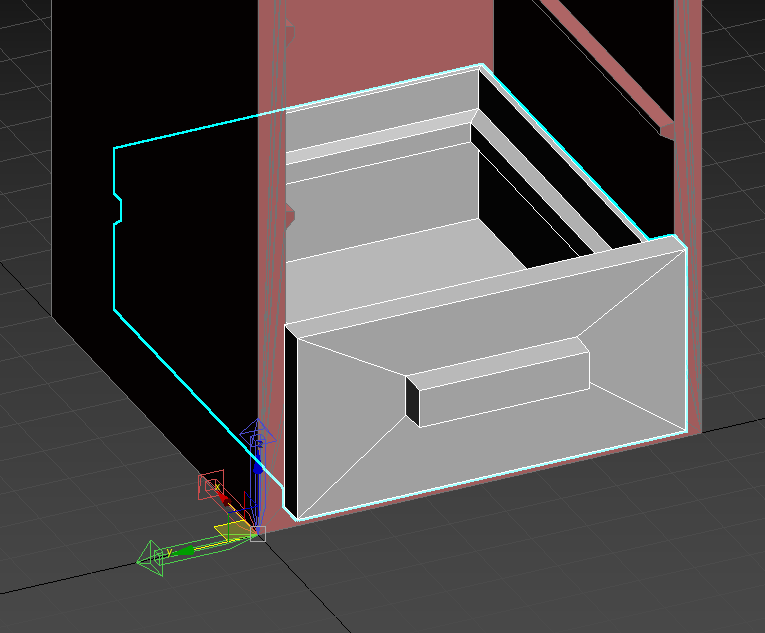
A good tip for making a prop like this is making sure the pivot point is in the same position for all the meshes. In the picture above you may notice that I hve deliberately placed the pull-out box somewhat of the ground, but just as expected in the cabinet.
The pivot point visible for the box
This makes it so that when I place the box at the verticle value of zero it will still float just on the right level to make it fit in the cabinet. This helps a lot when it comes to putting together different looking prefabs in the engine.
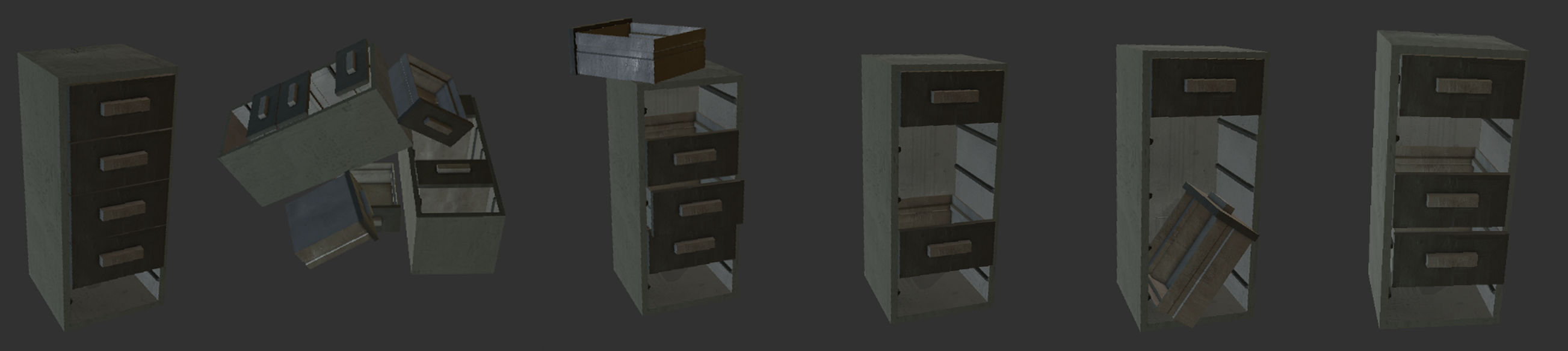
So when it comes to putting them together in the engine it all comes down to creativity. With the help of the cordinate system and the move tool you can make as many diffrent cabinets you want to. All you have to do is make copies of them, arrange the meshes differently and save as a different prefab in some folder. What I came up with doing this fo about half an hour or so were these:
The cabinet with its texture inside the engine as different prefabs
And there are many more possibilities to go.
In conclusion spending some extra time and thought in the 3D modeling stage opens up many oppertunities later, if I had to make all the cabinets above in the 3D modelling program it would take mush longer than half an hour and it would also not be optimized since it would count as several new meshes.
So I hope you find this helpful! That is all for this post – Sakarias ‘Rostfritt’ Ståhl