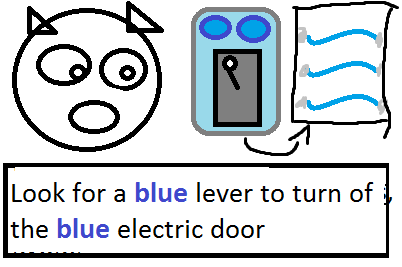
Tutorial
|
This week I’ve been implementing the tutorial for our game Trespawsser, and for change I’m going to focus on the design aspect rather than the coding aspect of this artifact, however I will briefly touch on the code as well. The tutorial is pretty standard, and nothing I am particularly proud of, and I will come back to why that is later. The tutorial is built in the main level, so there is no external “training area”. This is because we wanted the tutorial to be somewhat seamless, since no one likes to play those tutorial levels anyway. We also wanted it to be pretty subtle and skip-able, without having a big “Skip Tutorial” button. When the player starts the game, the enemy is despawned and the player can not be harmed. Firstly the player will learn the basic controls of the game. This is shown to the player via the HUD where a picture of a non playable character will tell the player what buttons to use. Now, since no one likes to read a bunch of stuff when firing up a game for the first time, I want it to be absolutely clear what the different buttons do, without the player having to reading a single word. So, what each button do need to be very clear, so therefor we’re using mockups for our tutorial, where a button is highlighted accompanied by a describing picture of its action. For those who might not understand the mockup, or where a cognitive picture is lackluster, a very brief text is present under the mockup, and it is very important that this text is very brief but informative, to minimize reading, since no one wants to read a wall of text. 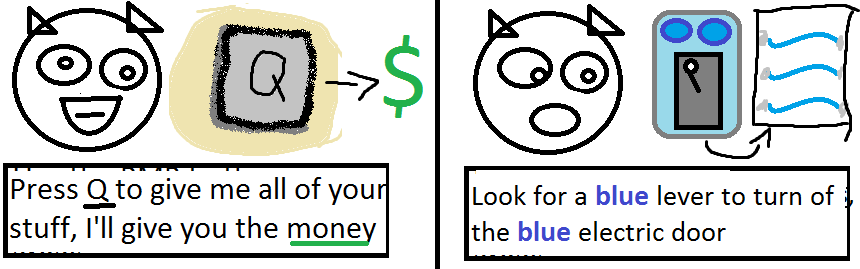 The way I wanted this to work from the beginning was to only show images of the buttons and place them in a self explanatory manner, that then would slowly fade when the player pressed it. I also wanted to utilize the HUD more, by using highlights and arrows at appropriate time. For instance, having the E-button hover over a pickup-able item and then having an arrow pointing to the location where this item where to be take to, then having the Q-button appearing over the player when she was located at the dropoff zone. I also wanted to use light sources to guide the player towards the important things, but the only lights present on the map are the moonlight highlighting the dropoff zone and a lamp highlighting the main objective. The player will learn that in order to deactivate an electric door she needs to find the switch with the matching color. There is a section of the map cut by several electric doors with different colors, and this will be one of the first things she will see when starting the game. The area behind the doors are lit, hinting the player that she is suppose to deactivate all the doors and go into this area. Until this point the tutorial is okay I guess, however next is where the tutorial fails miserably. We have no good way of showing the player the combat system, or rather how to avoid combat, nor to show how the sound whoring AI is working. The best thing would have been to give the player some sort of illusion of her being in danger and to “force” her to learn the basics of combat via some scripted sequence where the enemy first is introduced, since this would give the player the necessary information she needs to know about the behavior of the enemy without butting her in a real dangerous situation. A mockup simply won’t do the trick for the combat mechanics, since its better to show the player the danger in a safe place and provide the necessary tools and place them in a way that the player can easily figure out how to tackle the problem by herself, instead of writing it with big letters on the wall. However unfortunately I think I’m going to solve this by using a mockup, which is sad since I wanted to make a good and smart tutorial which does not hold the players hand, however due to lack of time (time, where did you go?), I simply won’t. So, they way the tutorial is functioning is pretty simple. I use two finite state machines, the first is the gameMode state which is set to tutorialMode, which amongst other things disables the AI. The second finite state machine is the tutorialState consisting of a bunch of enums. I pair each tutorialState with a texture (a std::vector with std::pairs of sf::Texture pointers and a TutorialState enum). I display the texture of the active state, and when a certain criteria is met during each tutorialSate, I change the state. Pretty simple, but all of it is hard coded… Ugh..  |