Sound of Life Blog #2
|
Hello, and welcome back to my second blog! Today I will be talking about Material Instancing, and how I utilized this method in order to make variations of our textures.
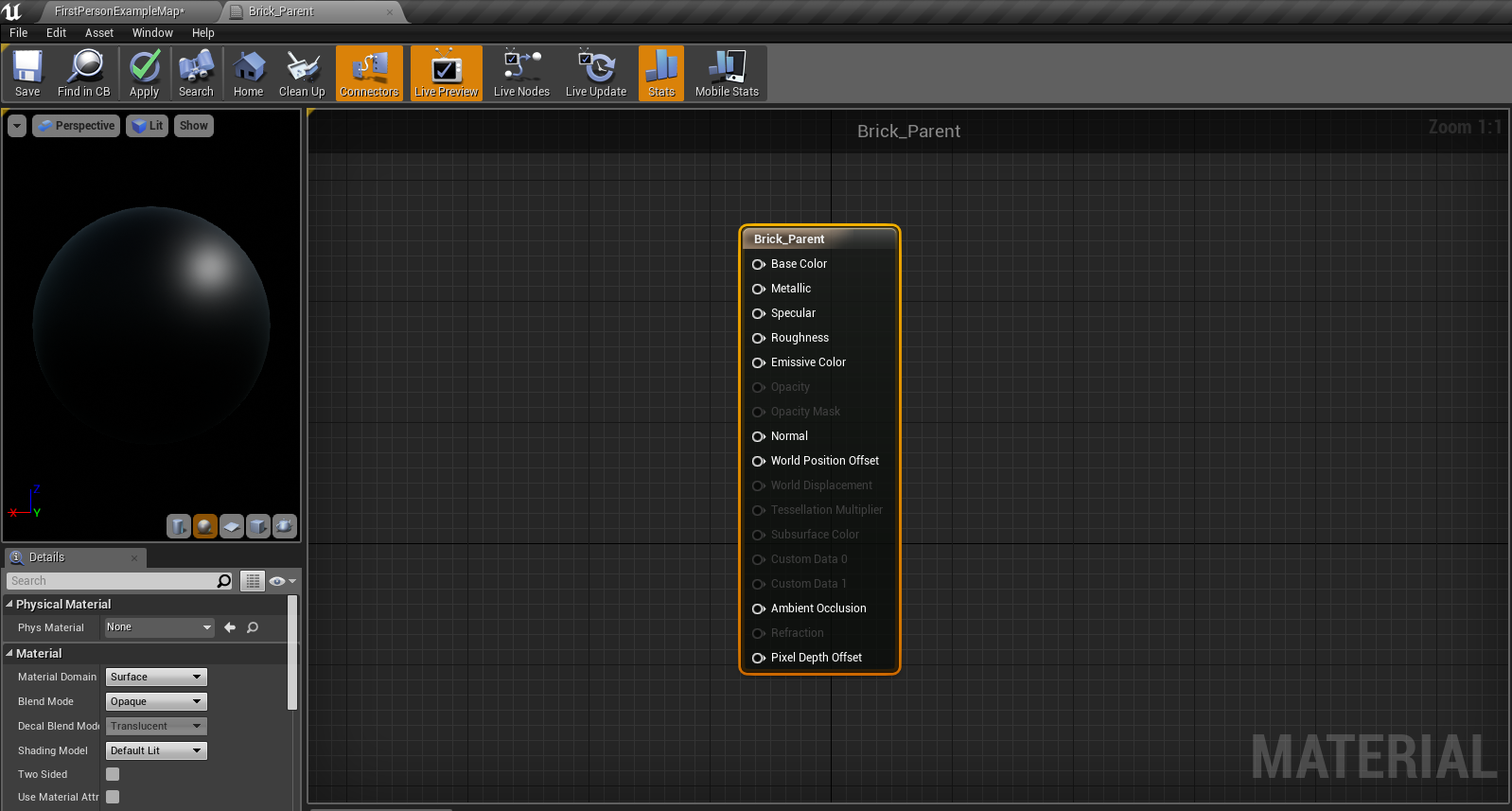
But what is Material instancing? Material instancing is when you take a single parent material, and you make copies of it (instance/child) that have variations to it. Let’s say that we have a simple/basic wood material as a parent material, then with that, we can create specific variation to it, such as oak or maple. So what you are doing is that you are starting off with the same exact properties from your parent material and you are making changes to them, and these properties are called parameters that contain a value that can only be changed once you instance off material. For this example, I am going to make an instance of a basic brick material. But, in order to do so, you need to define the parent material for this basic brick texture. So I started off by making a new material.
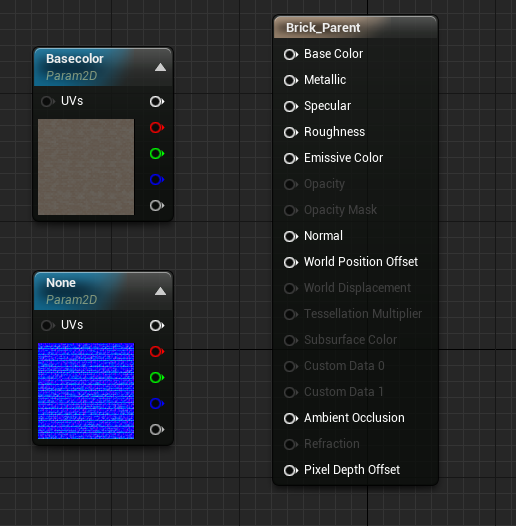
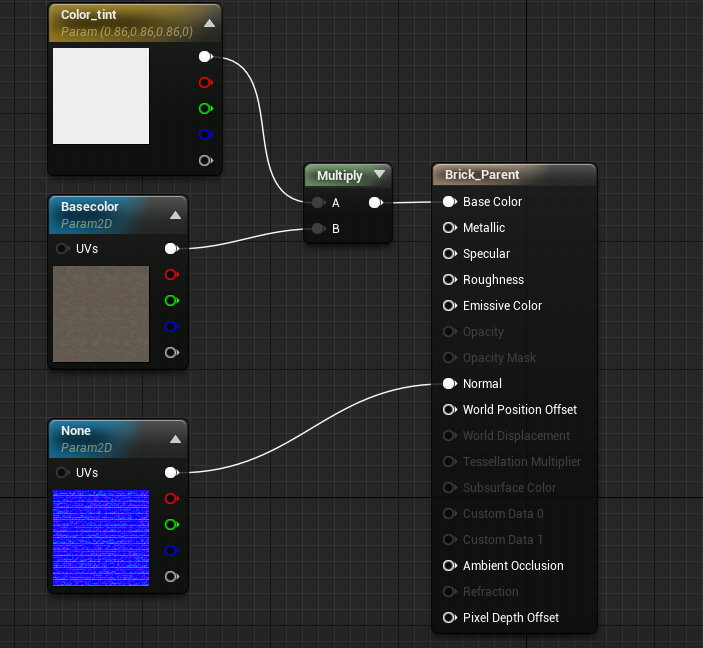
After that, I imported my base color and normal map for my basic brick to the material editor as a texture sample parameter. These are the values that you can use in order make variations.
With the base color, I added a vector parameter, which is going to give me the option to add color tint. This vector parameter is plugged into a multiplier with my base color map.
I also added scalar parameters for my metallic and roughness, and with it, I can tweak my roughness and metallic for my variations. 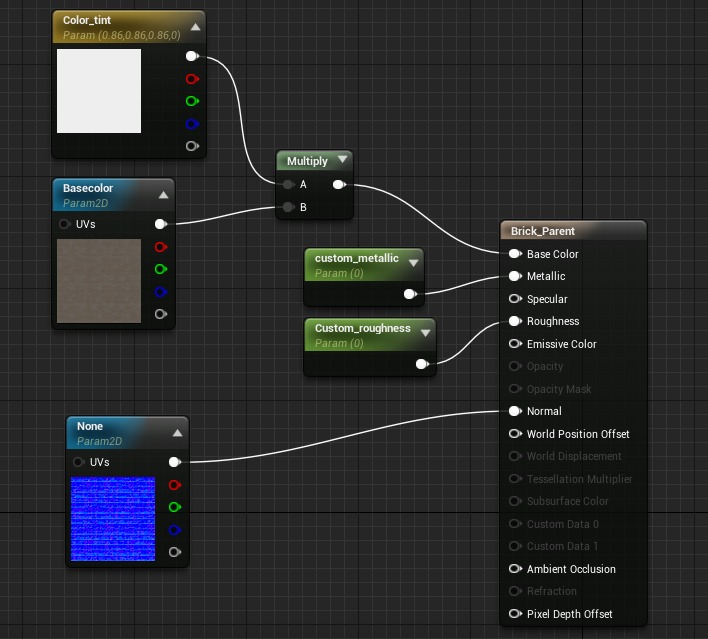
And here we have a simple setup for our parent material Now, all we have to do is create an instance for this brick material, and you do that by selecting ”create material instance”. Once you select the child, you will enter the material instance editor.
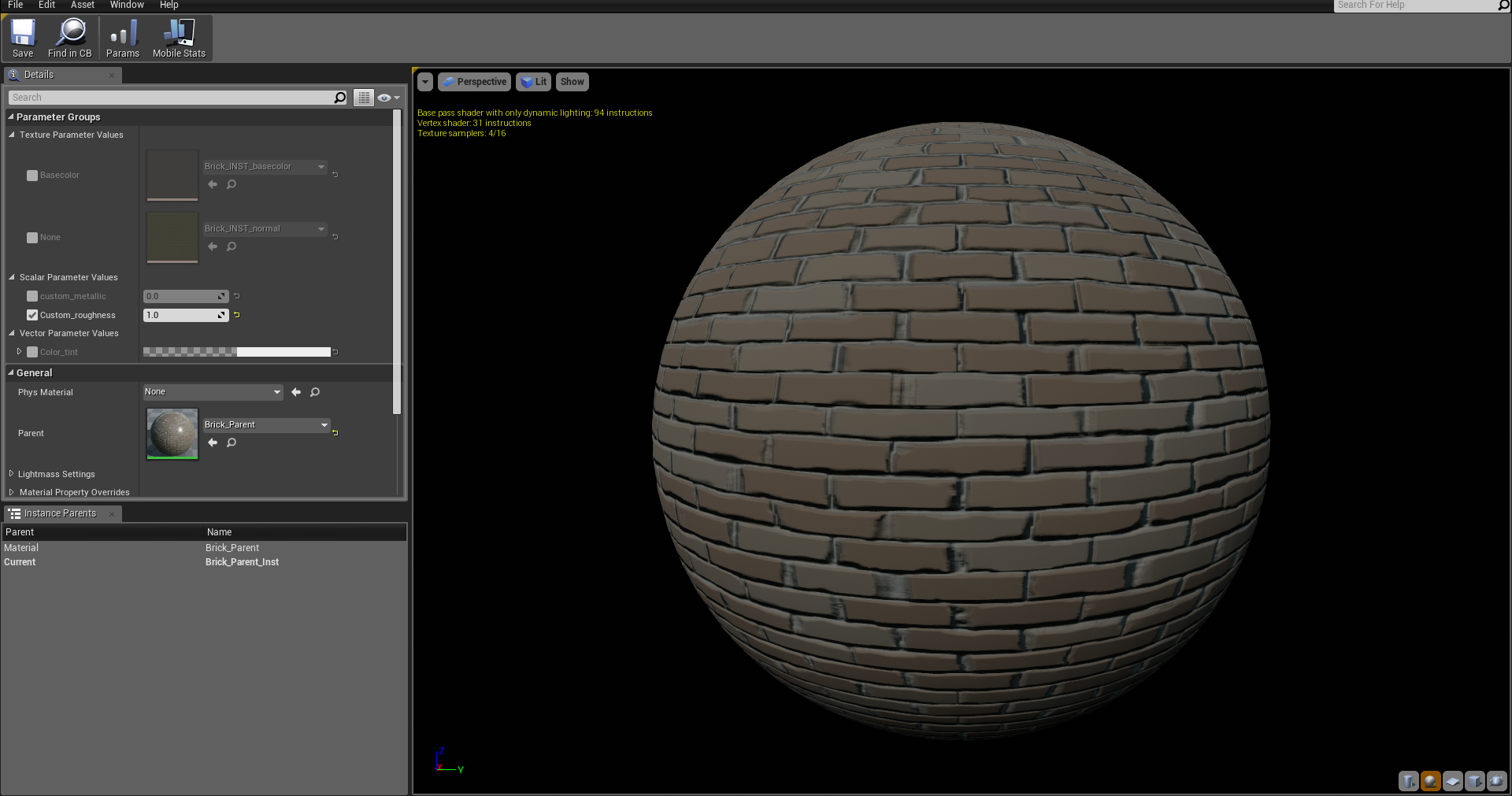
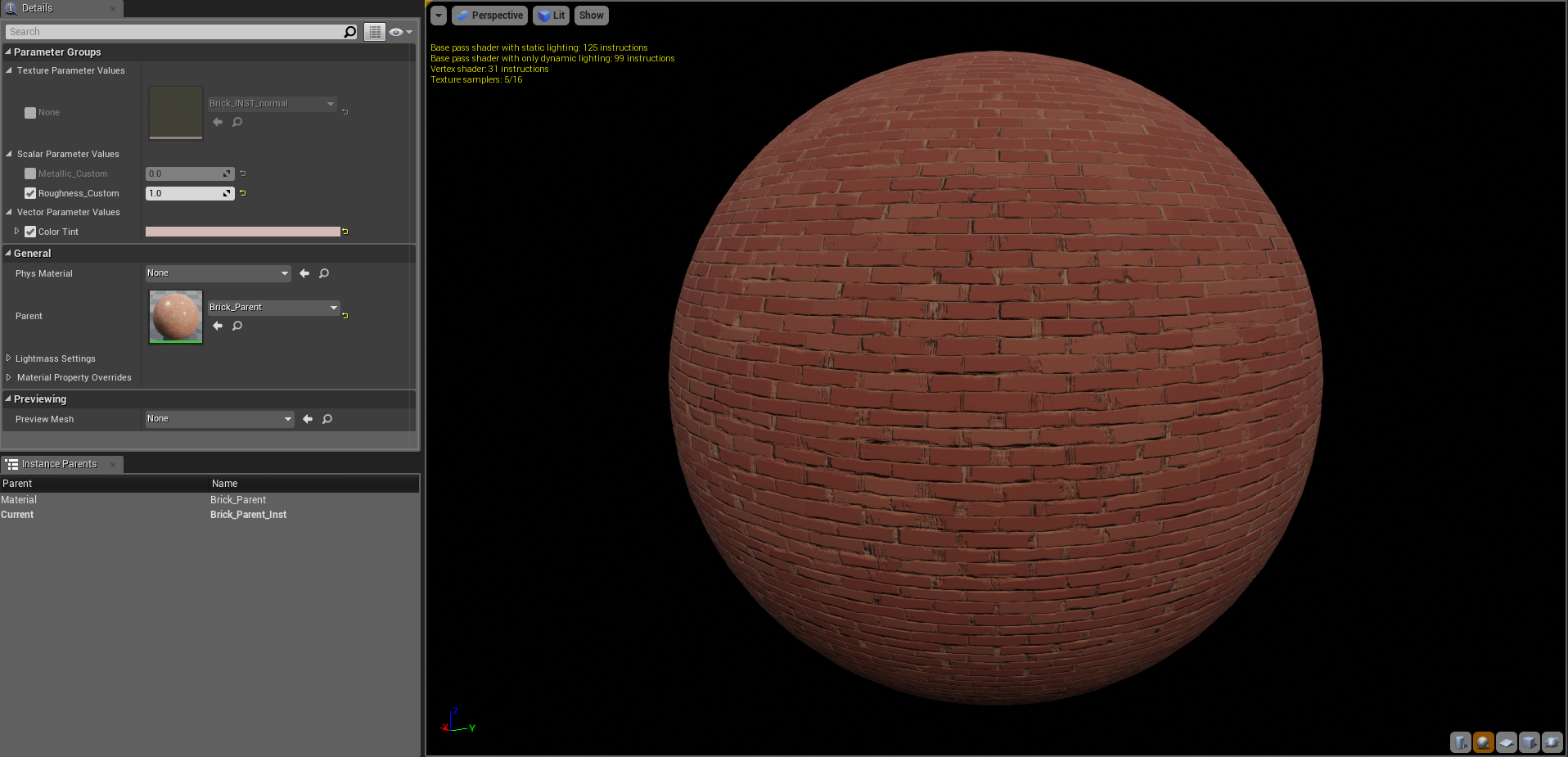
Material instance editor And here we can find the parameters that I created.
With this editor, you can change the color tint, roughness, metallic, or you can change your texture completely by changing the normal or base color map. But for this material instance, I only tweaked the color tint and here is the result of that.
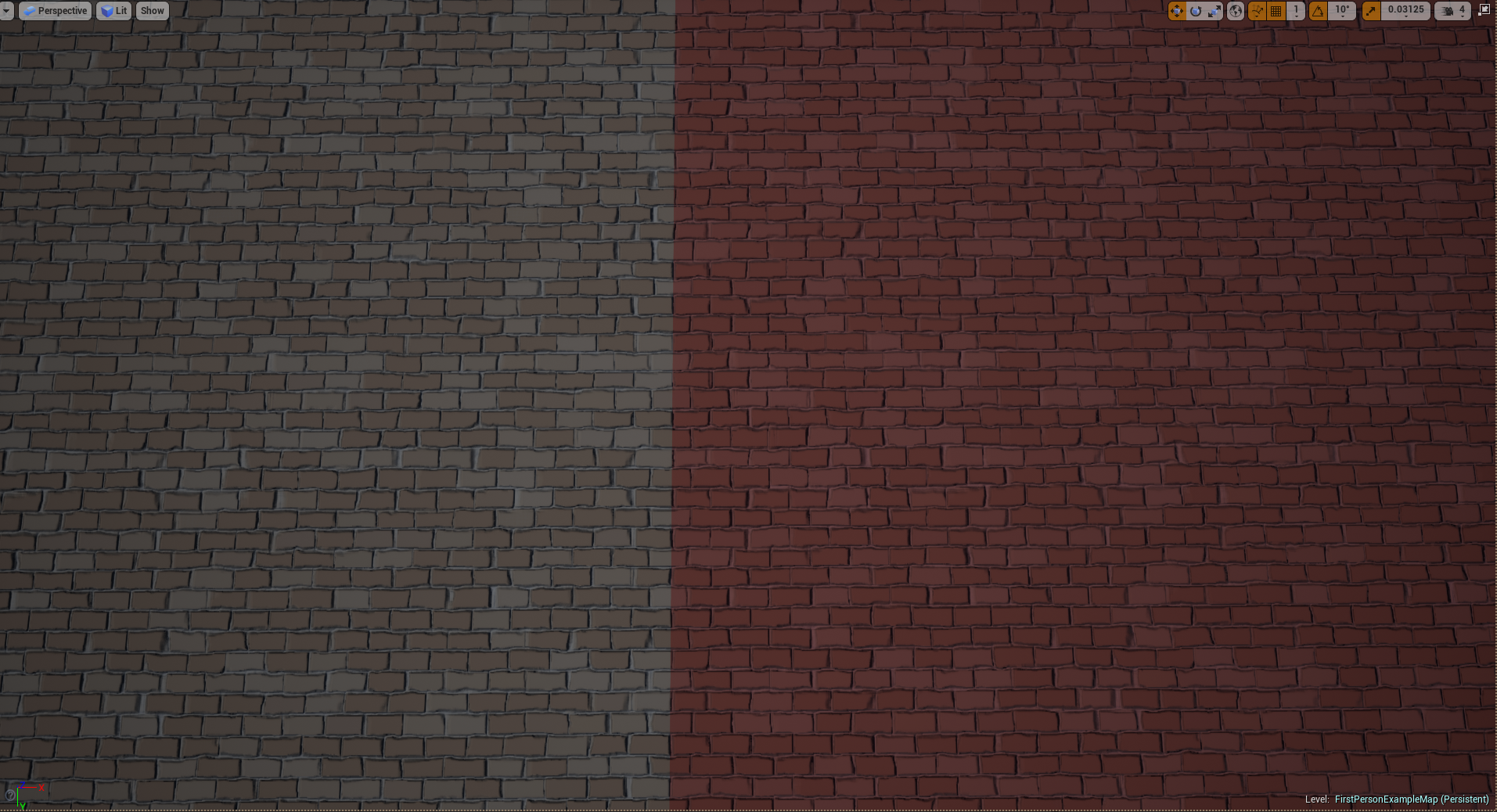
Left: Parent material Right: Instance material
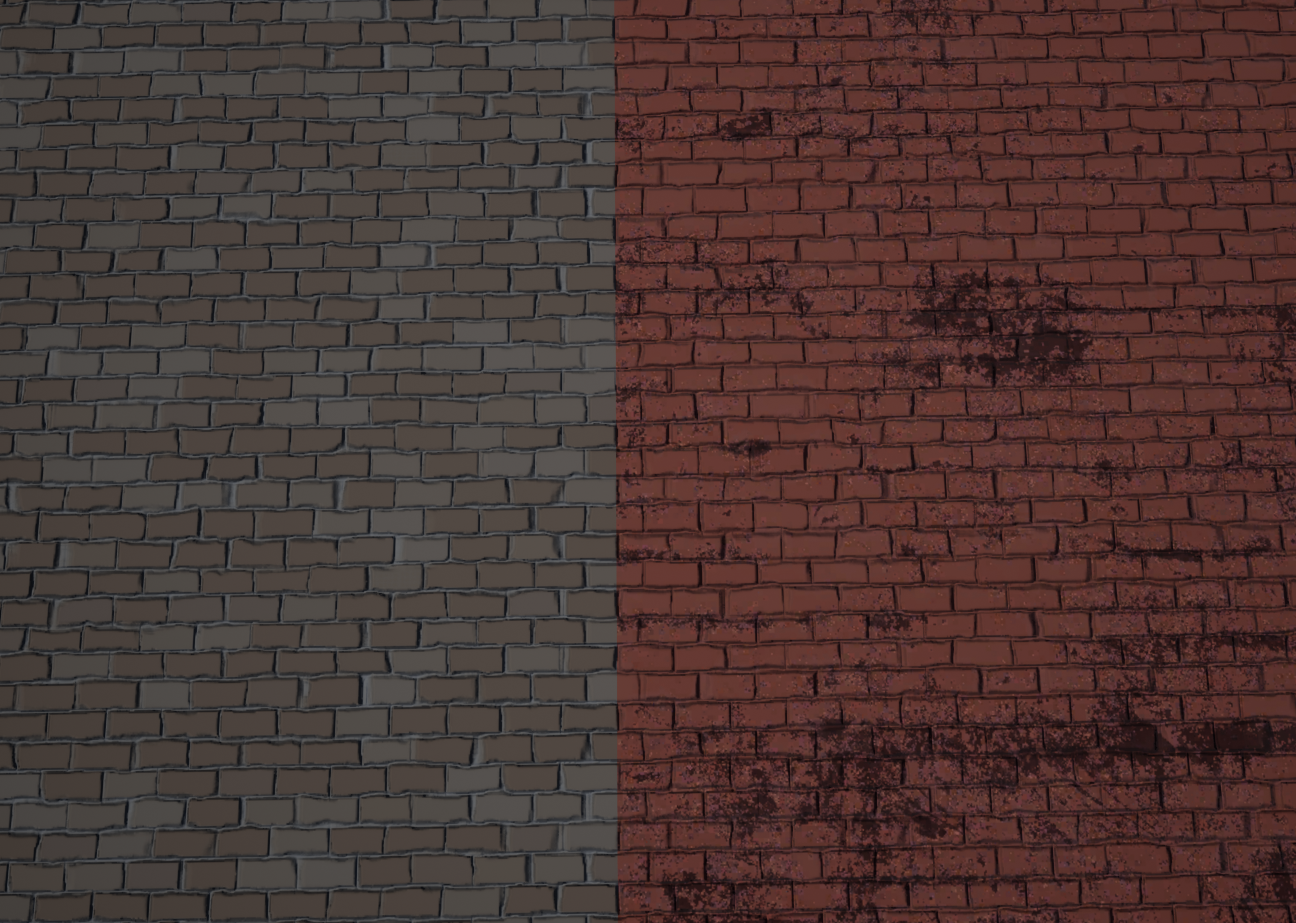
Another example, but with a different base color map So why use material instancing? The important thing about instancing is that you will only compile the parent material, which means that children materials are free, in other words, they do not cost anything when it comes to compiling. It is a quick, cheap and an easy way to make variations of a material.
 |