[5SD037] “It’s all JavaScript to me” or “How to find grid positions within a cone”
|
After a few pretty hectic weeks we have finally reached a relatively quiet period in our project so I have some time to write some blog posts. This means that some posts will be written quite some time after the implementation of the feature they will be about. I already have some posts backed up so they will come out in a rather quick succession next week. Since this is the first blog-post for the project I will begin by giving you a quick run-through of the project I am working on currently. The name of the project is Rune Mages. Rune Mages is a fantasy turn-based strategy game where the player will control two mages wielding powerful magical runes. These runes can be combined to create anything from a spray of water to push enemies away to a devastating meteor shower. The goal is to close a portal spewing out a horde of demons which the player must defeat before reaching their objective. We like to pitch Rune Mages as: X-Com meets Magicka. We programmers spent the first week on prototypes, testing A* pathfinding, a grid-based world and the like. After that we were working mostly on back-end systems and creating an overall structure that would make the rest of the work easier. Roughly two weeks ago I started work on a targeting system that would return a list of all squares affected by a spell. The day before we had completed a lookup table that we use to return range, radius, effect and any other information that might be needed. For now we only have four kinds of spells: single target, multi-block(rectangles), circles and cones/circle sectors. Single target spells only affect one square and therefore won’t need a function to return the affected squares. I began working on the cone since it was the one that I expected to have the most trouble with. I started by thinking of performance and used the range of the spell to create a square around the caster. The sides of the square where each as long as twice the range. This was so that instead of checking the thousands of squares the level would consist of, the function would only check the hundred something squares in the vicinity of the caster. 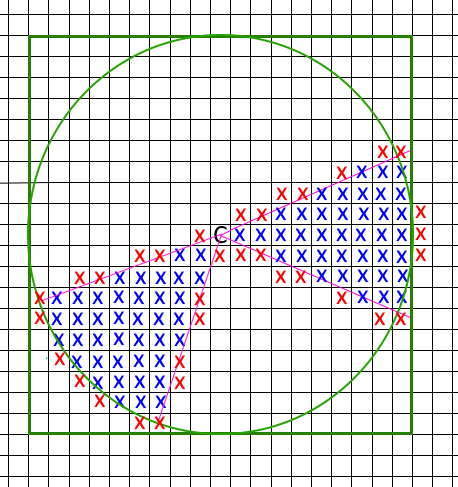 The C in the sketch to the left represents the caster. All points within the square are the points that we want to check. The circle is the range of this particular spell. The purple lines are the “sides” of the cone. The blue and red crosses are the points inside and outside of the cone respectively. Then I went looking around on the internet for any solutions to similar problems, most of the examples I found only worked with gameObjects and therefore would not fill our requirements. I did however find an example on StackOverflow that was pretty much what we were looking for. There was only one problem however, it was written in JavaScript and I don’t know how to read JavaScript. On top of that the source code had almost no comments to help explain it. So I tried my best trying to convert it into C#. It worked by using a lot of vector math that I don’t think I understood entirely, since it didn’t work. At least not in the way we had intended. At first the list kept growing every time it was used. I fixed this by clearing the list every time I called the CheckCone function. Then it started returning some of the affected squares twice. I thought I could fix this by using the distinct function of C# lists, but that only made the list return null. I went through the function over and over but could not found a reason why that would be the case. So I decided to cut my losses and try to find another solution. This solution was also written in JavaScript but was a whole lot shorter than the previous example. I found it on the Unify Community Wiki. It was advertised as Rect.Contains(Rect.Contains is a Unity function that returns either true or false if a point is inside a rectangular area) but for polygons. This did not work at all for reasons unbeknownst to me. Then I thought that I had just overcomplicated it for myself. I just need to know if the point was between two angles and within the radius of the circle sector or not. This didn’t work properly either.
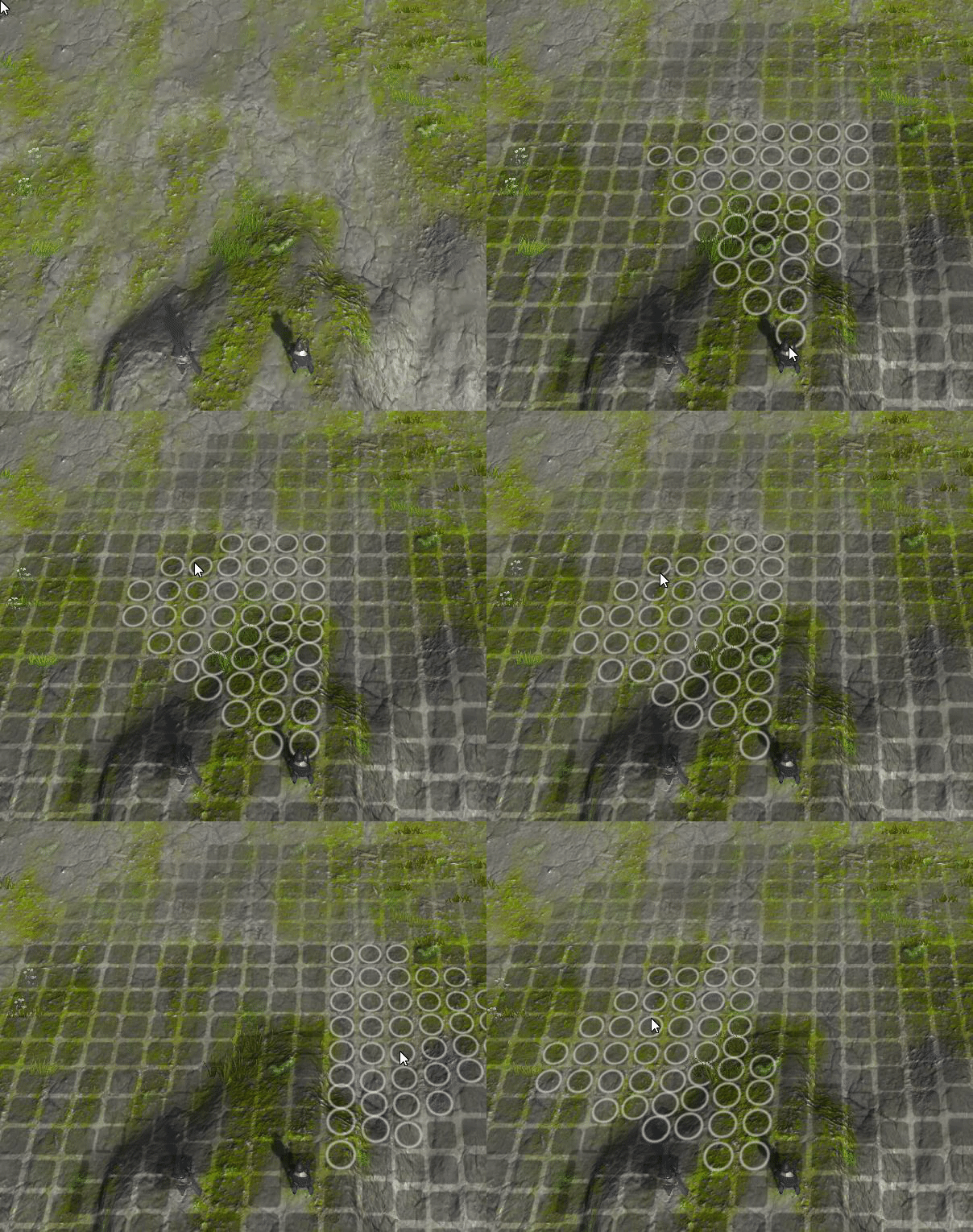
So I spoke with a member of another group and asked for help. He helped me construct a function that used the dot-product of the direction and the normal of the relative position of the point we want to check to the player. If the dot product is larger than the “limit” the point is inside the cone. The “limit” is a number between one and zero. Zero results in a half-circle and one results in a thin line, so thin that it doesn’t return anything. Any number in between result in an increasingly thin cone. Finally the function worked, after working for three almost whole days trying to find a solution. The circle and square functions were easy and were finished in just an hour or two. The multiblock function just returns all squares in a rectangle from the mouse pointer, where the width and length are retrieved from the lookup table. The circle compares the distance between the mouse pointer and the point we want to check, if the distance is shorter than the radius of the spell in the lookup table the point is added to the list of affected squares. That was all for this post. next week you’ll have UI and camera movement to look forward to. So until next time!  |