BGP – Day 3
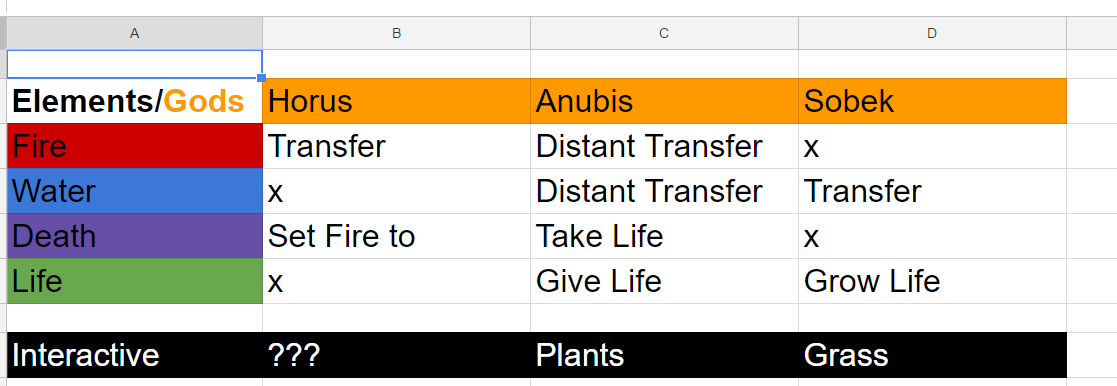
A matrix-sheet and more fire!Hi again! In my last post I mentioned looking at one page designs and presented it for the group. They all seemed intrigued by the idea, but before I presented it for them, I drew a matrix-sheet of the different gods we have in our game and some of the elements. To more easily fill out the blanks when it comes to what god they belong to and how they fit together. Here is what it looked like when we put it into Excel:
We have the three gods in the pyramid, Horus the god of the sun (in our case fire), Sobek the god of the Nile (in our case water) and lastly Anubis the god of the afterlife (which we translated to life and death). As we had talked before about the players tools to solve puzzles would involve fire, in the manner that they can transfer it between torches using their cursed hand. As you can see in the matrix Horus and fire align. Meanwhile Sobek aligns with water and we found it natural to include a similair ability, to transfer, but connected to water instead. Set in context these abilities could be used to set something on fire or extinguish a fire. Fill something with water or water grass to make plants grow. Meanwhile using the power of Anubis you gain the same abilities but they can now be performed from a distance and you can also take and give life. This could for example taking the life from a plant and then give life to another plant so that it would age into a larger tree. But we are missing a piece of the puzzle (ha-ha). As you can see Sobek and Anubis have the giving life part in common, so you can make plants sprout from grass and then transfer life from them or to them. But down to the left which would be Horus connection to Anubis is empty, as we haven’t figure out something that would build upon the other mechanics (water, life and death) and connect fire to them. We will just have to give this some time, If you have any ideas, please leave a comment below! FireYet again I’m playing with fire, first during the day I spent some time trying to get the fire to track the arm as I have mentioned previously but to no avail. But I still wasn’t satisfied with the result of the previous fire I created and therefore found a new tutorial that would show how to do it completely from scratch, here are some of the steps:
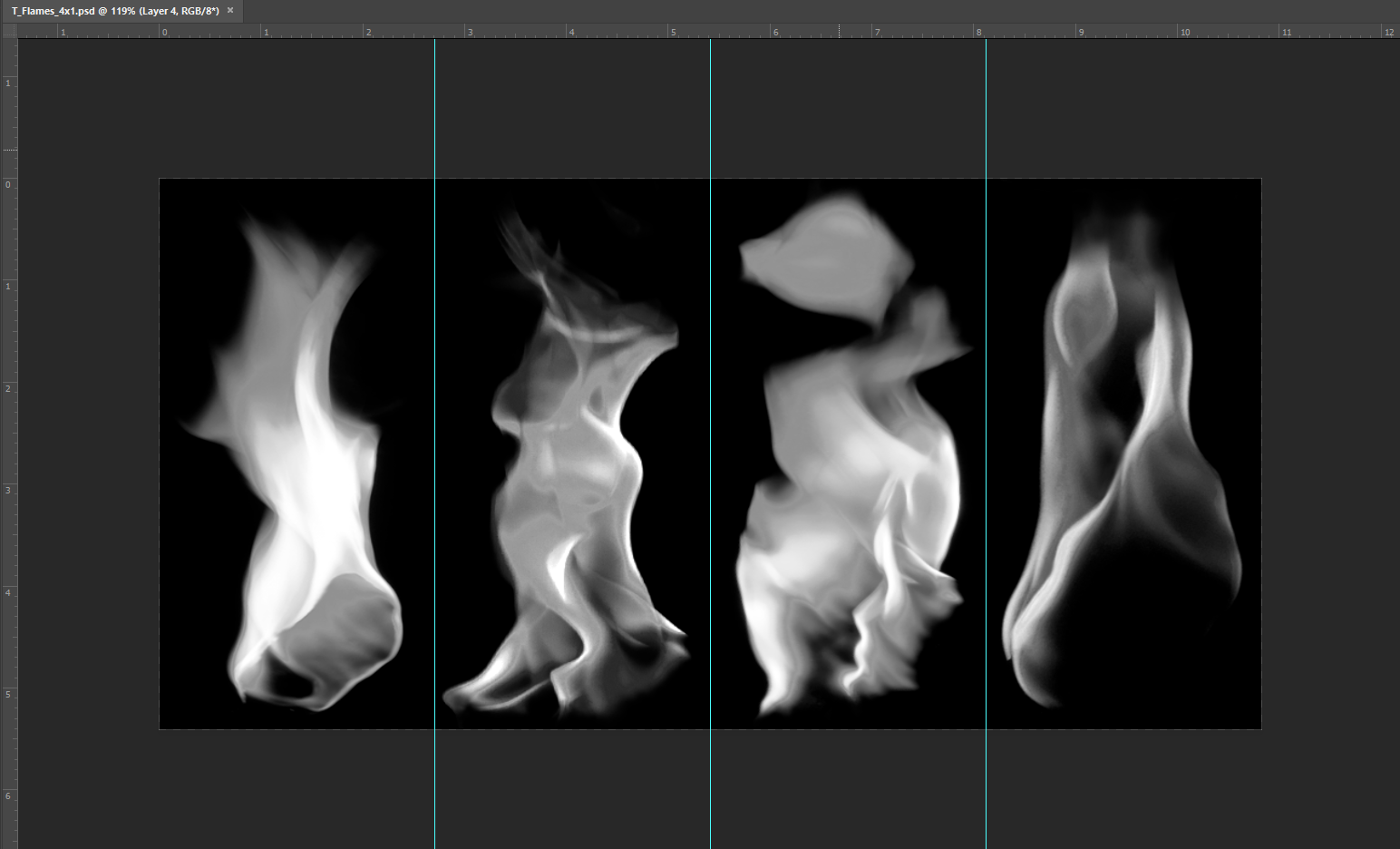
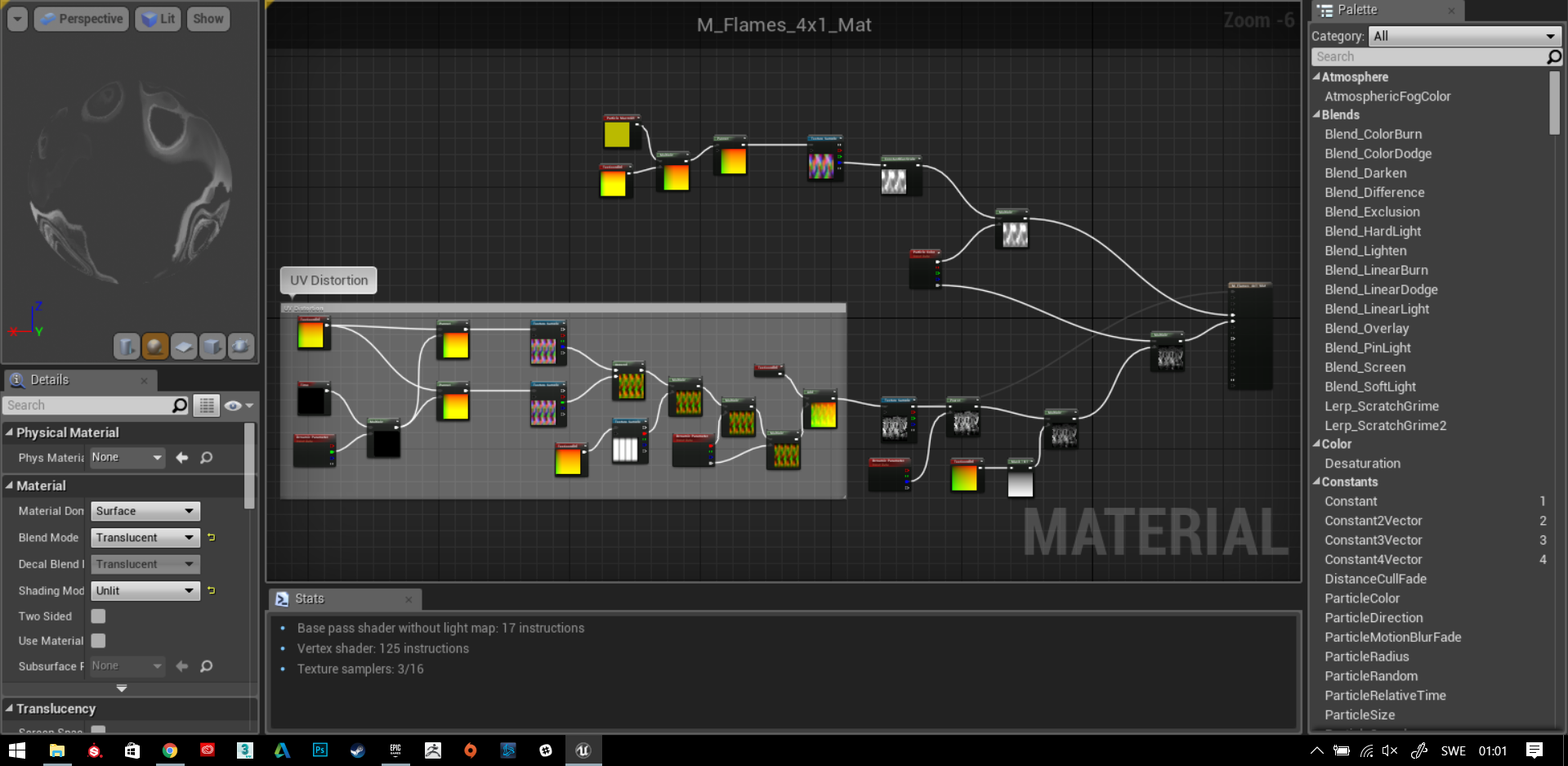
First four pictures of fire is aligned next to each other in photoshop. This will be transferred into the game engine and with some visual coding, the game engine will display theses pictures ”on top” of each other. Creating the effect of a fire. There is a lot more elements going on then that and I barely understand them myself but here is a picture of the visual code of the fire material:
I understand it is hard to see, but I just mostly wanted to show how it looks like when you add all of these nodes together. Very simply explained, what they do is that they all contain different variables that you have to set manually. Then when connected to each other, they add different effects, like multiplying, adding opacity, making textures pan in different directions and much more. This is what it looks like in the end, first we have the fire I created last time and then the fire have created today (and its not finished yet) I’m about half way. I’m very satisfied with how it turned out, so I’m excited to see how it looks when I’m finished! Thanks again for reading and have a great day!  |