Blog 4 – Week 9
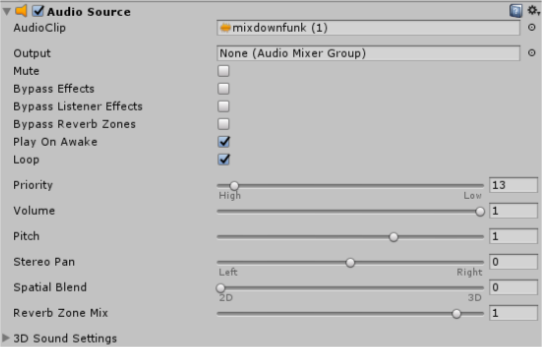
The Importance of Sound: Do you hear that?This week I was tasked with making the sound for the game and coding the scripts that made it work. Though first trying to learn and figure out how to implement sound effects was a bit difficult but once I figured it out I could apply the knowledge to all the other instances of sound effects that we wanted in our game. The first thing I worked on when trying to figure things out was putting in the background music for the level scene and our start screen. I looked into ways that involved hard coding or writing a script in for the action to be handled but it turned out to be pretty simple. This may not have been the appropriate way to do it but I was trying to focus more on the implementation of sound effects so I took the easy way out and used the inspector to play the background music for our game. Displayed below is the simple way to implement background music that plays on a loop throughout the scene and it is attached to the main camera.
Making the sound effects was what took the time and trying over and over again. At first I just tried putting the code that seemed it should work into the already existing collision function of the bullets. I wanted one sound effect to play for the player being hit and one sound effect playing for the enemy being hit. It was working but only working for one of the sounds and it was making the sound even when the enemy collided with its own bullets, so honestly it wasn’t working at all. The below script is what I used to try to make it work (with the addition of this written twice with a change of “playerHit” as the sound).
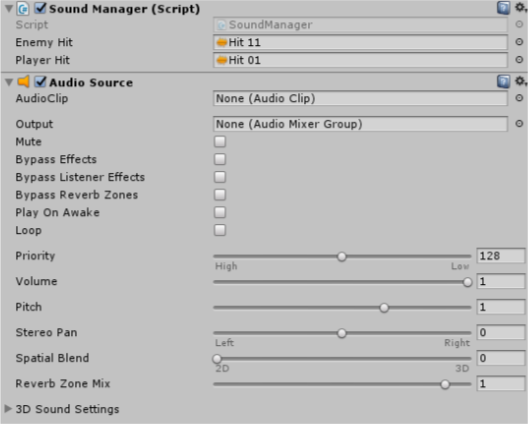
This wasn’t completely shit code. It wasn’t that this wouldn’t work, its that in the code I was using it for, the object would be getting deleted before playing the sound (so there was actually nothing to make a sound). If I moved this code before deletion then the object would not get deleted (don’t ask why but if anyone has input please let me know). So I had the idea to make a Sound Manager script which would manage the two sound effects and be attached to the Game Master object which has been previously handling all things that have to do with level loading and such.Within the Sound Manager script I put these two lines of code within functions called “Player Sound” and “Enemy Sound”. That did not play the sound that just managed which sounds would be played with what action and on what object. Adding the below line of code into the collision function in my bullet class was what solidified the action of playing the sound effect. All sound effects after these became much easier as I understood it more so.
  |