Lighting the scene
|
This is Anders from team Nazgul. I’ve been handling the more technical aspects of the graphics that we’re using to get the style we want and make our game look good. There are two main parts to this: normal maps and light ramps.
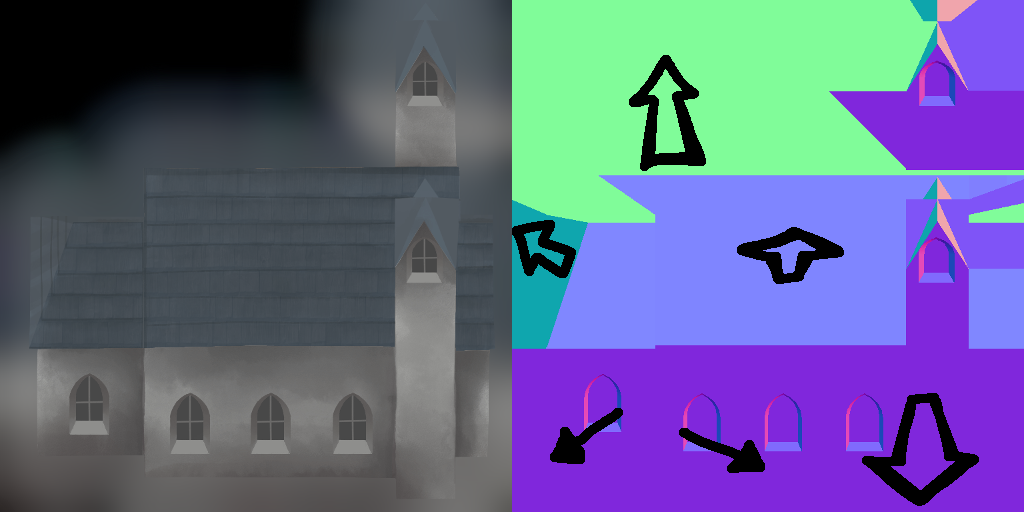
A normal map is an image with colors that indicate values for a vector at each pixel. Lighting objects in rendering relies on the normal of a surface, which tells the direction the surface is facing. This is limited to one vector per vertex and interpolation between them, so normal maps are used as an inexpensive way to add lighting detail to a surface without increasing geometry. Our use of normal maps is instead to add wholly new directions to flat objects so that they will appear to be lit as 3d objects. This isn’t intended to be used in place of models for performance or workload, since basic models are still created to generate the correct normals, but is meant to add lighting effects to flat painted buildings and objects. Obstacles and possibly characters can also use this method while allowing total freedom while creating them in 2d. Once the correct normals are captured for specific directions normal maps can be created by hand for anything.
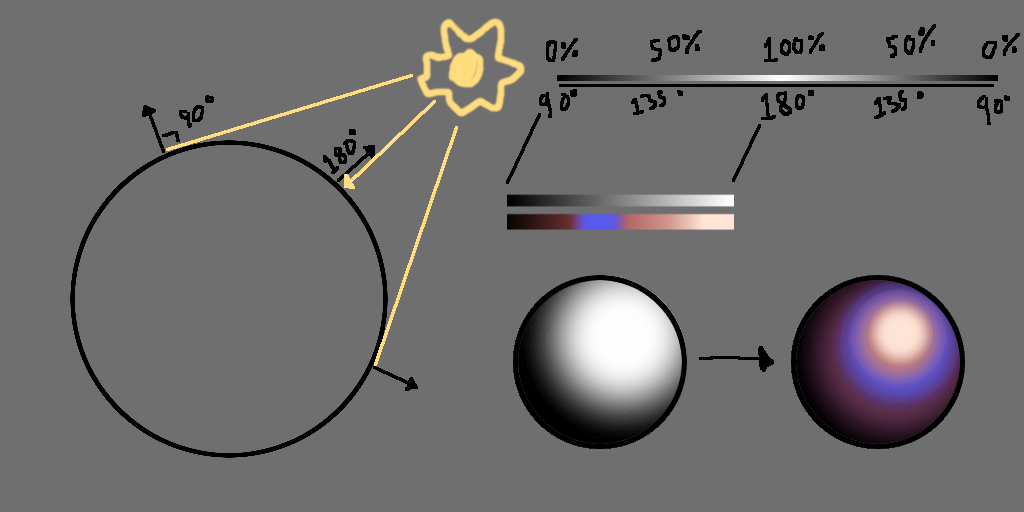
Next up is light ramps. These control how a surface is lit over a gradient of intensity. When lighting an object you find the dot product of the vector of the surface with the vector of the light source. When normalized the closer they are to being parallel the greater the value is to 1, and perpendicular is 0. This is a very easy way to get lighting information that can be multiplied directly with a texture for the color and shading of a surface. Because it’s a perfect 0-1 gradient it can also be used for other purposes. In this case the value of the surface is the coordinate of the light ramp, effectively a 1d texture, mapping it to surface brightness. From here this texture can be multiplied by the object’s texture as the new lighting value.
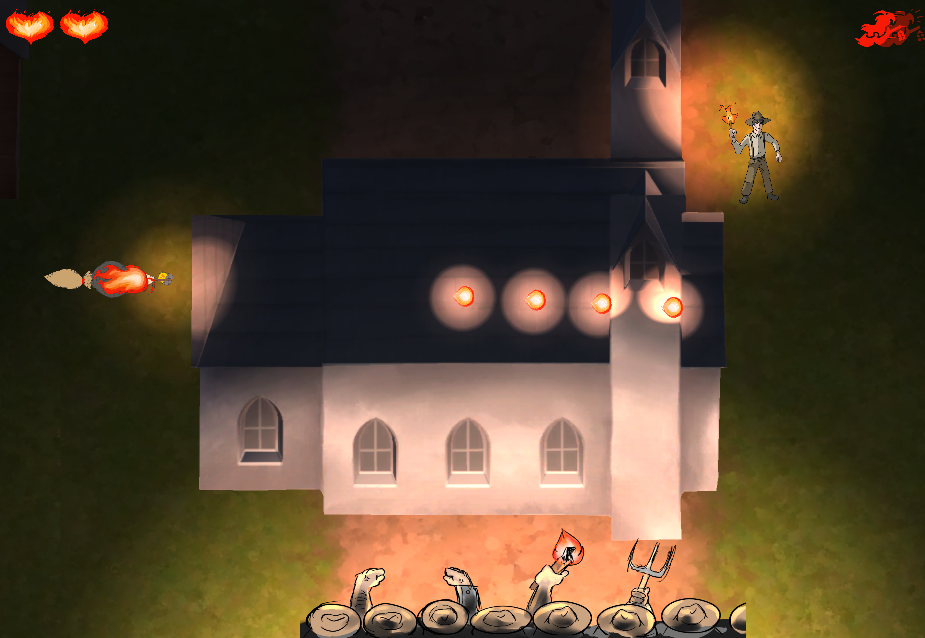
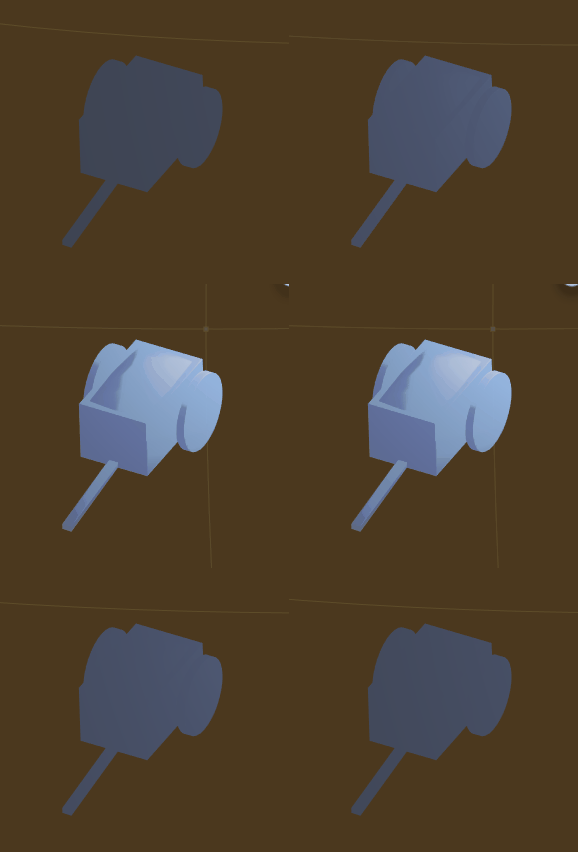
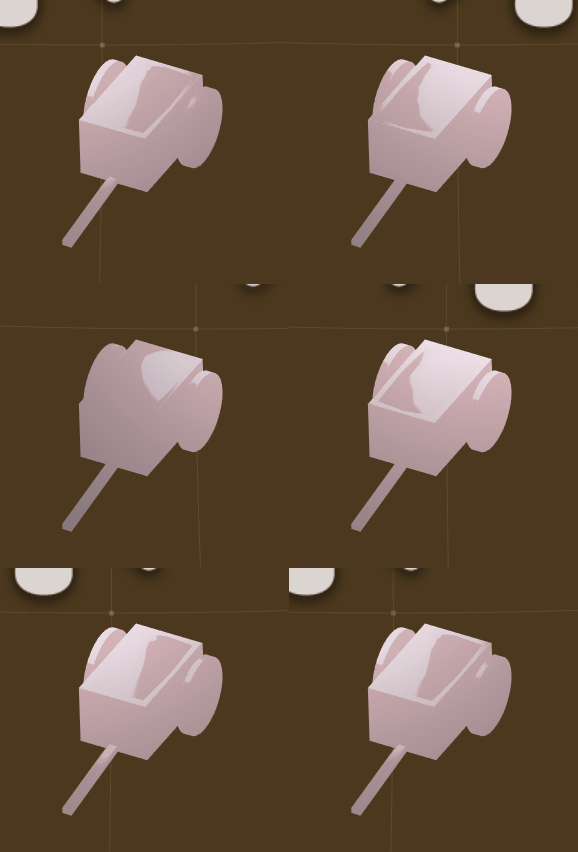
The buildings in our game use a ramp with very abrupt transition from light to dark. This is because they are meant to add visual interest when lit on the sides of the screen, but should not be fully lit since the focus in the game should be in the middle, which will always be more visible. The ground has a ramp with two stages: a bright center, and a dim ring. This is so that the main light source on the game, the mob a the bottom of the screen, is brightly lit in the area immediately around it, while the rest of the area is softly lit by the same light source. Because the ramp is not controlled per light source enemies and fireballs have the same effect on a smaller scale. Below are examples of different light ramps that are also colored. The object is white on its own.
 |