Blog week five: Fire!
|
This week, Simon and I have been mainly focused on rewriting our design document, not leaving a lot of time for other things. My secondary focus has been on making a bunch of different sound effects, and for this post I will go through the steps of making a flame thrower sound! My first task was to scour the internet for free sound effects. For this particular artefact i found one wind sound on Soundbible.com that I thought would fit, after some altering. I prefer to mix several sounds together to get my desired result, so I went looking for a few different fire effects. I found two additional sounds in a small sound library which we got from school. These are the effects I found:
I loaded them all into Audacity first, to get a general idea of what they sound like together and adjusting the volume of each track as I saw fit. I ran the wind noise through a distortion ( I believe it’s called leveler in Audacity ) to make it sound more like fire. The wind track was duplicated and run through an equalizer removing all high frequency sounds and boosting the bass notes. This was to add some oomph to the overall sound. The crackling fire clip was very long, so I just picked a few seconds of it to match the length of the other clips and deleted the rest of it. The rumbling fire was run through a phaser, adding a swirling feel to it. 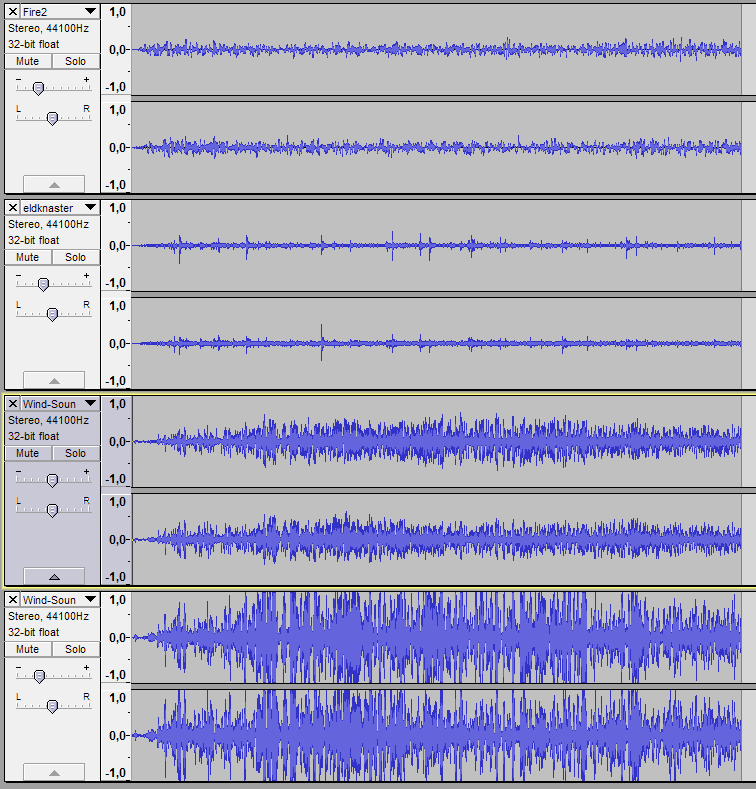 At this point I got some feedback from the group. They wanted to add a hissing noise, such as from a leaking gas can, to make it sound more like a flame thrower. Off to Soundbible again! I found a very fitting suction noise: Very nice, but the pitch was a bit high for my taste. It sounded too weak. I loaded the clip into Audacity with the other ones and lowered its pitch by about 50%. After some volume adjustment the effect is nearly done. At this point I had five tracks:
Keep in mind, these are all the same volume. The adjustment is done in Audacity, not on the files themselves. I added a quick fade out on all the tracks, to make a smooth ending. The last step was to just export everything into a stereo .wav file. I choose wav over mp3 because wav doesn’t compress the audio. Aaand we’re done. This was the result of about two hours work: It’s certainly not perfect, but then again I only have pretty basic audio engineering knowledge and I did not want to put in more than two hours of work when the deadline for the final version of the game is so close. DifficultiesThis was pretty straight forward, although it took a while messing around with different effects and such. Audacity is a little clunky as usual. The hardest part with sounds is always finding good samples. Free-to-use sounds on the internet mostly seem to be really bad quality, or just bad sounding in general. The best way is probably to record all sounds yourself, provided you can get your hands on a decent microphone. This way you can get the sounds you want, and in a high quality file. Plus, recording stuff is a lot of fun! That should be all for now, see you!
 |