Only one week until Beta and there is still plenty of work to be done.
|
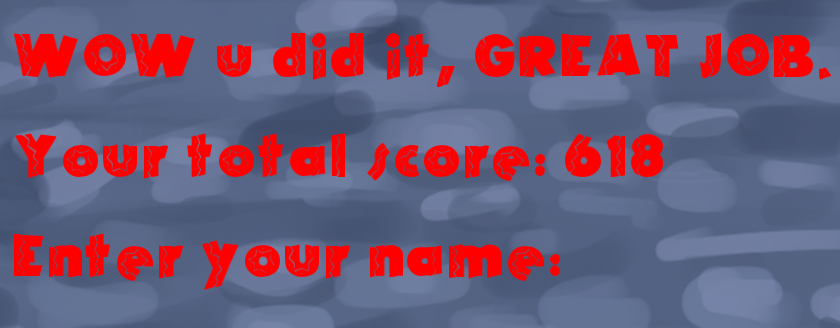
Hey there! So we now running close on the final week before our beta presentation (yikes!) and quite some work remains until we are satisfied with what we got to show. For this post I will talk about the work I started doing on our highscore system and what results I have gotten. I chose to work on most our different screens (such as start, menu, win/lose and highscore) since it is one of the things I learnt how to do during our last course and I feel confident that I can produce all of this in a working order. Besides I find it interesting to work on and with different states/scenes and changing between them. But back to the topic, after you have completed a level the player will enter our ”win state” where the sum of the total score earned will be displayed, this includes the amount of points earned and with how much time remains added onto the points. Here the player will enter his or hers name and that name along with the score will be saved and can then be accessed in the highscore state (which is within a different state), this is a part of the screen in our win state.
Now to get to the explanation of how I did this. I should start with explaining that this is not yet fully functional as there is some trouble with entering a text or any symbols for that matter from the keyboard to the display. What I started with was as the player exits our game state the score and the time (both of these are ints) will be added to a new int that I save down to a text document. The text document is set to open when our exit function in the game state is called and closes after the score is added so it does not remain open. When the player now enters the win state the same document is opened and the previous score is now added to a new int that is called and displayed onto the screen by using the sf::text and sf::font functions to draw a text to the screen. This text takes a string so I needed to convert my in to a string in order to draw it. This is where I am currently at since I am still working on a method to take an input from the keyboard in order to enter your name which will be saved along with the score to a new text document that works in same way as the previous one. This is one of the artifacts I have been working during this week and will continue to work on this one after our beta unless I have some time over to look at this again. I wish you a good weekend and until next time.  |