Hud
|
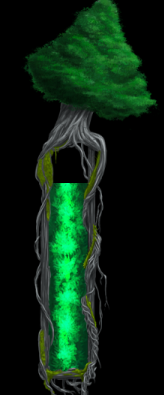
This week I have been working on creating the Hud for the game. I started with creating the class for the player health bar. As we already had health bars for the players, enemies and the life tree. I took most of the code from that class and re used them for the player health bar. But the healthbars that we already had was only a sfml rect that is given a color and displayed dynamically over the entities head. But for the hud healthbars our graphic artists had created some sprites for them. We first thought about just having an overlay over a sfml rect. But this would’ve looked sort of out of place as the sprite representing the health would just be a solid color. Instead we decided to have the inside of the health bar be a texture that was drawn by our artists. So now when the player loses health it now has a nice looking texture. The same thing was done with the life tree health bar. The difference here was that this health bar was vertical instead of horizontal. So i changed the variable to affect the Y variable instead of the X variable. One thing that i noticed while running the code was that the health was draining from the wrong end of the bar. The health bar was draining from down to up instead of up to down as it should be. To fix this i used the sfml method Set Rotation. This method takes in a degree as an overload variable. I set it to 180 and then the health drained from the top to bottom.
To be sure that the health bar overlay is always over the health bar, the sprite for the health bars is created in the game state and then draw on the screen after all the other entities. The other thing that i did on the hud was the entities that shows what power up is activated, and how long it is activated. This class is constructed inside the player class so that the player can have an individual pointer to all the three different objects that represents the three different power ups we have in the game. This class has a method that plays an animation that is as long as the powerup is activated so the player can visually see how long the power up is activated.
That is all for this week.
 |