Projectile creation and animation
|
This week I have continued making animations to the game. Since I last wrote about the dragon’s animation, this week, I will write about the making of the projectile. How it was made and the animation process.
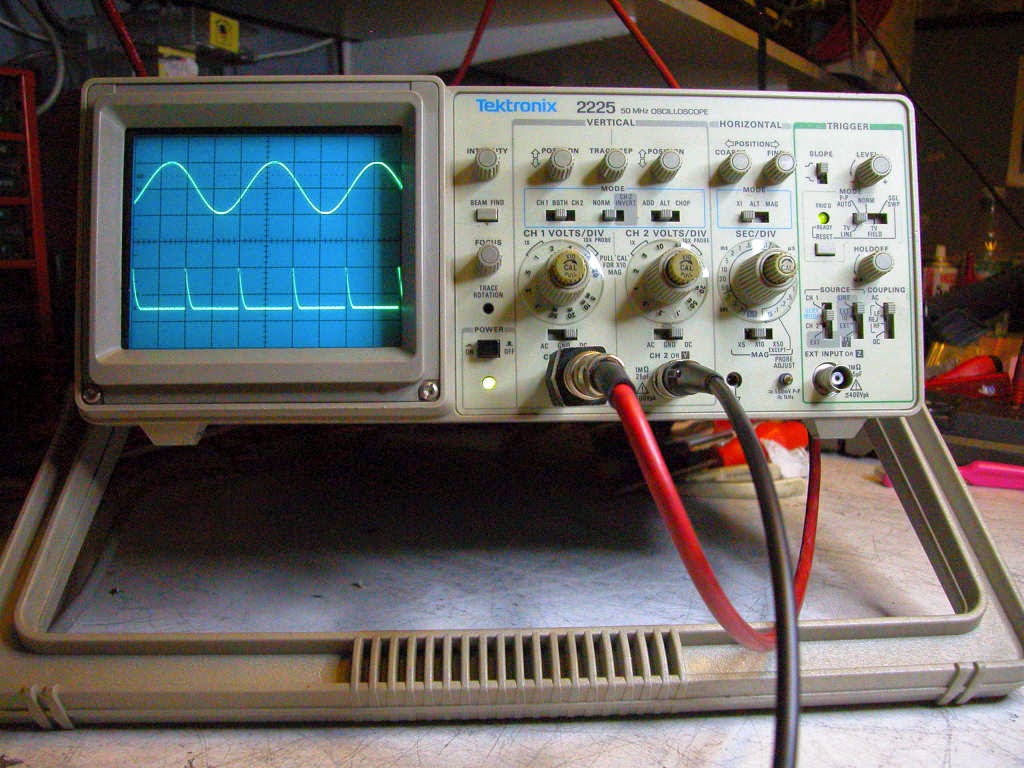
I started with brainstorming the look of the projectile. It had to have some kind of relation to singing or some kind of tune. The visualization of the projectile should be a beam that traveled from the dragon to the crystallized enemy and shatter it as it made contact. It was when I thought of this that I came to think of sound waves. I could visualize the projectile as a sound wave seen in Oscilloscope when making sound wave measurements. In physics, sound is a vibration that propagates as a typically audible mechanical wave of pressure and displacement, through a medium such as air or water. Usually Oscilloscopes are used to measure electrical voltage but can be visualize sound waves length when connected to a Waveform generator.
 As I had the sound wave length visualization I created a fast traveling sound wave and drew it as seen on the oscilloscope. The reason that I didn’t have a slow traveling wave length was so that the projectile would fit the programmed projectile as well as possible. The projectile was to travel instantaneously to the enemy during a beat and if this would physically be accurate then it would have to travel fast though the air. I drew a straight line through the transparent background and added strait lines that would show the wave length with the line tool. I made the sound wave in a neon color to have the feeling of a disco light color. The music that would play in the game sounded like some kind of house/club music and it would be clearer with a neon light towards the dark background. To make it more like a “song” I added musical notes around the sound wave so that it would look a little more appealing. After this was done, I was that it looked a little thin so I added more thickness in the lines that showed the wave length and once I was pleased with how it looked, I stopped.
 Now that I had the picture of the projectile done, I had to make the animation. I was very certain that the animation had to have a start at the dragon’s mouth and travel towards the enemy to best visualize that it was an attack so it was very easy to make the animation once I had the idea in my head. I stretched the picture in a Photoshop layer that was 256*512 pixels. I used the timeline in Photoshop to create the animation. Every frame I had the picture add 16 pixels so that it would look like it traveled in a forward motion. This ended in a 32 frame animation and the animation was not reversed due to the fact that the projectile would disappear when it had hit its target or missed. So when this was done, the animation and creation was done.
  |