Project Aurora, post 5, (Blog Assignment 2)

This is my second blog post as part of the blog assignment we have in our class.
Today I will go deeper into animations. Earlier we had it so animations could be loaded and played but only one type of animation and animations couldn’t be switched.

The player animations is loaded from a .png file then a sprite/picture is cut out using a rectangle in this case sf::intrect. This rectangle is then stored in a vector. So then I had a vector with a number of frames that could be played up with a set duration. So next I had to think of a way of storing multiple animations.
First I thought I would store one animation in a seperate sprite that then is loaded on to a gameobject but that would mean that a gameobject needs multiple sprites and that felt like it would take more resources and could possibly lead to memory leaks if adding/removing sprites isn’t handled correctly.

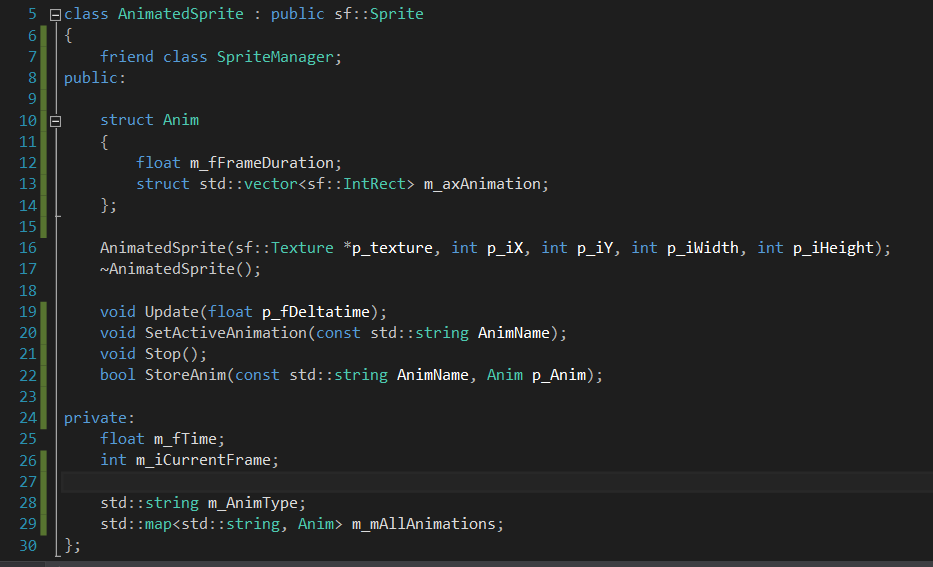
Then I thought, since I already load in a big spritesheet I just re-use that by cutting rectangles out of it. But then I needed a way to keep track of all rectangles positions. So one vector would represent one type of animation. like moving. eating. attacking, etc. and the vector needed to be connected to the frame duration and I also need a tag to know what kind of animation it holds so my choice for storing all this  fell on using std::map

I first added so a struct called Anim (top of the picture) is made within the animated class and it holds a float duration and a std::vector I then store that anim struct in a map together with a string to know what vector/animation it is.(se bottom of picture to the right)

This way I just store a bunch of rects and one float value for duration and I can access it all using a string.

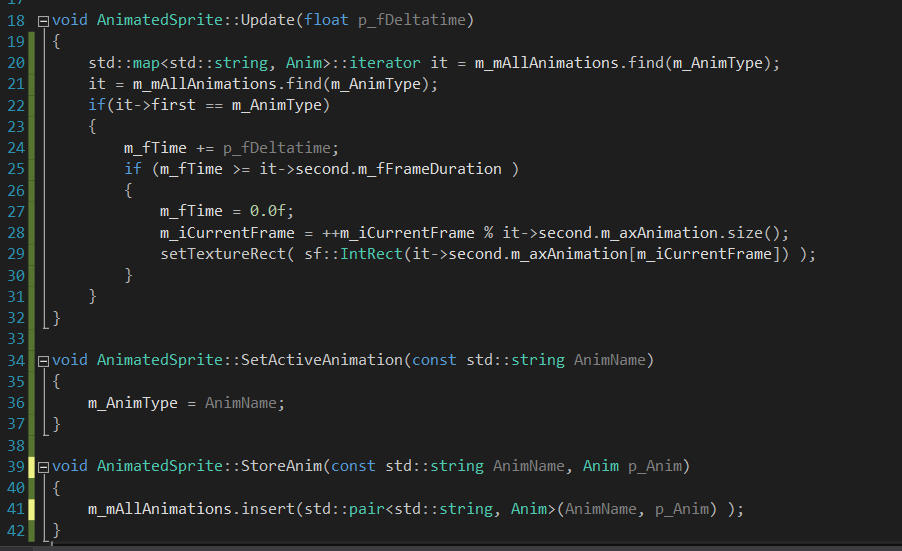
With this in place I had to re-write the code a bit so it fit with what we had. It’s still work in progress for when it comes to optimization. Here is a part of the .cpp file. I’m using an iterator to find the animation type I want to update with help of a string that starts at “Idle” as default but that can be updated using the SetActiveAnimation()-method.

Performance is not a big problem here but I think it might become a problem if the number of animations increase in numbers because it checks through the map with every update looking for the right type instead of just updating the current animation without having to look for it first. So we might change it later but it works for now.

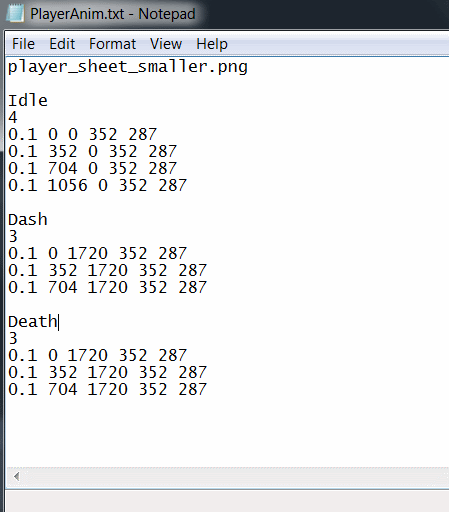
I also changed the way the rectangle sizes are read from a text-file. Instead of having to read multiple text files for every type of player animation i have one text file for all player animations like picture to the left.
Numbers and animations are not 100% correct in the screenshot but its just there to show the build up of the txt-file. So I had to do some changes in the spritemanager as well on how all this is read in.

So now we have a good and dynamic way to load future animations into the game and I’m quite happy with the result.

And as always I end the post with the latest screen of the game.
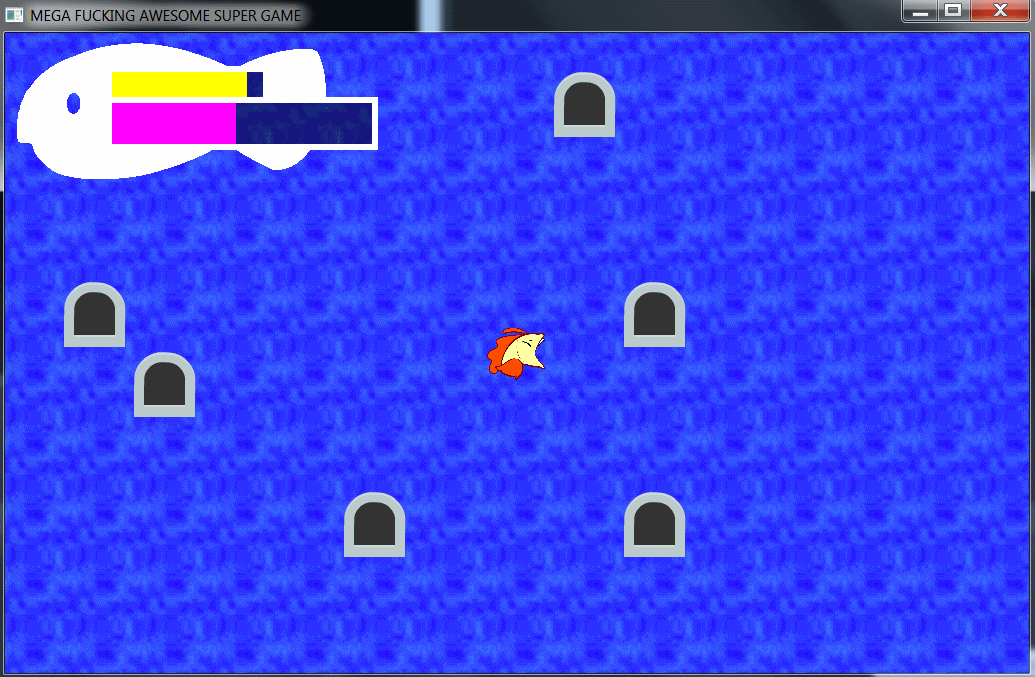
(doors == enemies)