Soundripples
|
Prepare for a long blog post. Go get some coffee or something becuase here we go (: Since we make a stealth action game we needed to handle light and sound in a smart way since guards will see or hear you. What did I need? 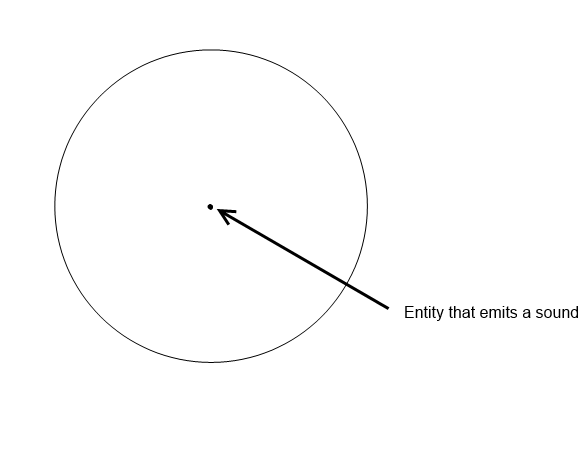 case: What if the guard stood on the other side of the wall next to me? This is where the tricky part was borned. I talked about this to Oskar(one of the programmer and lead designer) and he said “What if there is a wall ending not far away from the main character and the guard stood next to it on the other side.”.(see the image for explanation). 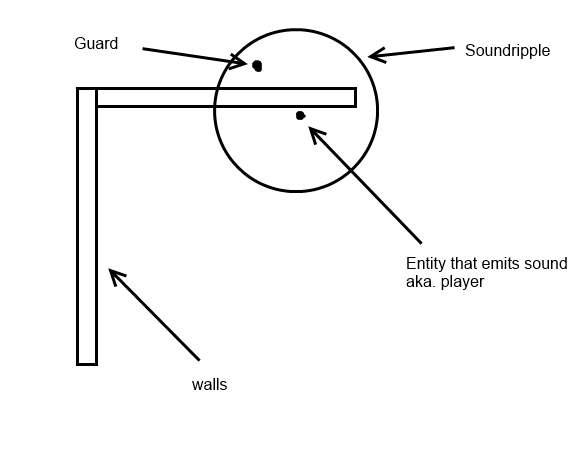 Okay, I knew that I had remove the part outside ONLY if that part wasn’t connected to the main part(check image). This is where I started coding.  How I did this: I started of creating a circle when the player emitted a sound and where the player was standing. I used sf::CircleShape. That is very simple. You define radius, position and set origin to center aka, you set origin to radius. ClipperLib uses a type called Path. Path is a polygon. Nothing else. What had to be done: Creating a ClipperLib::Path from the sf::CircleShape. Walk trough every point in the circleshape. NOTE! the points is defined in local space. Use its transform to transform it to global coordinates. Now I had a polygon path ready to be executed by ClipperLib. But I needed a second one, the walls which the sound can collide with. And because they are not shaped together I needed to make seperate ClipperLib::Path and in the end, merge them together into a big polygon, except for the walls that are not connected to other walls. I need to define a vector of ClipperLib::Path. What had to be done: Becuase every wall is a sf::FloatRect I could easily translate every point into a ClipperLib::Path. When I’ve looped trough every wall in the game I could ClipperLib to merge them together. Better say: “Merged what can be merged”. Things that cant be merged with something else, will stay in its own ClipperLib::Path. This used union. Union is a speciel clip type used in sets. Now I had a vector of Polygons ready to be executed by ClipperLib. After this I executed the clipping and the results is one or multiple shapes that was formed by the sound circle. If I just received one shape back, I knew that the single shape was the sounds origin shape. I used a algorithm that checks if a point is inside a polygon. If it was, that polygon had to be the shape closest to the player (see image 3). From here the tricky part died. I wanted to create a polygon from this but I couldnt use ConvexShape because it cant handle indentations(check the image).  SFML does not handle ConcaveShapes on its own I used the Thor library. It’s like boost but for SFML. http://mnbayazit.com/406/bayazit And of course, here the result(sry for the debug look ^_^).   |