Programming: Week 5
|
I haven’t made any posts for quite some time, mostly because I didn’t want to post about something incomplete. A lot has been happening recently and I have been working on several areas: doing exercises, analyzing Arkanoid game code, doing SDL 2 tutorials, and more. So this post won’t be strictly about what we did during the fifth week but rather a selection of various topics I covered in the two previous weeks. Advanced topics: Recursion We were introduced to the concept of recursion. Recursion was not new to me: in my post “Programming: Week 2 (cont.)”, you can find a solution to Ex. 11, calculate factorial recursively. In the lecture, we were presented how to solve two other exercises, Ex. 18 and Ex. 23 of the first week, using recursion instead of loops. These exercises were not covered here, by the way. Ex. 18 Write a program that outputs the following:
The user should be able to enter how many bottles to start with. The first idea that pops up is to write a loop that counts down until the loop variable is less than one, then the last line is printed. But you can also have
#include
#include

void func(int count)
{
	std::cout << count << " bottles of juice on the wall, one fell down!" < 0) func(count - 1);
	else std::cout << "No more bottles left on the wall!n";
}

void main(){

	int count = 0;
	std::cout <> count;
	func(count);
}
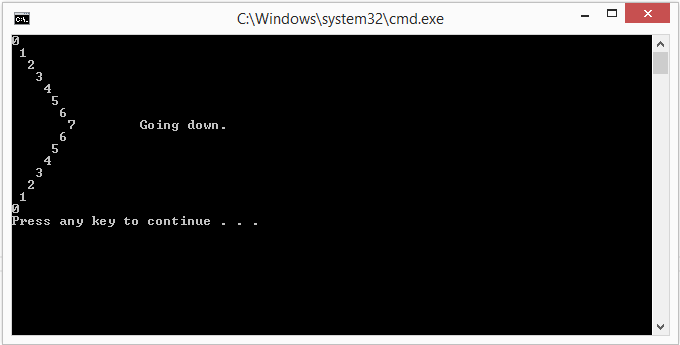
Ex. 23 Write a program that loops from 0 to 7 and then back to 0. Print the number at each iteration. Print “Going down.” when the loop starts counting down. Here is the code:
#include
#include

void subfunc(int counter, int dir)
{
	for (int i = 0; i < counter; i++)
		std::cout << " ";
	std::cout << counter;

	if (counter != 7)
		std::cout << std::endl;
	else
	{
		std::cout << "tGoing down." << std::endl;
		dir = -1;
	};
	if (counter == 0 && dir == -1)
		return;
	else
		subfunc(counter + dir, dir);
}

int main()
{
	subfunc(0, 1);
	return 0;
}
And here’s the fancy output: Advanced topics: Reading and writing to files Reading and writing to files is supposedly pretty important in game programming, so we were also introduced into how to read from and write to files (simple *.txt in this case). First of all, to enable read/write file functionality in your program, you have to include the following: #include Then you instantiate an object of type After that you use methods of instantiated objects to handle file contents. For an object of type * If you add the parameter Once you have a file open, you can use This code creates a new file named
#include
#include
#include
#include

int main(int argc, char* argv[])
{
	std::ofstream out;
	out.open("test.txt", std::ios_base::app);
	out << "Hello world!nThis is a test.";
	out.close();
	out << "nThis is another line of text.";
	return 0;
}
Note that no third line will be added because the file is closed before the Reading from files works in a similar fashion. You also use open and close methods. Here error handling becomes important – if you plan to do something with the data you read from a file, and the file does not exist, the user should know about it because all file content manipulations will fail. Below is an example program that uses C++ file and string operations to read the file
#include
#include
#include
#include

int main(int argc, char* argv[])
{
	std::ifstream in;
	in.open("data.txt");
	std::string word;
	while (!in.eof())
	{
		std::getline(in,word);
		std::cout << word << std::endl;
	}
	in.close();
	return 0;
}
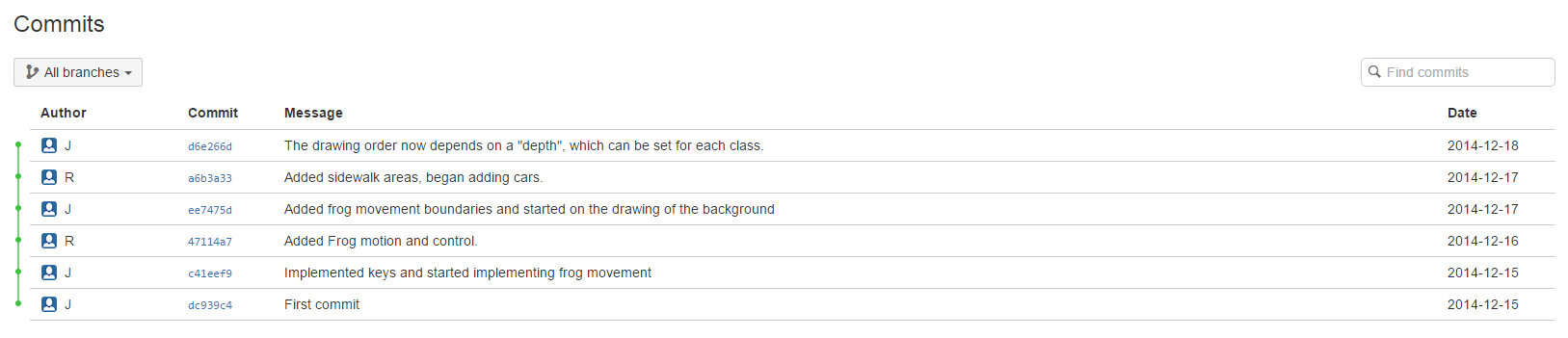
The Introducing Source Control In one lecture towards the end of the course, we were briefly introduced to how professionals manage large projects. And that’s using a source control system, such as Mercurial or, in our case, BitBucket. Source Control systems facilitate developer collaboration in large scale projects. Source Control systems track code changes, allow to maintain multiple versions (branches) of the same code, merge and compare changes etc.
We created a repository and started using it to track our code changes at the beginning of the course project work.  |