Enemy Spawn Manager for Endless Game
Blog Post #3The most important core in our game is definitely the enemy spawn manager. This system is very important because determines the game pace, the length and how much fun can generate. A lot of time is required when it comes to balance the game and is very important to have a flexible source where is possible to change settings quickly and easily. So that’s why this week I have been working on a script, able to facilitate the game designer of our team to change easily different settings during his testing. Before I started working on the script, I had a meeting with game designer and we defined the conditions and the specifications that the spawn manager needed to have:
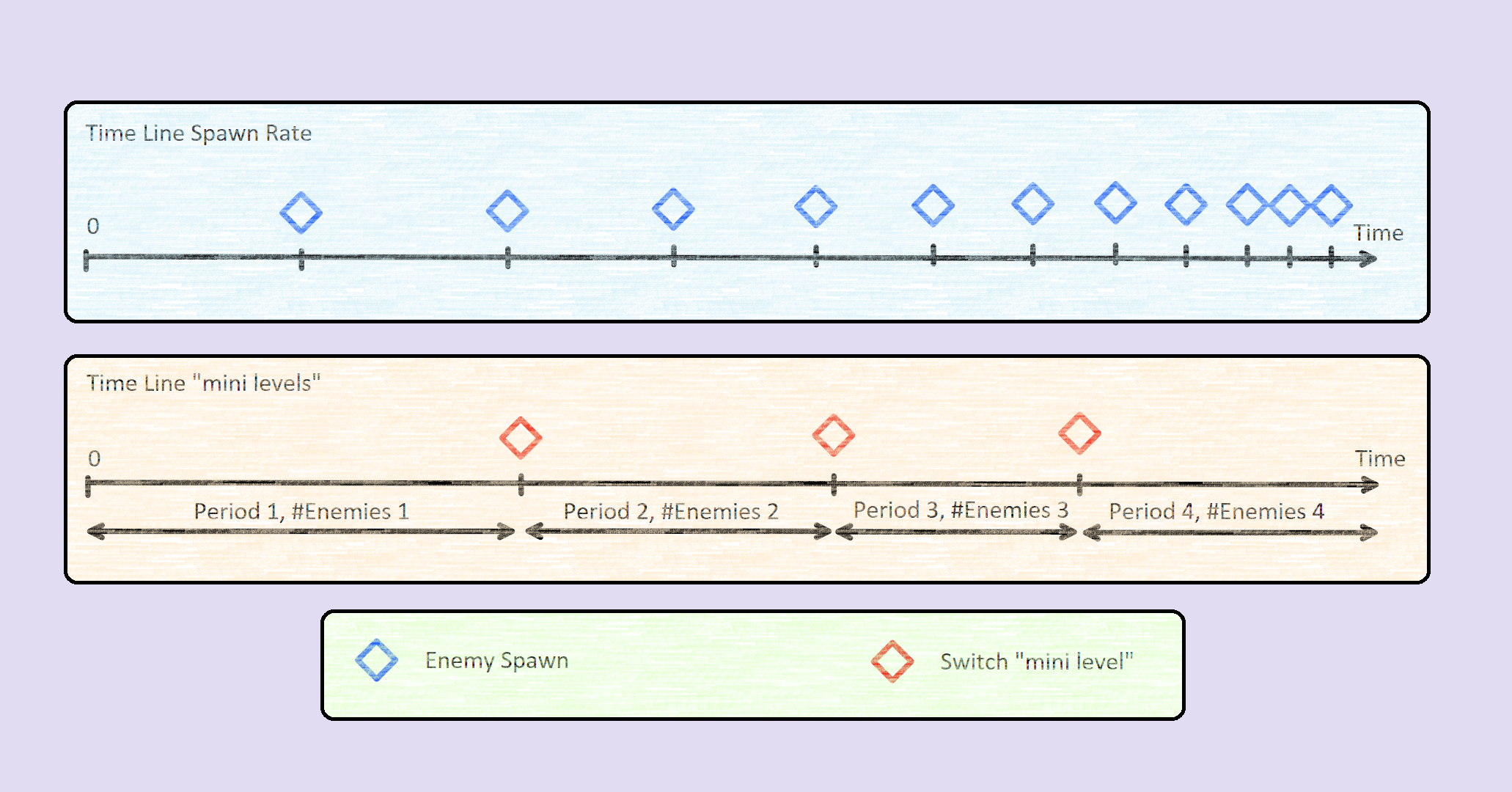
I started working on the spawn of a single enemy where I defined a variable that was responsible of the time between a spawn and another. This variable was very important in order to change the spawn rate that I am going to talk about later. The type of enemy spawned was randomized with different probability values. Then, I implement the decrementation of the rate variable using a time based condition so that every amount of time this variable was decreased by the value of another variable. All these variables are also public, in order to allow the game designer to change their values from the Inspector and try different tests very quickly. In the end I implemented the incrementation of the maximum quantity of enemies on the screen. For this part I thought to create a separate class, which could receive from the Inspector different values of the maximum quantity of enemies and for how long these quantity had to be. This class could be represented as “mini level” since is possible to define different quantity of enemies and time. Thanks of this, the game designer can determine how many “mini levels” wants and personalize their settings of enemies and time.
In addition, I created a debug panel in the screen where was possible to see different values such as the time, the spawn rate and at what time the script would change the number of maximum enemies and the spawn rate. This panel was very useful for game designer to check with more detail the spawn manager during run-time and also for me to guarantee that the script was working properly. 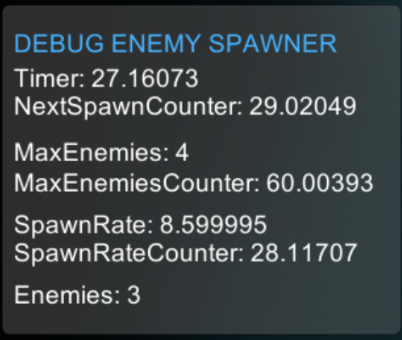
 |