Fixing a glitchy background.
|
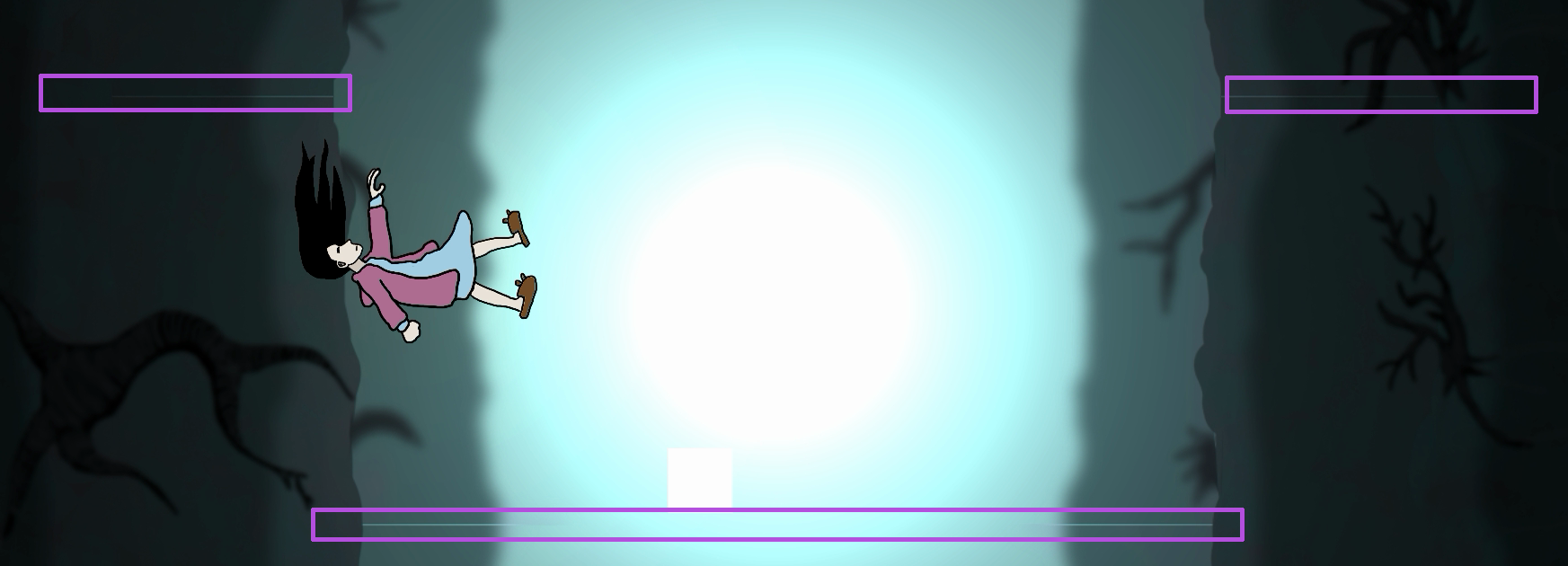
Hello readers(and Mikael), last week I wrote I was going to write about the sprint reviews but I decided not to. Instead I will write how I was working with tracking down, and smashing a bug that was occurring in our latest build. After the second week we successfully implemented a scrolling background in the game. The scrolling background purpose is to feel like the background is always moving in a set direction. In this case we put two identical pictures on top of each other and then make it move upwards and once the first picture leaves the camera the second picture would enter the camera to create the feeling like the background is always seemingless moving. Well, that was the plan at least, however it did not work out as we had imagined, the scrolling function was working but there was a glitch. If the picture was bigger than the camera it would skip frames, below is a picture of what I mean.
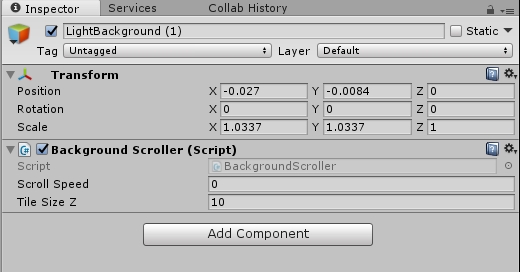
The way to solve this was to first figure out why it was happening, starting the game in Unity and opening the scene quickly showed me why it was happening. After tracking down the problem I opened up Photoshop CS6 to decrease the size of the image to fit the camera. Unfortunately the camera did not have the size of 1920×1080 pixels which meant I had to manually scale the background in Unity, but if the picture was slightly bigger than the camera it would overlap the second picture, this in turn would make the overlapping transparent – resulting in a blank line. This meant I had to be very precise in finding the optimal position and scale percentage for the background. To achieve the goal of a seemingless background I had to go with the following settings: As for the second picture below the first picture, it had to be perfectly aligned I found the optimal position to be -9.67868 where -9.68 causing white lines and -9.67 also causing white lines. This process was very time consuming as you could imagine but if you strive for perfection you gotta get down to the decimal! Here is a visulation of what I mean with the overlapping creating white lines.
Bigger image is available at: http://i.imgur.com/iP7lNZ2.png This marks the end for this blog entry. Next week I will write how to create a seemingless picture.  |