Feedback, back to back.
|
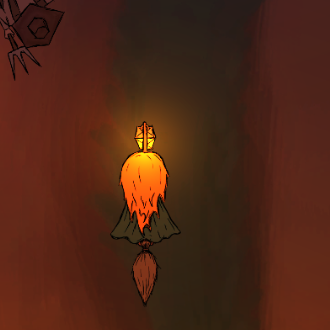
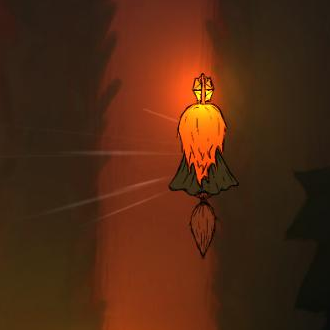
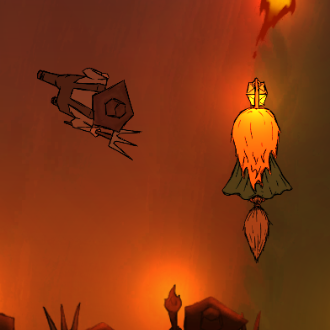
Intro Hello, this is going to be both a graphics and a coding post, sort of. This week there wasn’t really a single asset that I wanted to talk about, but more of a theme. I spent most of this week implementing various types of effects to provide the player with feedback. Feedback is important for the game because it helps teach players game mechanics and reinforces them without the need for words, a tutorial or prolonged trial and error. I’ll talk about each feedback effect, what problem it solves, and write shortly about making/implementing it. Player Wind Effect On monday, me and my team had a playtesting session for our game in which other people got to play our game and give feedback. One of the things we saw is that players weren’t aware of a mechanic in the game that makes you (the player) move faster while not firing. It didn’t matter how much the slow effect was, people barely noticed. I decided to implement a player wind effect when not firing that makes you feel like you are going faster, and disabling it when you’re firing. The way I implemented the feature is that I made a game object on the player character that had a particle system, that particle system emits tiny invisible particles that have trails attached to them that fade out after awhile, making it seem like the player has wind behind them when they’re going fast, I wrote a simple script to rotate the wind around the player according to their velocity by taking their velocity, converting it to degrees and then rotating the wind object along the z axis which controls the top down rotation in our game, this made the wind face the opposite angle to the player’s rotation, completing the effect. This is how it looks in-game:
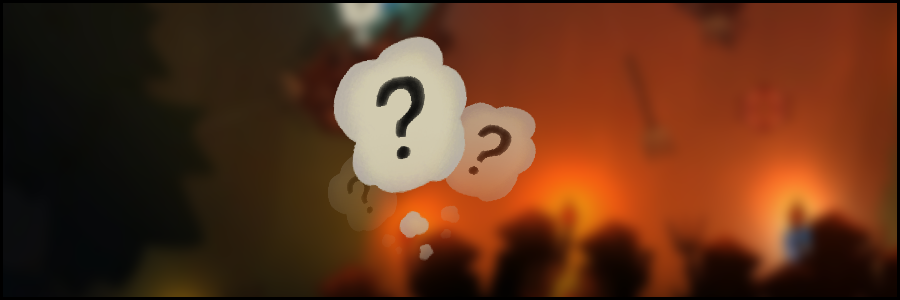
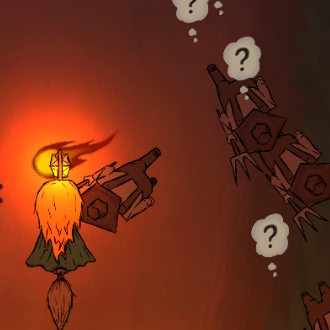
After implementing the effect I watched a few players play the game that were unaware of the movement speed change, and they seemed to subconsciously be aware of it, as they would stop firing when enemies got close to them in order to back off. Question Mark Another feature that people didn’t notice in testing is that the farmers get confused for a bit and stop chasing you if you teleport outside of their vision cone. To solve this I needed to add some indicator that makes it apparent that the farmer gets confused. The simplest way to do this was just to add a question mark that floats from the farmer’s head when he gets confused. Drawing the question mark was easy, I just drew line art, colored with a basic colour and then added some “painted” brush strokes by mixing in a few different colour values with different opacity, this was done to keep the painted style of the effects we had. To implement it, I just made a prefab game object with the texture that got spawned every time a farmer enters their “confused” script, and added a script on the question mark object that destroys itself in a few seconds after spawning. This how it looks in-game:
After implementing the feature and testing it on a few different players, all of them understood that the farmers got confused and as a result they started taking advantage of the teleport more often, which was one of our intended goals. To summarize: feedback is important, and I think both of these effects achieved their goal. Byeeeeee -Jonathan  |