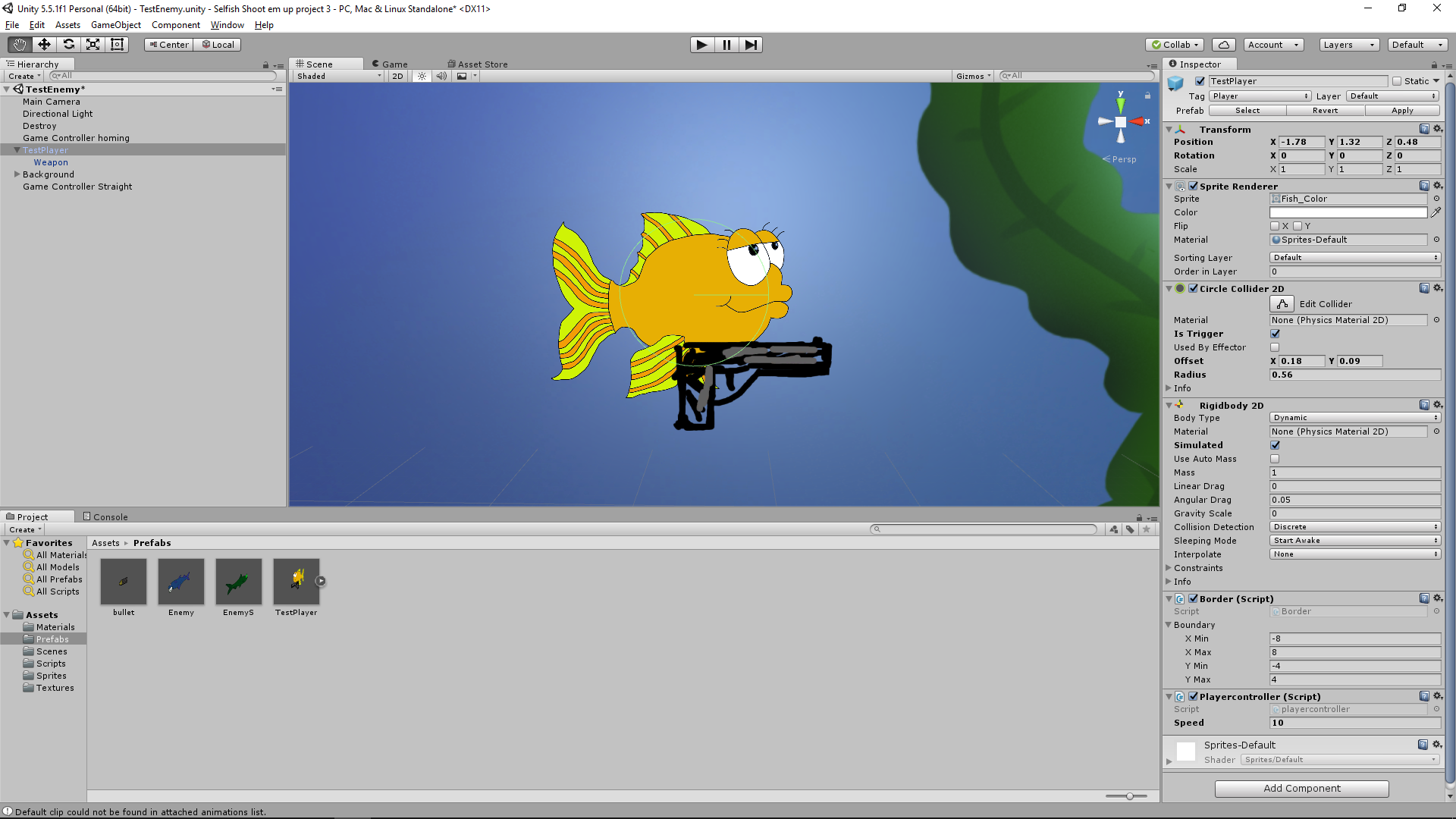
This is the first version of the player character for our shoot’em up game SelFish.
Here I will write about how I put it together in Unity and about the code implemented for it.
After getting a concept images for the character and weapon I changed them to sprites in Unity where I then added the weapon sprite as a child to the character one.
The sprite needed both a collider and a rigidbody2D which was easy to put on in Unity, the circle collider 2D fitted the character the most after having changed the size to fit around its main body.
For the character to be able to move a script was necessary, after researching how a simple script was written.
public float speed;

float moveH = Input.GetAxis("Horizontal");

float moveV = Input.GetAxis("Vertical");

Vector2 movement = new Vector2(moveH, moveV);

GetComponent().velocity = movement * speed;
This is the basics of the code for movement where “speed” is a variable that’s changeable in Unity.
The moveH, moveV = Input.GetAxis is recognizable in Unity to be able to work with the “WASD” and arrow keys to get something moving on the screen.
Vector2 movement takes those inputs for an x and y value in the engine.
The last line takes the values of “speed” and x, y and multiplies them into a velocity on the rigidbody2D that was assigned to the character.
For the player to get a game over a few lines of code where needed to determine when the character would disappear.
void OnTriggerEnter2D(Collider2D other)

{

if (other.tag == "Enemy")

{

Destroy(gameObject);

}

}
This function makes so that any game object that has a collider with the tag “Enemy” will destroy the player game object.
For the player to not get out of bounds in the game area a boundary script was written, this script could be used by other entities as well so it’s a lone script file.
[System.Serializable]

public class Boundary

{

public float xMin, xMax, yMin, yMax;

}
Here we can change the values for the borders on the screen in the Unity engine.
System.Seriazable is needed as Unity does not recognize the floats as it did with the “speed” example above.
public Boundary b;

GetComponent().position = new Vector2

(

Mathf.Clamp(GetComponent().position.x, b.xMin, b.xMax),

Mathf.Clamp(GetComponent().position.y, b.yMin, b.yMax)

);
Here it takes the rigidbody2D from the character and “Clamps” them within the values set inside Unity.
As for the weapon it needed to be able to track the mouse cursor and rotate accordantly.
var pos = Camera.main.WorldToScreenPoint(transform.position);

var dir = Input.mousePosition - pos;

var angle = Mathf.Atan2(dir.y, dir.x) * Mathf.Rad2Deg;

transform.rotation = Quaternion.AngleAxis(angle, Vector3.forward);
Here we take the position of the weapon in the game and changes those values into an x, y location in the camera view. Then takes the mouse position and subtracts the x, y location to get the direction of the weapon.
After that we get the angle on from that direction in a 360 degree axis and lastly set the rotation of the weapon from the angle and rotate around the axis.
Baloo S. Beckman
About Baloo Beckman
2016 Programming
|
