PowerupHUD
|
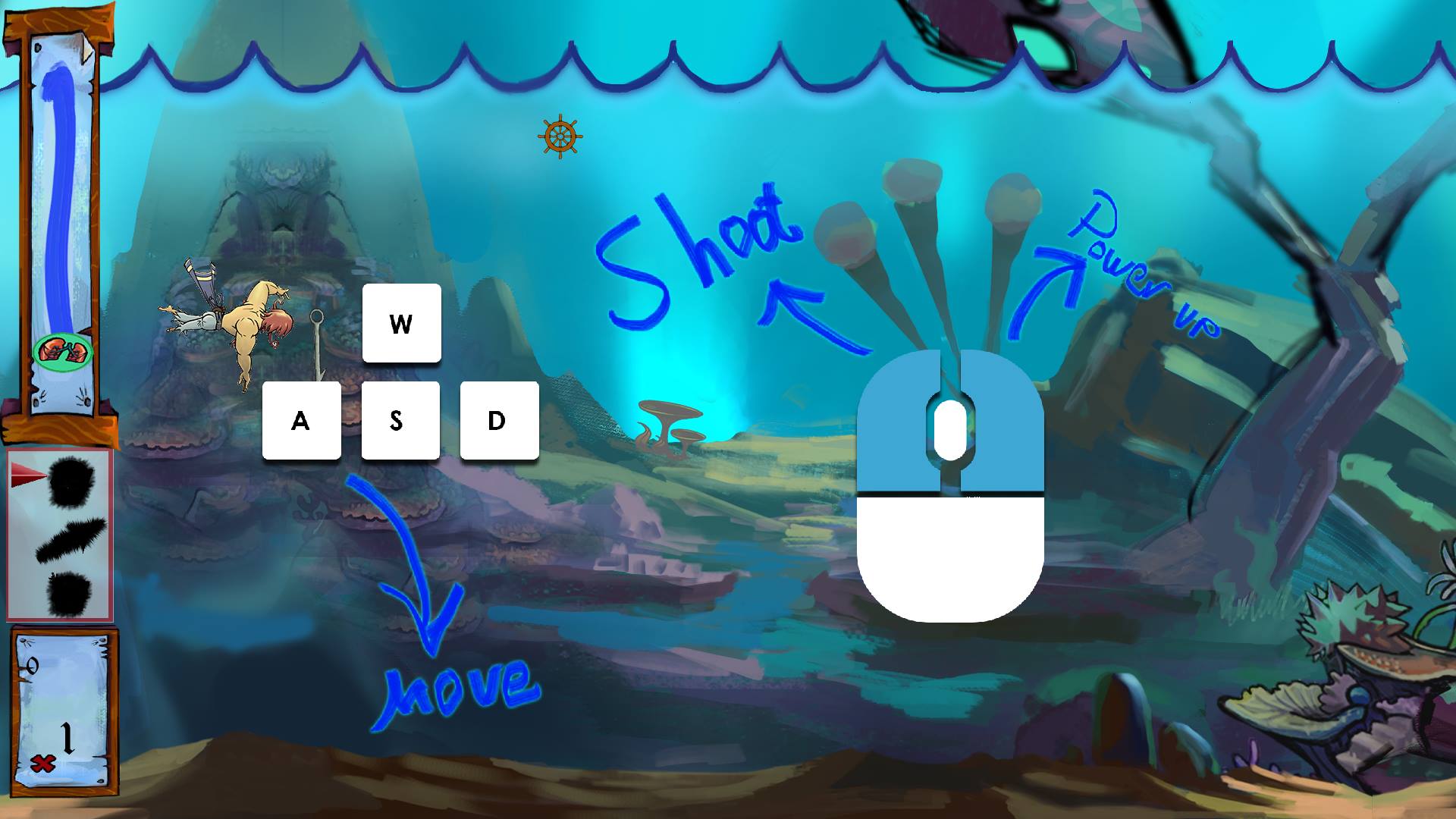
Hi Everybody! (Hi Dr.Nick!) As the switch to English last week seemed to be a popular change, I am sticking to it this week as well. This week has been a lot about doing different smaller changes and polishing everything to make the game feel a lot more tight. Since we are pre loading all the assets, this meant making a loading screen, but also polishing the high score menu, and adding buttons to the lose and win state. The most interesting thing that has happened this week though, is the addition of PowerupHUD. Initially this was another programmers responsibility, but the task turned out to be more complicated than we had initially thought, and this meant all of us became involved. The initial thought was that the PowerupHUD would show if you had any power ups in your inventory to dispose of, and also make the player able to choose which power up to activate. We started by doing a new class that would load in four textures, one texture for each power up, and also one arrow pointing at whichever power up was selected. The idea was to make the arrow switch between the different power ups. We created a struct* containing 6 different bools**. 3 bools to check if the player had picked up any power up, and 3 bools to check which power up was currently selected in the HUD by the player (this could have also been solved by making an int(number value) and check the number value instead of bools). After this struct had been created, we had to link it to the playerclass that handles all the power ups, and then make different if statements to check if the power up exists in the inventory and also check which power up has been selected in the HUD by the player.
Picture of what the HUD looks like right now. A new version of all the bars on the left is in the making as I am writing, and the final version we are displaying tomorrow will look a lot more clean. As you can see on the screenshot above, the power ups on the left are completely black. This means that the player does not have any power ups in his inventory. The arrow to the left of the power ups, shows which power up that is selected. When the player picks up a power up, the sprites on the left will receive full color. Kindest regards, Anton Olin * A struct is a sort of pool containing functions and/or variables.** Bool and int are examples of different data types that can be used when creating variables or functions. A bool can only be true or false (1 or 0) and an int can only be numbers, but can not contain decimals. |