3D week 4
|
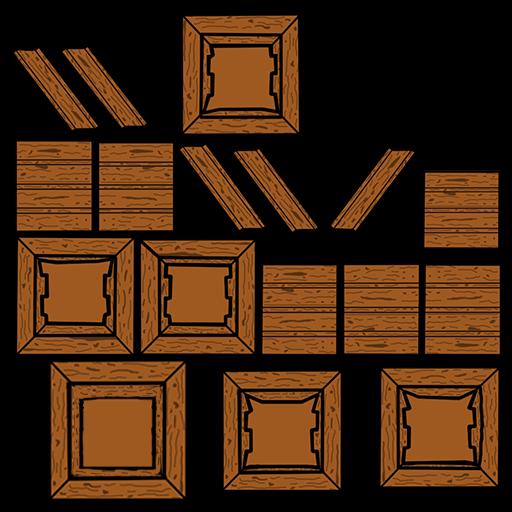
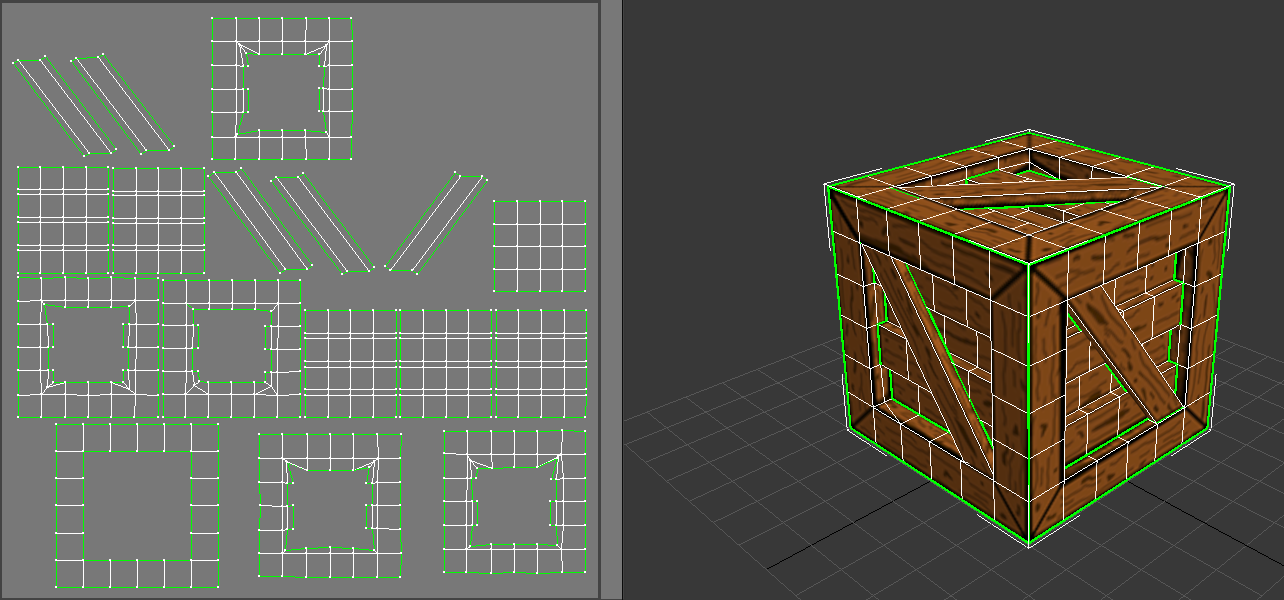
For week 4 we have textured the crate that we optimized! This blog post is coming out a little bit later than I had originally hoped since I went to Dreamhack, and in doing so I lost a couple of days worth of 3D practice. When I was looking at my crate, I felt like I wanted to really distinguish the separate planks really well. The way I decided to go about this was by marking the edges of the planks with thick black lines, this ended up giving the crate a cartoon-ish look so I decided to roll with it and try to let the textures reflect that. The things that contributed to that look was both the colors I chose to work with (two shades of brown with black outlines) and also the way that I drew the markings on the wood. The dominant color is a light brown color, I decided to go with this color after looking at several different wood textures, most of these were either too dark, too grey or looked too ”waxed” (in lack of better words) but eventually I found one with a color I liked and decided to go with it. Also, since the crate is made up entirely out of wood, I wasn’t really left with an infinite amount of possibilities color wise so it all just came down to testing until I found one that matched what I had in mind. The colors are both highly saturated, warm colors (the darker one is slightly more saturated than the lighter one) and mainly differ in the darkness of the color. When I started trying to figure out how to make the textures, I looked through something like fourteen different pictures of planks and wood textures, I kept them on the side to have constant references to see how make the darker areas of the planks. I did this because I realized that creating those areas was really difficult, especially since I had to try and keep them somewhat random. Creating anything randomly when drawing is REALLY hard, if my mind slips for just a second it ends up looking too uniform and I didn’t want this (I know that regular planks can have constant markings, but this was not my wish for these planks). An example is that some of the dark spots in the wood ended up looking like hearts, but I didn’t mind that too much since I have seen that in real planks as well. Since I had around 37 or so, planks to texture, I realized that it would almost be too time consuming to make each plank individually so what is shown in these pictures are something like 10 different planks that have been flipped, turned around and had slight changes to them. I was hoping that this would be something that is practically unnoticeable, it’s hard for me to judge how visible it is since I made them and when I look at them it’s almost instantly visible. But so far I haven’t had anyone of the people I’ve shown it to point it out to me so hopefully it works! And here’s what the diffuse texture looks like, the UV with wireframe next to it and how the texture looks rendered. I was supposed to show the rendered version in UDK or Unity, but unfortunately UDK didn’t load my textures and I was unable to download unity, so instead, the rendered version is from 3Dsmax. The post for week 5 will probably have the same issues.
The post for week 5 will be posted in a little while as well!
|