Building a Menu ground up. Part 1.
|
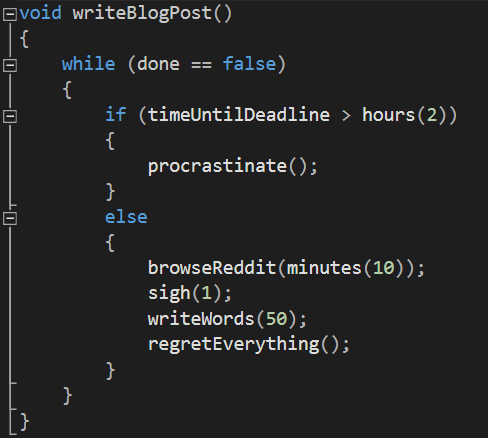
Having the beta presented, the team has gotten time to catch a breather, and now we’re ready for the final push before the release! With all gameplay related things working, while the graphic artists churn out more animations and updating older sprites, we need to build everything around the game. We already had a menustate that we made at the same time as all other states, but it didn’t do much apart from being a place to wait before starting the game with a keypress. So I created a “MenuButton” class which, since the SFML environment allows us to check the status of our mouse from anywhere, can behave in the way we want it to without instructing it to. What we want our buttons to do: And we also want the buttons to do as much as they can from within, so that we need to manage them as little as possible. Since we want them to have differing sprites, we need to input them from outside, we can’t simply use an default sprite since they won’t always look the same. Therefore we need to either give the search path to the texture in the button constructor, or have a setTexture function. Since we never want a button without a sprite, I chose to have it in the constructor. We dont want to mess with the buttons hitbox manually if we can avoid it, so a pretty easy solution we have used elsewhere in the project is to simply have it be the size of the sprite. Its position however, can’t however be set by using information we already have. Thus we need to either set the position in the constructor or have a setPosition function, and since we might want to move the buttons around, I chose to implement a setPosition function which recieves a pair of ints describing the wanted x and y coordinate. Since we want the buttons to be reactive, we need an Update function. The reactions we want from the buttons are: Lighting up when hovered, and sending a cue when it is clicked. Nothing apart from the button needs to know if its highlighted or not, so simply checking the position of the mouse against the rect containing the position and size of the button using sf::rect::contains, and when it is within the rect we swap the texture of the sprite with another one containing the looks of the button when it’s active (this also is inputted in the constructor, we now need a pair of textures when creating (or the same texture twice if we dont care about swapping texture)) For an unique identifier, the lazy solution I used is to have an int value inside each of the buttons, that can be set using “setType” and get using “getType”, which as you might guess either sets the int to the inputted value, or returns the current type. Using enums for this would probably be a good idea, but for now it works, and an additional benefit of it is that the buttons themselves dont need to know anythign about what the meaning of the contained int values mean. Still, if a programmer unfamiliar to the code would look like it it probably doesn’t look pretty (at least I have somewhat good commentation practices, so it shouldn’t be too tough understanding what’s going on) That’s all that is needed to make the buttons work! exitButton = MenuButton(“search path to inactive texture”,”search path to active texture”) And then we simply run Update for every button that is active on the current screen, and as soon as a button returns false it means it is clicked and we can act upon that. That is all for this week, and next week I will write about the systems around these buttons, and the menu hierarchy! I feel this piece of pseudo-code explains well the process of writing these blog-posts. Thanks for reading, and good luck with the project of your own!  |