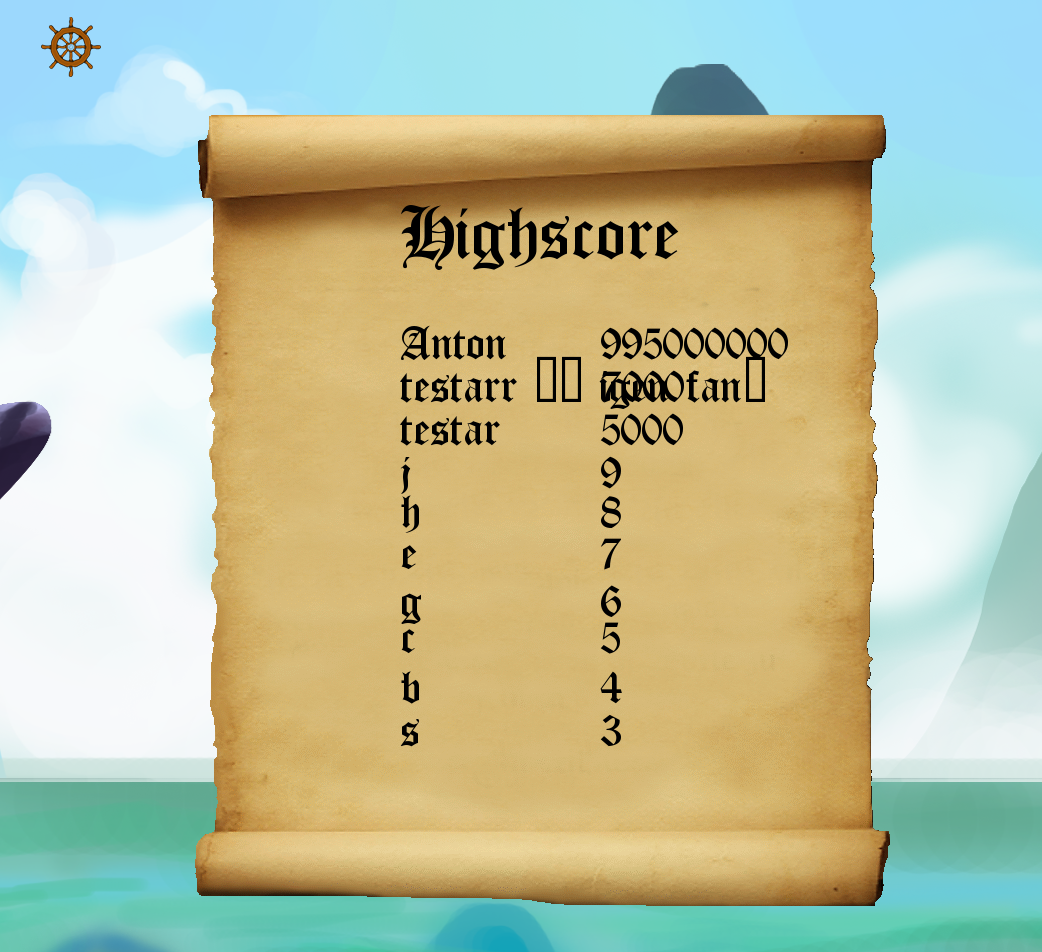
HighScoreState
|
Hello, This week I’m trying to make the switch to English, since I’ve been been informed it gives the blog a more professional look. I’ve worked on a lot of different things this week, for example I started with improving the menu system early in the week, and then realizing we have not planned for a High Score system. So, ultimately the mission landed on my desk and therefore the rest of the week has been about that. At first I started with researching different ways that it has been done by others before, but unfortunately I did not find any solution that I felt comfortable performing. This means I went with the idea I had from the beginning, which resulted in trying to create a .CSV (comma separated values) file that saved the highscore in the following format “Name,Score”. This is the way I did this:
void LoseState::SetHighScore()
{
    m_xOutData.open("../assets/HighScore.csv", std::ios::app);
    m_xOutData << m_sName << " " << m_xSystem.m_pxScoreManager->GetHighScore() << std::endl;

}
<
The real trouble started when I was going to load it into a string from
std::ifstream ifs("../assets/HighScore.csv");

m_xScoreString = m_xGetScoreString.assign((std::istreambuf_iterator<char>(ifs)), std::istreambuf_iterator<char>());
This gave me half the answer, and the last puzzle to solve(which I’m After a long night of research and trying to figure out how to proceed, a fellow friend brought light to the darkness and immediately the issues could be overcome, one by one. Instead of trying to save a single file with the highscore and a name connected to that highscore, he informed me that I should instead separate the files, and load the both files into a map. This map could then connect the two files and from that we were able to draw out a highscore. Below you can find the code and also a screenshot of how the HighScore currently looks. The design is very not permanent.
void HighScoreState::SortScore(int p_iScoreData, std::string p_sNameData)
{

m_iScoreData = p_iScoreData;
m_sNameData = p_sNameData;
std::ifstream nameFile("../assets/HighScoreName.csv");
std::ifstream scoreFile("../assets/HighScore.csv");
highScoreList.insert(std::pair(m_iScoreData, m_sNameData));
scoreArray[0] = m_iScoreData;

if (nameFile.is_open(), scoreFile.is_open())
{
for (int i = 1; i > scoreArray[i];
nameFile >> name;
highScoreList.insert(std::pair(scoreArray[i], name));

}
nameFile.close();
scoreFile.close();
}

Sort(scoreArray);

std::ofstream newNameFile("../assets/HighScoreName.csv", std::ofstream::out | std::ofstream::trunc);
std::ofstream newScoreFile("../assets/HighScore.csv", std::ofstream::out | std::ofstream::trunc);

if (newNameFile.is_open(), newScoreFile.is_open())
{
for (int i = 0; i < highScoreList.size() - 1; i++)
{
std::cout <second << "t" << scoreArray[i] << std::endl;
newNameFile <second << std::endl;
newScoreFile << scoreArray[i] << std::endl;
//


}
newNameFile.close();
newScoreFile.close();
}

}
That was all for this week!
Kindest regards, Anton  |