Potato Pirates of The Prohibition – Resource Loader
|
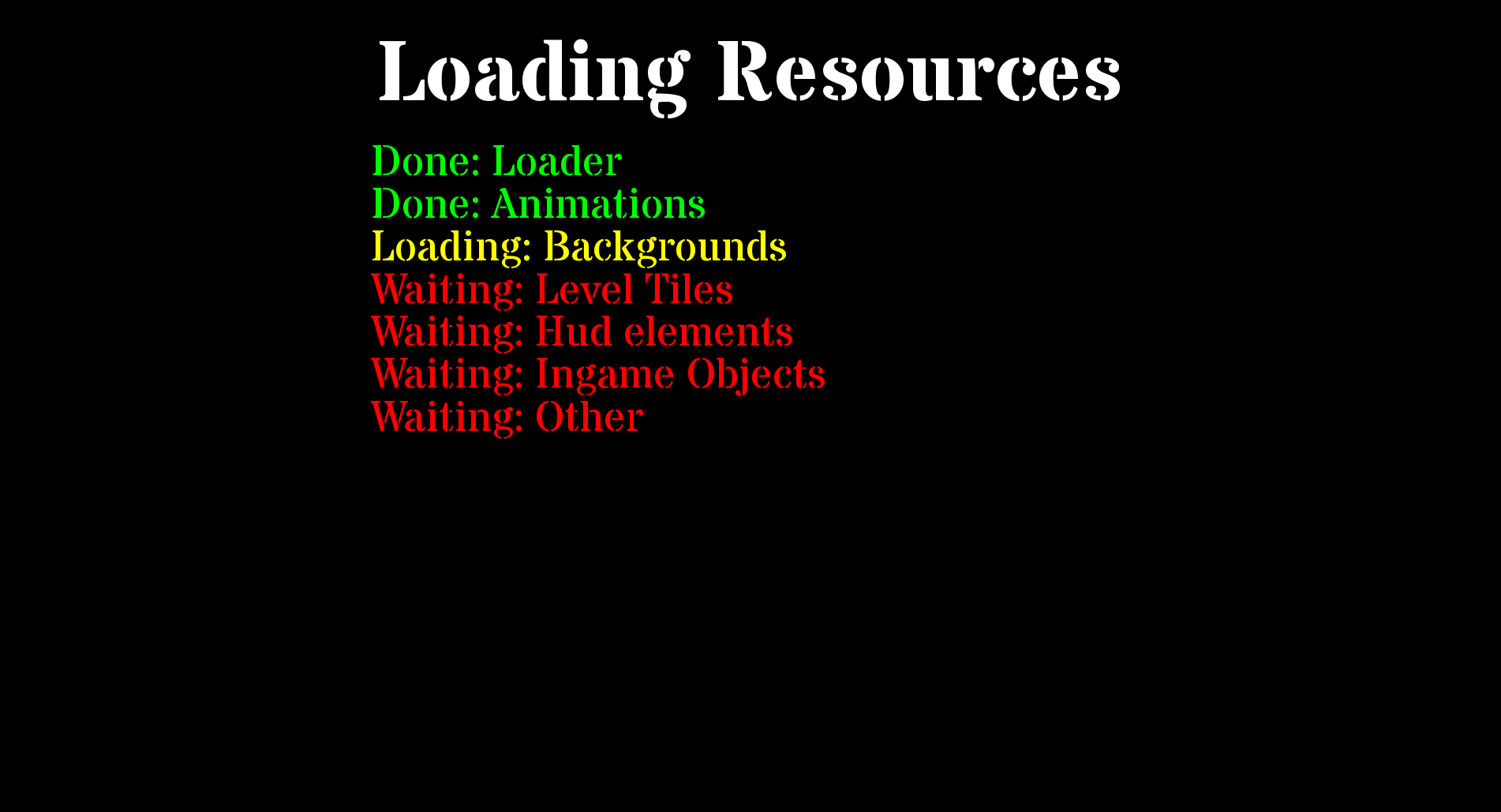
Hello dear readers, this week I have been mostly fixing bugs and doing small optimizing. Before the beta I spent most of my time getting everything ready for it and really didn’t focus on any special artifact. This make this blog post a bit hard to write, however after the beta we chose to make a resource loader so we wouldn’t have “loading/freeze” time while the game was being played. So I will focus on that part in this week’s blog, due to it being the “biggest” thing I have worked on. Resource LoaderSo the reason why we wanted a resource loader as explained earlier was simple to remove any loading times, we simple wanted to load the whole game into the ram at the beginning, this is generally a bad idea if you have a bigger game, due to it will consume a lot of RAM however as our whole game takes less than 1gb of ram while everything is loaded we thought it was quite okay, as it would reduce the load time and make the general experience better. (I would not recommend to do this in a bigger project due to the ram usage can quickly become a problem if you have many different assets in your game) The way I created the resource loader was to simple call a class in the beginning of the game when it first starts, this class then simple loads all textures we have in the game into our resource manager. Because we use texture caching we only have to load each texture once and can then reuse the same texture for all objects that uses that resource. (If we didn’t use a resource manager this wouldn’t really be possible, and would also make the performance worse due to loading the same texture over and over into the game) In the picture below you can see the how the resource manager currently looks and display its information to the user.
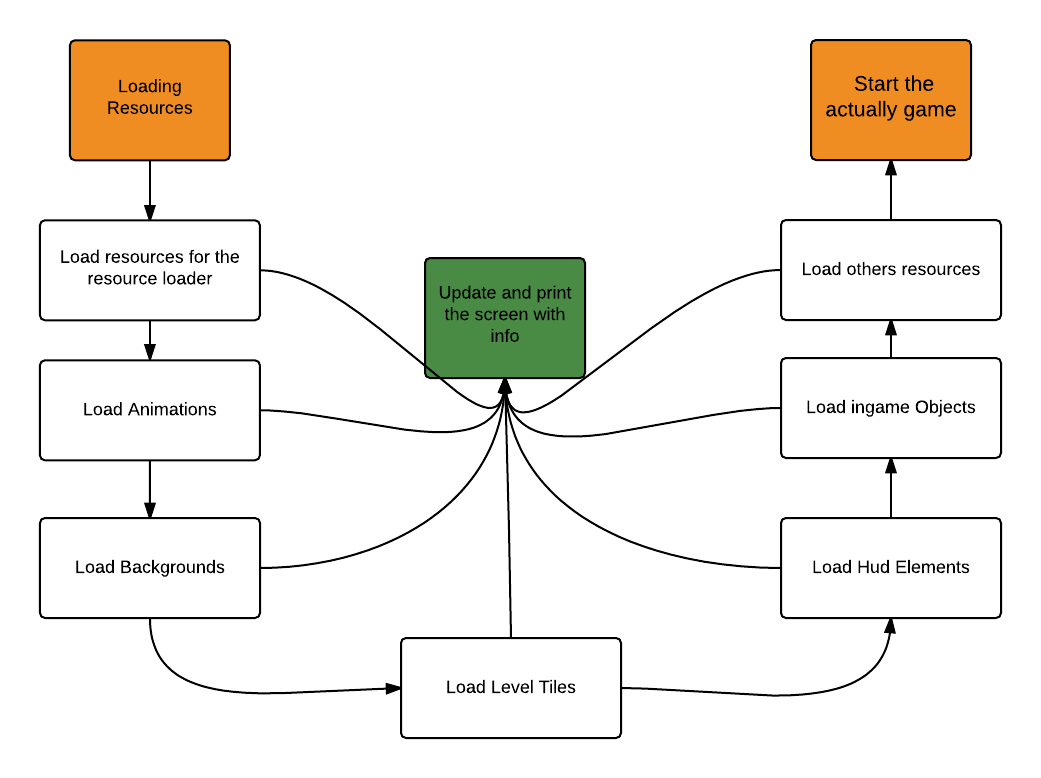
(click here for bigger version) As seen above it simple go true each step of what different resources it loads, that has to be loaded. Currently it only loads images however I will probably add so it also load sounds and music files. In the picture below you can see a simple flowchart diagram of how the code goes true its different stages of loading data.
(click here for bigger version) In overall it was quite easy to make, as I simple just made so our resource manager loaded and cached each texture that we use in our game. If however we add more new arts to our game we currently have to update our resource manager. This is something I will maybe change later (for exempel make it scan the texture map folder and load all textures that are found inside of it). Anyway, that’s most for this week, until the next week I will mostly continue doing some small fixed as our game currently is “done”. We don’t really have much left on the coding side other than fixing some small changes and implementing some small features. Anyway, thanks for reading and be sure to leave a comment!  |