[5SD033]Blog 4 – Improved Collision
By: Martin Carlsson
Group: 10
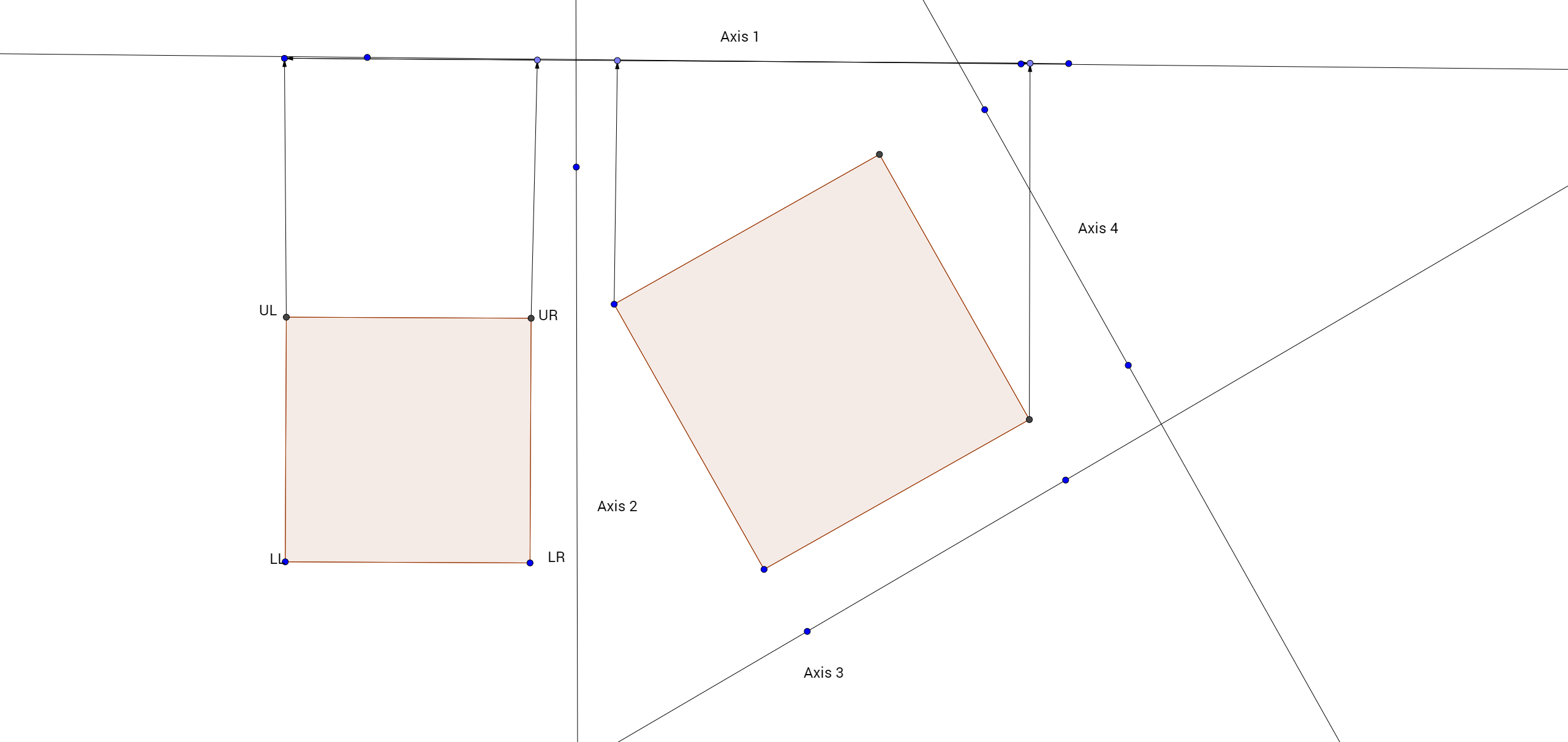
This week I have worked on a few different things, the least boring one is probably the improvements to the Collision System. Previously I used Circle vs Box collision, however due to the way the harpoon is supposed to work versus the jellyfish(where the entire hilt serves as a collision box versus the tentacles), as well as the general way the harpoon works(the harpoon is almost always in a rotated state!), this resulted in inaccurate and poor collision. I probably could have tried to improve the hit boxes to make the collision better. But it felt like the effort spent doing that would be greater than just using a different collision detection algorithm. So due to the rotating nature of the harpoon, using separated axis theorem seemed the most reasonable. I’m not very worried about performance since the game is pretty small, but I will probably use AABB checks in the future to avoid too many collision detection calls. So the general idea behind SAT is to project your shapes onto axes. Like the example on axis 1. The objects get projected on the axis between the min and max points of the object.
The separating axis theorem states that if all axes are overlapped, we have a collision detected. Now how do we implement this? We start of by finding the Upper left, Upper right, Lower left, Lower right points of the objects. The way I did this was by getting the sf::Transform of the objects and the Local Bounds of the objects. I then transform the points with the local bounds of the object. So the lower left points get transformed with the objects height. The lower right gets transformed with the objects width and height. The upper left doesn’t get transformed and finally the upper right point gets transformed with the objects width. I then calculate the axes. Since I’m only using rectangles, I have 4 axes. These axes are the following: Axis1.x = A.UR.x – A.UL.x So we have our points and our axes. Time to project our shapes onto the axes! To do this we need to get the dot product of our points with each axis. We then want to store the min and max. We then use the max and min products to determine if we have a collision. So if the minimum of object 2 is less than or equal to the maximum of object 1 AND the maximum of object 2 is larger than or equal to the minimum of A we have a overlap. We then need to iterate through all our axes! It’s important to note that you should stop checking the objects once one projection has reported that there is no overlap, since all projections need to be overlapped in order for us to have a collision! Once you have iterated through all axes you have a collision! For more reading on the subject such as getting more information about the collision and to cover any of the holes which are present in my very basic explanation, I really recommend the following sites: http://www.metanetsoftware.com/technique/tutorialA.html http://www.dyn4j.org/2010/01/sat They will tell you everything you need to know about the separated axis theorem! Thank you for reading!
 |