Bits and peaces
|
Due to other obligations, I was away most of this week and haven’t been able to work on the project as much as i wanted. Although for only one day of work, I have checked of a couple of things from my list.
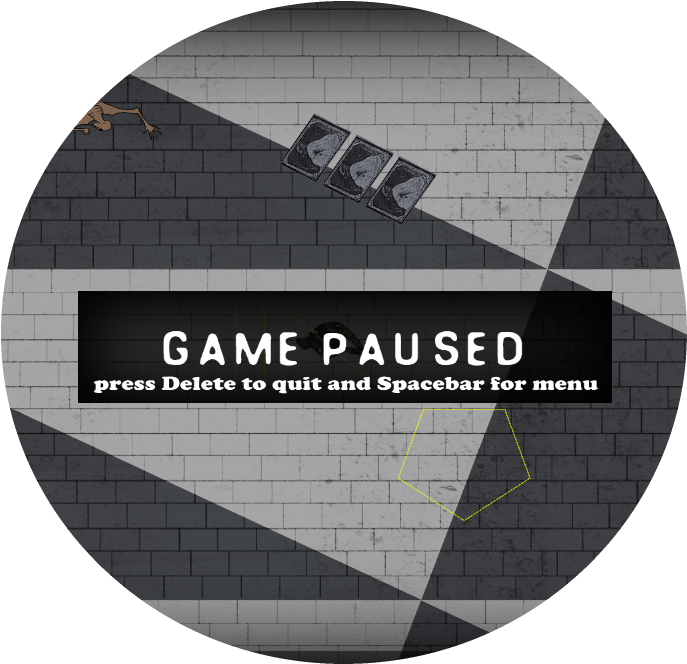
Malcolm implemented a pause button in our GameState a while back so while I was doing this i also created a way to either return to the main menu or exit the game by pressing two buttons explained in the pause menu. This is a tool for when/if our game gets checkpoints and manages to save the players progress. Right now it doesn’t have a function other than what it is. For the readers sake, here is a picture of that as well
Lastly I implemented some visual feedback when the player hurts the monsters. what I did was the same as before with the death feedback a while back. I reused the blood sprite, but scaled it down a little bit so that it wouldn’t look so repetitive. I used a vector from class Entity called deathTrail to draw the sprites multiple times and then using ”push_back”, giving them the coordinates to draw the sprites on the location of where the monster was standing at the time of the impact A lot of polishing needs to be done before I am satisfied with the results. But for now, I want to sleep. Stay classy reader!  |
 A loss and win state was implemented so that you actually can achieve something, whether it is in victory or in failure. This I implemented in the same way as the main menu. After winning or loosing you have a choice to quit the game or to go back to the main menu and start over again. Making the game able to choose between the win or the loss state i created a bool an named it checkWin and set it to false. If the player has defeated all the enemies an if-statement checks if this is true and gives the checkWin a value. If all the enemies have in fact died the bool returns a true value and, in the update, a false is returned. This sends the game to the nextState function where we change the state to the EndState. Here we check if the checkWin
 bool is true or not. If it is true the picture of Stockholm in a blue tinted color is shown as above giving the player two choices. If the bool returns a false the picture to the right loads. In here you get the same choices as before.
 .
. with the player bullet. In the draw function I used a for-loop to draw the sprites every time a new impact occurred.
