Space Giraffa – Update 3
|
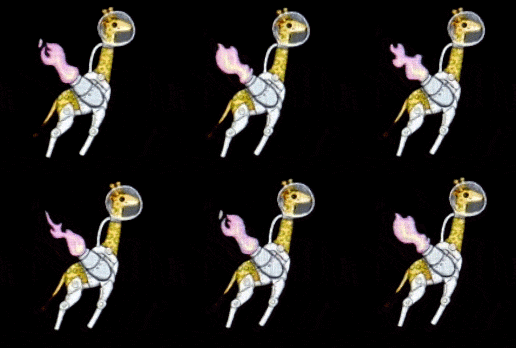
This week I’ve been working on our beta project and implemented some features to make more visuals appear on the screen. We basically scrapped our alpha project and started from scratch with the beta. We had to do this because our alpha project was using pure OpenGL render calls and our programming teacher was not happy with that. This puts us programmers way behind schedule and the deadline for the beta is creeping up on us. So I have been hard at work with the game and tried to reuse as much old code as possible. One of the new visual features is sprite animation. SFML already supports a good sprite class UV coordinates and transformations of any kind, but it lacks the feature to be animated. There are lots of different ways to create sprite animation, the simpler the better. The principles of sprite animation is to cycle with a desirable speed. I wrapped some SFML objects together with some variables inside a class I called “Animation”. This class now contains SFML sprite and a rectangle from SFML which will be the sprites texture region. I assign a couple of member variables to store time, speed, and max frames. The first function in the animation class in “init”. Init is called after an object of Animation is created and takes in four parameters; max frames, cycle speed, width, and height. Width, height, and max frames a self explanatory but cycle speed is a bit ambiguous. The cycle speed is how fast a frame changes to the next frame. Every sprite animation have to be updated too. The update function is very simple. The timer is added with the frame speed, multiplied with the games delta time to make the animation run smoothly. Then an if statement checks if time is larger than max frames and if true, max frames is subtracted from timer to make the animation loop. The texture regions x axis is then set to the rounded value of timer multiplied with the sprites width. This is our rocket sprite made by the graphics team that demonstrates how each frame has to be aligned to work. One frame has the size 128 pixels and the texture in total has 256. When the timer reach one, the region is moved 128 pixels to the left. It repeats until it reaches the last frame where it is placed at the start again.
This is how it looks in motion.  |