Playground Panic #3 – Ratatatatatatasplash
|
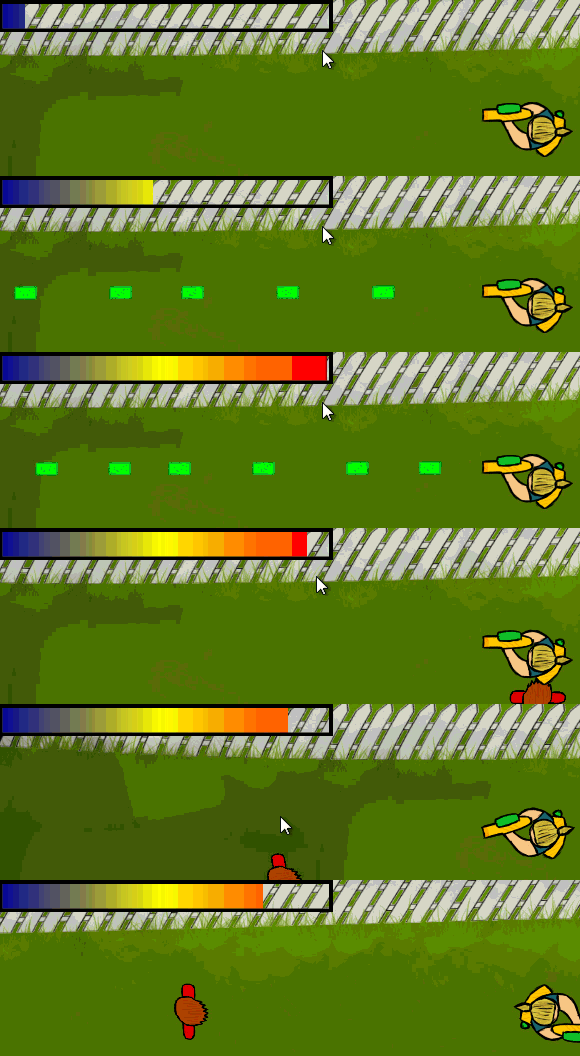
This week was filled with bug-fixes and different improvements in our previous assets. My main focus was spent on the View(port) and making it work smoothly with both edges and the player. Unfortunately due to a couple of meetings today, I don’t happen to have it in a completed state right now, so that will probably be on my next blog-post! Instead, I figured I would talk about how the shooting works. The shooting, aka. the sponge-projectiles (we’re child-friendly here), are pretty similar to how a lot of other parts of our code since it shares behaviors with objects like the kids and the player. Let me do a run-down here: 1. We start by loading in the texture
2. A timer is started at the initializing of the gamestate which is then restarted everytime a shot was fired, acting like an attack-speed variable, preventing the sponge from spawning if not enough time has elapsed. We also check for overheating here, which is a simple increment on a variable. If the sponge-gun gets overheated, it goes into a cooldown and you can’t shoot until it’s completely cooled. Most of our extra features were added to keep the player tense at all times and not being able to just spam out shots is one way of getting such an effect.
if (sf::Mouse::isButtonPressed(sf::Mouse::Left) && m_player_pst.getElapsedTime().asMilliseconds() > m_player_pss && !m_player->GetOverheat()) m_player_pst.restart();
3. If all systems are go, the sponge gets spawned and pushed back into a map/vector. Not much to say here, we scale it down a bit and give it a sprite and a collider. The actual collider is more of a remnant of old times since it’s the radius (the float) that we use for the collisions at the moment.
4. To avoid having the sponge spawn at the same place as the player, we use this beautiful piece of code called
5. Here we calculate the velocity using the current position, the origin we calc from and a target (mouse position). I don’t plan on talking about the rotation since it is incredibly similar to how the player’s rotation works (with the exception of the target not being updated as it travels). A small check if the target is between the origin and the current position avoids problems with shooting backwards though (aka. skill-shots): The velocity is calculated using pretty similar methods as the rotation, but is instead used for movement.
float vectorLength = sqrt(AngleX * AngleX + AngleY * AngleY); float DirectionX = AngleX / vectorLength; m_velocity = sf::Vector2f(DirectionX * m_speed, DirectionY * m_speed); 6. If the projectile collides with something, it gets removed. If it doesn’t, a relative check to the player’s position checks when the projectile is no longer seen on screen and removed then instead. Later on we will probably check it relatively to the viewport instead as we now got support for fullscreen as well. We had some random crashes during the deleting, but moving most of it to the deconstructors seems to have solved these problems (or they are just really rare, it hasn’t crashed since I changed it two days ago). Not much else to say about the projectile-sponges. The kids that throw dirt are coming up on the todo-list, so there’s that. We also plan on implementing more “watery” looking looks and particle-systems to fulfill our aesthetic goals. @wulf Having a free host also means that it can be really slow and it just happened to be like that when I was really rushed to get this post up before midnight. |