Playground Panic #2 – Viewports

One of the things that makes our game unique is how you need to find and clean a kid before their parent(s) come to pick their kid up. This creates a tension that simply running around to clean the kids wouldn’t achieve, but it also required a large map and the ability to move around in it.

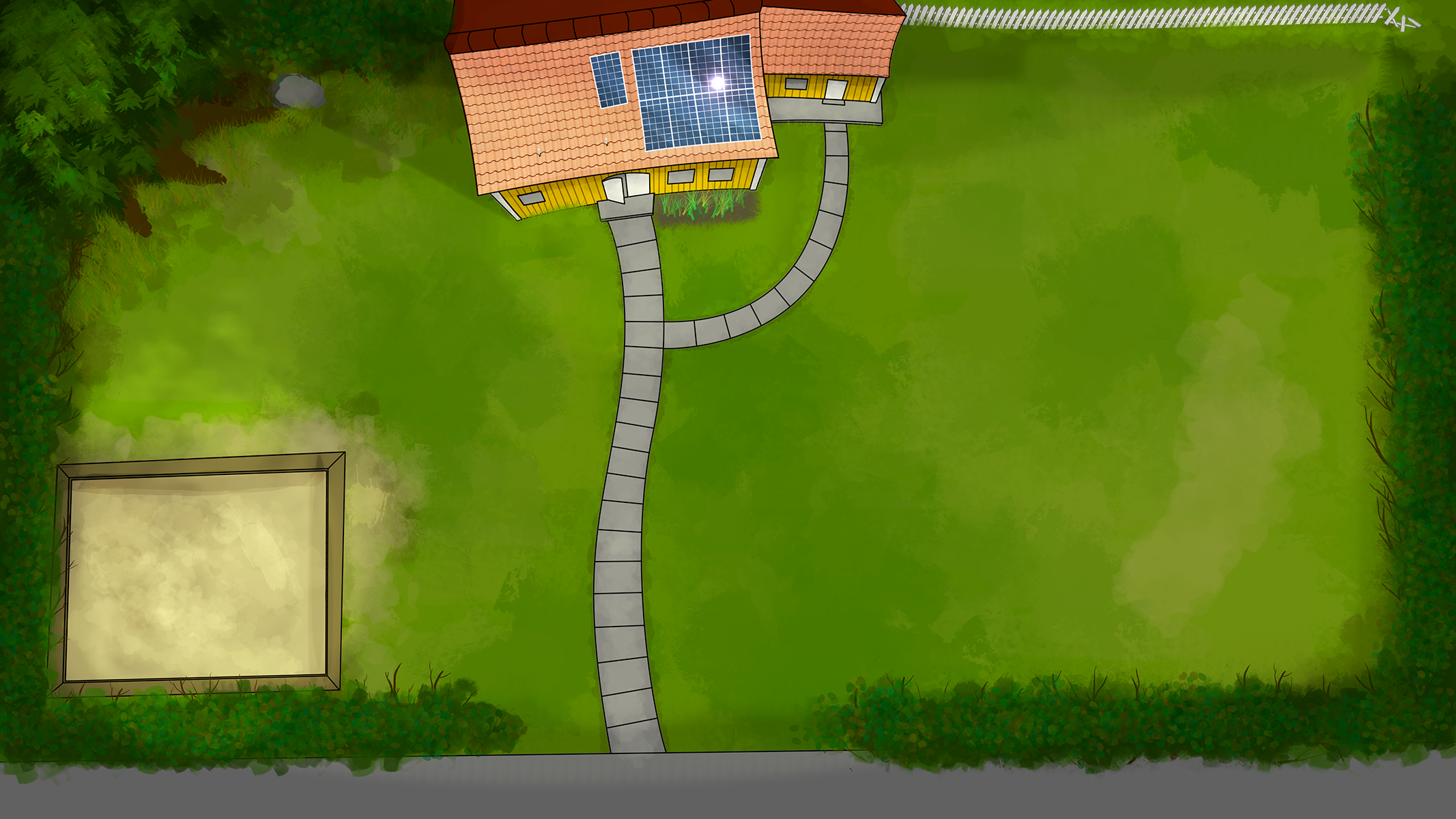
During the development-process so far we have only had a single-colored background. With a background added in, the game took a big visual step forward towards looking like a fully-fledged game.
Alpha-version of the background, credits to Viktor Kjellson
Note: This is not the final version of it

Having a big map to walk around in is pretty pointless without being able to see where you’re going. For this, we used sf::View which is like a 2D-camera that you can move around in the game-world (similar to your average 3D-camera). The actual creation of it is really simple as soon as you get the hang of what it actually is that you’re creating.

//Create a View in the same size as the window
m_view.setSize(sf::Vector2f(m_window.getSize().x, m_window.getSize().y));
//Zoom it to a level that feels natural (m_zoom is a float here)
m_view.zoom(m_zoom);
//Update the view of the window to your sf::View
m_window.setView(m_view);

Unlike most objects when creating games, the origin of sf::View is already centered by default and there’s no setPosition because of this. What instead that is used is setCenter logically enough. This simplifies the part of keeping the camera locked onto the player.

//Change the position of the view to the player's current position
m_view.setCenter(m_player->GetPosition());
//Tell the Window that we updated things
m_window.setView(m_view);

I did say that having the position centered by default simplified things, but it also makes things dependent of the mouse-position buggy since they require a position based on the window. To solve this we had to nullify those effects while calculating the current mouse position and save it into a sf::Vector2f.

//Get the normal mouse-position relative to the window plus the view's center minus half the size of the view and then just nullify the zoom-effect using division.
m_mouse_position = static_cast(sf::Mouse::getPosition(m_window)) + static_cast(m_view.getCenter()) - static_cast((m_view.getSize() / 2.0f)) / m_zoom;

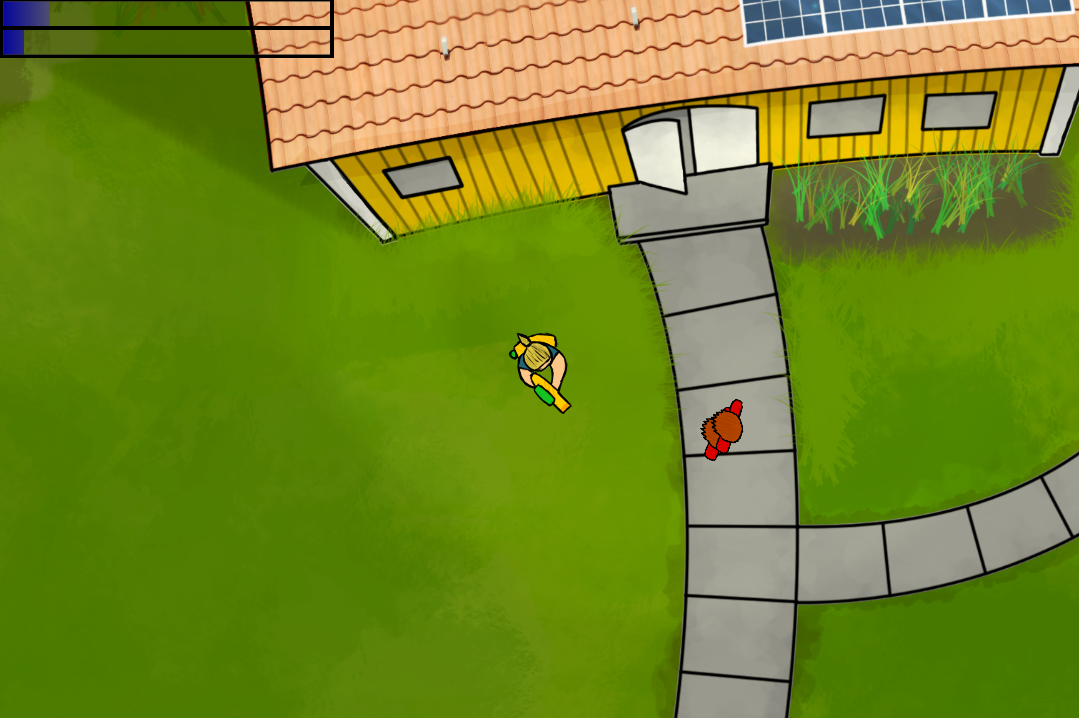
The user interface also had to change to be relative to the viewport instead of the window.

//The position minus the size divided by two
m_healthbar_sprite->setPosition(m_view.getCenter().x - (m_view.getSize().x / 2), m_view.getCenter().y - (m_view.getSize().y / 2));

And lastly we had to change how enemies and projectiles spawned and how the projectiles were deleted. Originally the projectiles were removed when they got too far away from the edge of the screen, now they get removed when they move a bit out of sight to avoid hitting enemies that you don’t even know exist.
Enemies now spawn in a random position around the whole map and they don’t start to attack until they are within a certain distance of you (meaning that you can outrun them). This needs a lot of fine-tuning, but it isn’t our first priority right now. Eventually we might add kids that got really good eye-sight that can chase you all over the place.

Currently the camera will always stick to the player no matter how close to the edge (s)he is. I plan on either having collisions that prevent the player from getting close enough to the end of the background (Pokémon-style) or make the camera have a smaller area that it can move in (so when the player comes too close to an edge, the camera stops the following).

Preview of how the game looks

Bonus-credit to Mr.Robinde for being helpful (and he done gone goofed now)!