|
The artifact of the week is the Button!
What is the Button ?
The button consists of three stages. Being there, being hovered and being selected as shown below. It has a sprite sheet of three sprites.

The button as it is in its original stage, nothing special it is just there and waiting for some action.

The button being hovered, now things will start to happen, upon mouse entering the sprite of the button the sprite will change into the second sprite in its sprite sheet.
When the mouse leaves the button, it will go back to its normal state of not doing anything.

The button being selected by the mouse being hovered inside the button and holding the mouse click down, Then the button load its third and final sprite from the sprite sheet. Upon leaving the button while the mouse is being held down it will go back to its original state. If the mouse is release while the mouse pointer still is within the button, it will cause the buttons function to trigger.
How was the Button made?
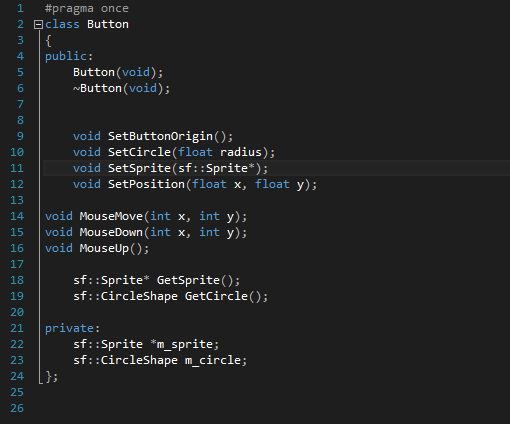
The button is created by two things an sf::Sprite and a sf::CircleShape. The circle is there as the button is round. it is not actually being drawn out. while the Sprite loads in the image as a square. The button sets both their position to the same, and if the position of the button is changed. both will follow.
Then with the use of Pythagoras between the mouse pointer and the circles center the distance is measured in between. if the distance is less than the radius it means the mouse is within the circle and will then trigger the hovered effect. By not having the button to activate on the mouse down event, it will be possible to have the third sprite being shown, instead of just instantly in this case jumping into the next stage as its a start button.
Why was the Button needed?
The button was needed in order to give the player some feedback that something happens when hovering and clicking the button instead of just being a sprite that instantly activate what the button does. This however makes the button feel more alive. It also opens up for using the button in new ways that are yet to be explored, after all the button now has three stages that could be set to do pretty much anything!
 
|


