Weekly update 2014-02-13
|
This week has been the most productive week in our projects lifetime. We have inplemented and finished the vision fields that our guards and cameras will have.
We have also updated our maploader with some extra features which I will talk about here:
Loading objects(rectangles):
Because we don’t check collision with single tiles, we “merge” together the tiles collision boxes in order to make the game optimized. This is also used for creating spawnpoints or a special
We use this for:
Loading polylines:
This is a cool feature which comes directly from the Tiled map editor(check link below). You can specify a starting point and drag a line to another point which will create a visible line to that point. In data it looks like 2 vectors wich creates the polyline.
We use this for:
All of the map data is created into one single text file in the format of XML. Of course, there are paths defined to the spritesheets we use. We use TinyXML(check link below) for parsing the map into the program.
This took some time but it was needed since I wanted our artists to be able to use Tiled for creating maps without the need of a programmer.
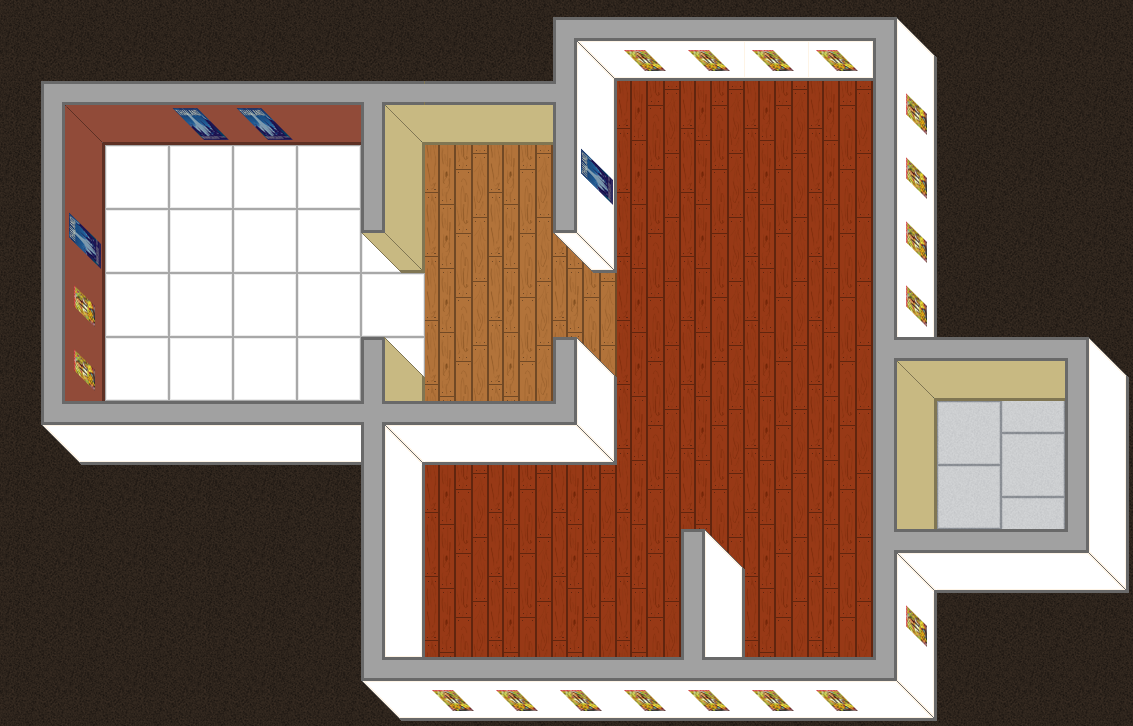
I can very much recommend this for everyone who is making a tile based game and must use different layers to compose a depth. We’ve done it. Check the image! 🙂
 Animations:
There was a very big step towards animations but finnaly I picked my self up and made the animation manager and all things that belong to it. I will explain in detail how the animations works.
animation manager:
the animation manager has control over all animation objects. Every animation object consists of multiple frames, a frame_duration, a texture and a identifier.
animated sprite:
This is the game object itself who has a member variable of AnimatedSprite. And on every animated sprite you can specify which animations you want for which object with a method called: addAnimation(Animation* animation);
This is very useful because now you can give EVERY object EVERY animation. And when I want to switch animation(if you have multiple animations) you call setCurrentAnimation(“player_walk”); for example.
Instead of having multiple ugly textfiles which defined animation I have just one file where I write all my animations to. The files is not a .txt file but .yml file. yml is YAML which stands for “Yet Another Markup Language”. It’s so much better to use that because now you can list, group, categorize, map things and much more. You can find this file and all other game related source files in my Github(link below).
I use yaml-cpp to parse the .yml file. It’s another library which I had to build manually with CMake because there are no downloadable binaries.
 |