Big Game Project: Week 7
|
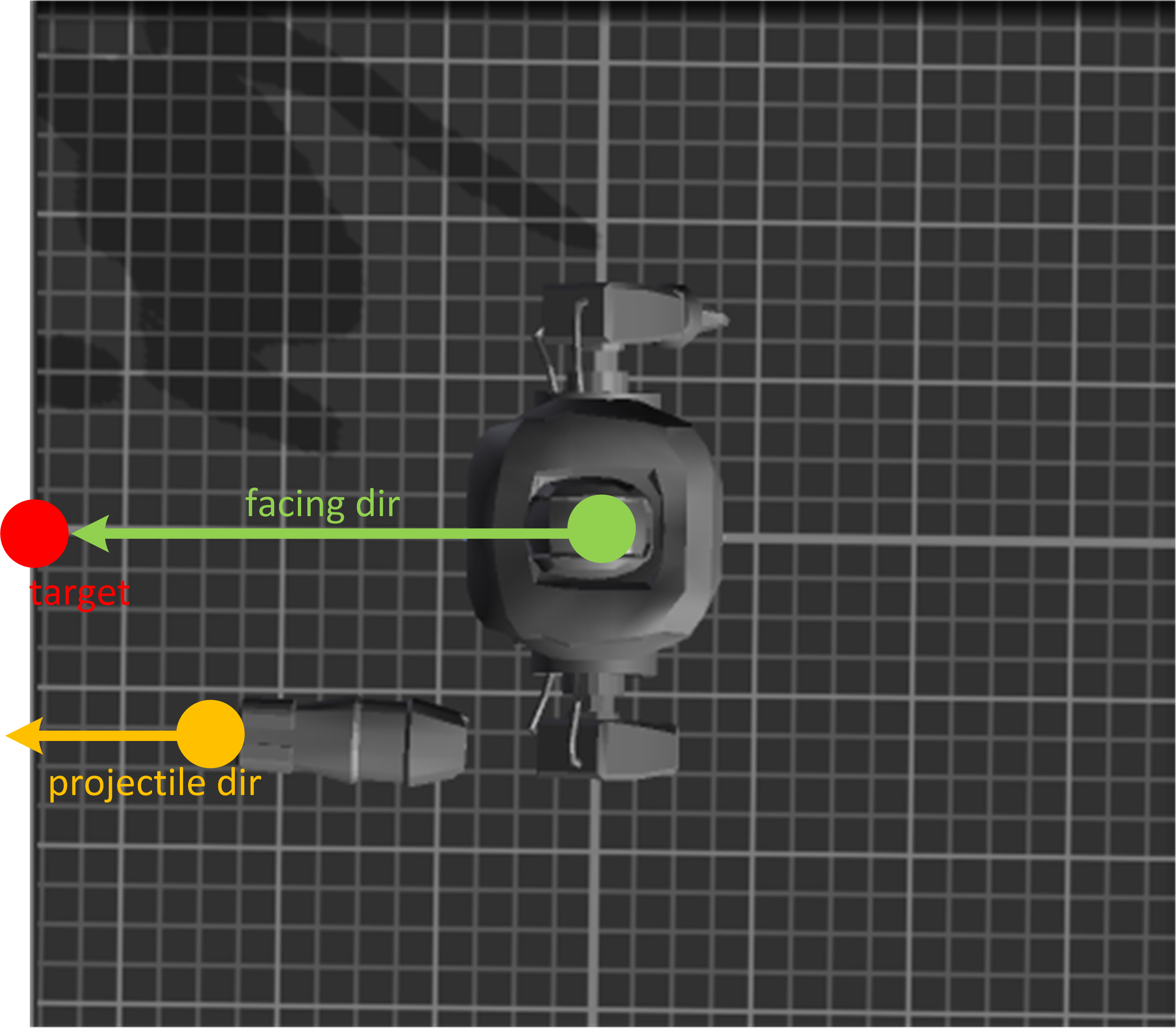
This is the last post and it covers my work during the last week (May 16 – May 20) of the Big Game Project. You probably remember the ranged attack of Enemy type 2, a slow-moving laser from the previous post. This attack was, however, not included in the final version and instead had to be replaced with a usual projectile type weapon that fires periodically with a short delay. I don’t think the original laser weapon was wrong but since the shooting animation of the robot was made in a way that resembles a rifle which is loaded, fired and then reloaded, I had to change the behavior of the weapon as well. Here you can preview both the updated Enemy 2 model as well as the projectile weapon (these were used in the final version of the game, in GGC conference): https://drive.google.com/file/d/0B4Ygnk4SnEMVWXFCYnRUZUxVY0U/view?usp=sharing I decided to also describe in more detail some aspects of implementing this projectile weapon. Below you can preview the robot’s shoot animation as created by our artists (the bug that the arm parts do not connect properly in the animation was discovered too late to be fixed for GGC, unfortunately): https://drive.google.com/file/d/0B4Ygnk4SnEMVOE1EMTYzNDUyZWs/view?usp=sharing Unity allows you to make an object face another object, either instantly or by aligning itself with the other object’s facing direction smoothly over several frames. The result of such alignment would look like this:
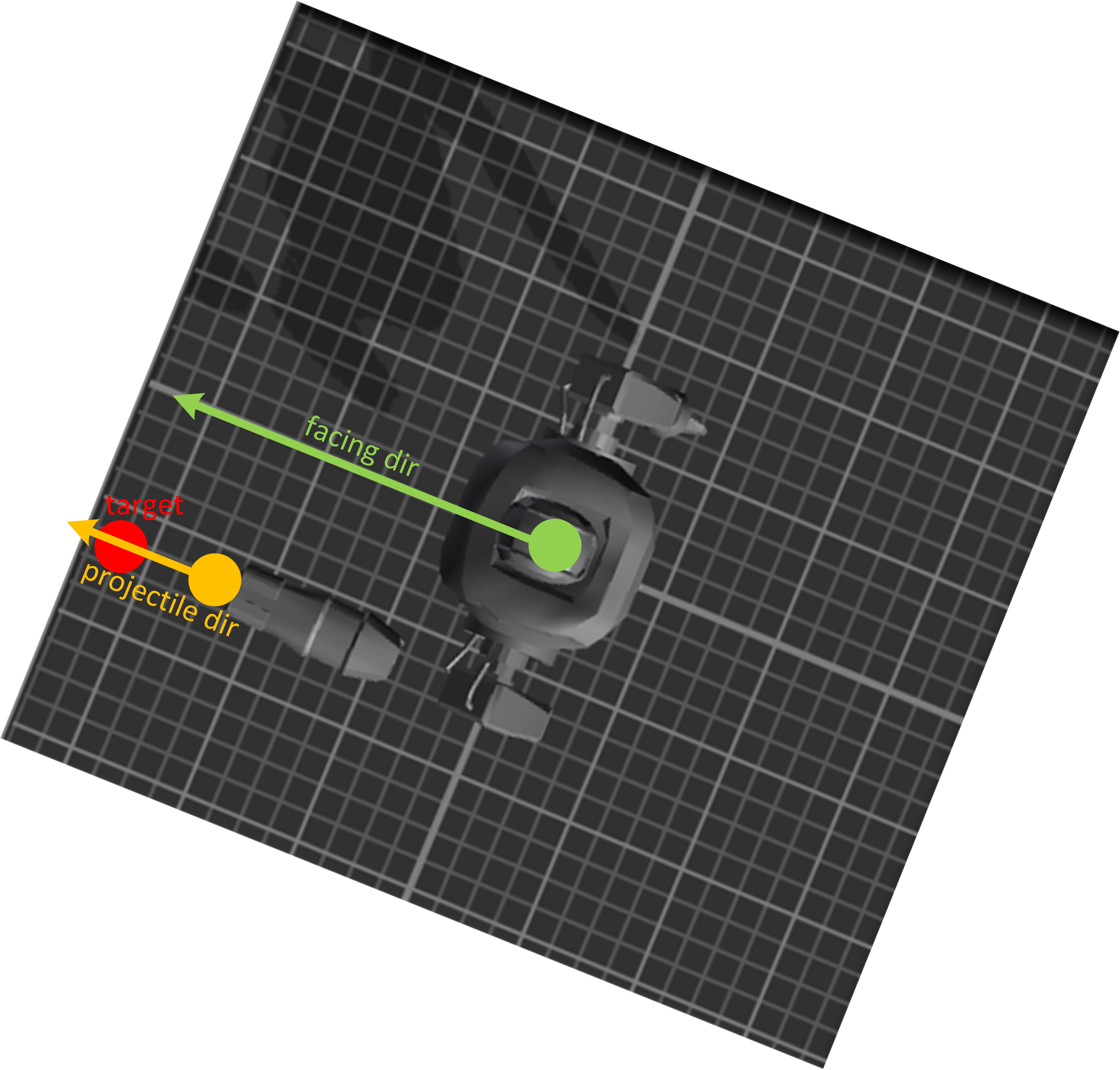
Notice, however, that since projectiles are launched not from the robot’s center (the green point) but from its cannon position (the orange point), the robot must be rotated extra so that it is the projectile direction and not the overall facing direction that points at the target:
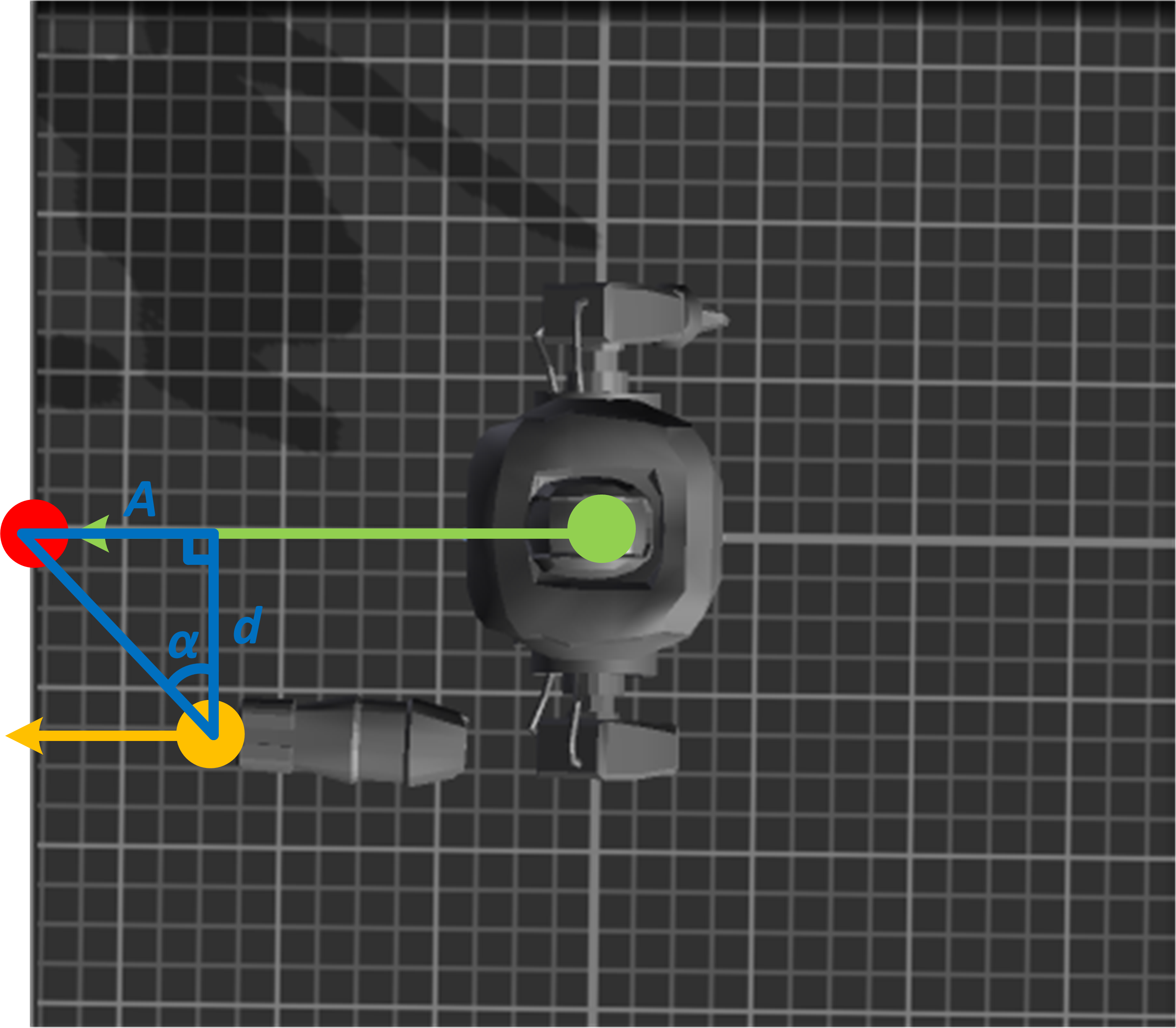
The question is then, By what angle do we need to rotate the robot to make its cannon, and not the robot itself, face the target? Math can give us the answer here. We build a right triangle (blue) as shown in the figure below:
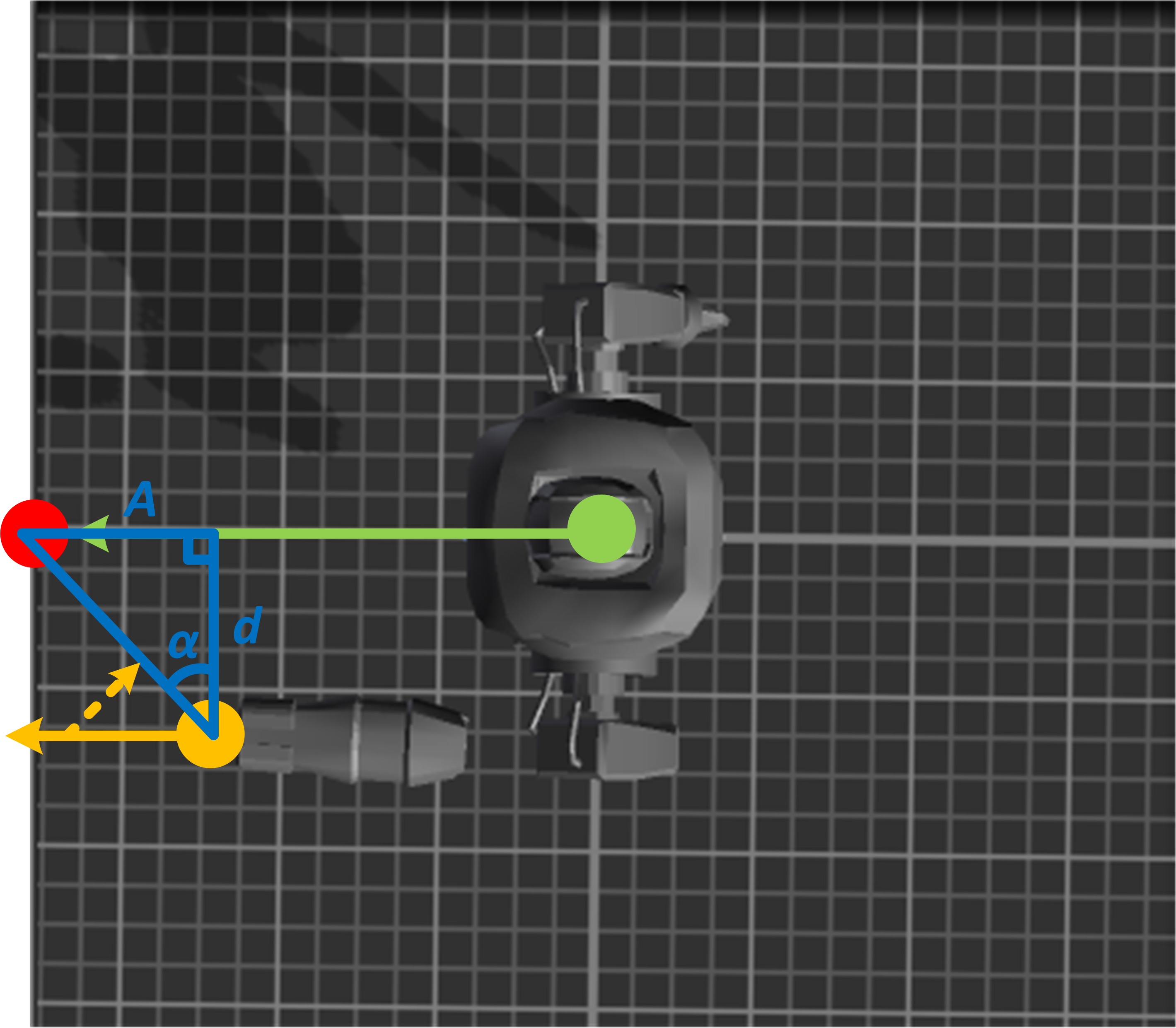
d is the sideways distance between the cannon position and the center (ignoring the forward offset of the cannon with respect to robot’s head); A is the “forward” distance between the target and the cannon position. The angle α in the triangle is given by: Now look carefully at the picture above. The orange line is the projectile trajectory of projectile, which always points “straight” from the cannon. The orange projectile direction would go through the target if the orange line is made to lie on top of the hypotenuse of the triangle like this:
So when the robot is already facing the target (as in the picture above), to make its cannon face the target we have to rotate the robot by the angle between the orange line and the hypotenuse in the triangle (the dashed line in the picture above), i. e. That is the algorithm used in our game to make the projectiles always hit Kei if she is not fast enough to reposition herself after a projectile is fired. In Unity, to rotate an object by a given angle about a given axis, you multiply its current rotation by a quaternion: targetDir = Quaternion.Euler(0, 90 - a, 0) * targetDir; targetDir is the direction to target which the robot tries to align with but when it is preceded by a quaternion multiplication, the direction vector gets rotated about the given axis by the given amount (the only non-zero argument in the function call is for the y-axis, which means rotation is only done about the y-axis by 90-a; a represents the α angle from the previous discussion).  |

 .
.