|
Bah! Instead of going to bed I wanted to create a viewport for our game prototype.
So what is a viewport?
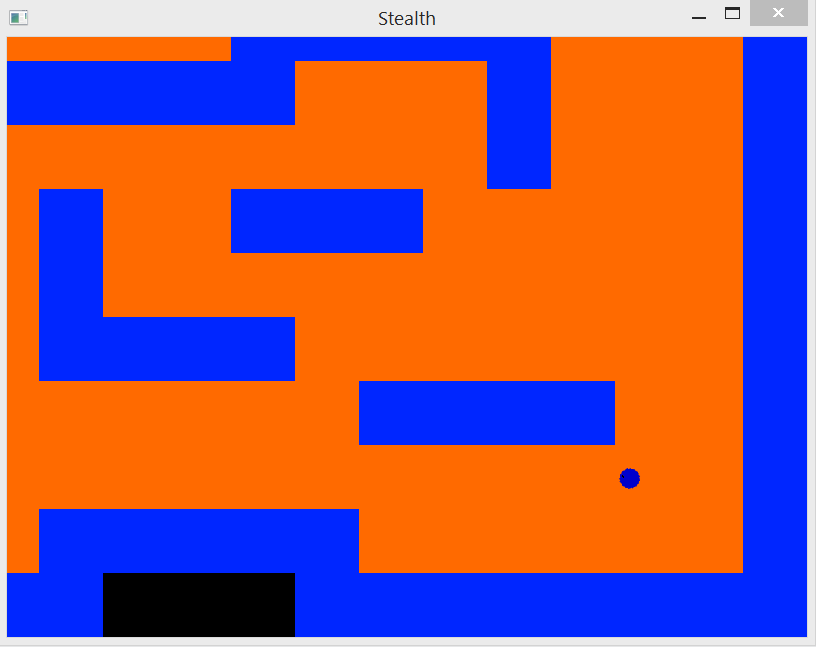
A viewport is a portion of the whole game screen that can be manipulated to show any area on the whole game screen by setting a position on it. In my example the viewport centers around the main character(the player).
In my algorithm I added some lines of code that will prevent the viewport from showing extra stuff outside the game window which to me is just unneccesary.
So how did I do it?
First step was to create a Viewport class of course.
I made a member variable of the type sf::View which is SFMLs own 2D camera if you will.
sf::View has many methods which can easily be made into a viewport.
I also created a member variable of type sf::Vector2f that holds the max width and max height(this is used to prevent the viewport from showing unneccesary stuff).
Now I created a public method called update which takes the position to center it upon, in my case, the main character center position. Since the players origin is in the center I could just pass in the position.
Else you would have to do something like this:
sf::Vector2f center_position(player.x + player.width / 2, player.y + player.height / 2);
viewport->update(center_position);
And now its time for the algorithm that moves the viewport.
By speaking to Andre Henriksson I did something like normal bounds intersection/collision.
I checked if the center position was lower than 0 and then capped it to 0 and same thing for dimensions.
I checked if the center position was higher than max_width – viewport.width / 2 and then I capped it to max_width – viewport.width / 2.
And if there were no intersection/collision, whatever you would call it, the viewports position would just be set to the center position gived as a paramter.
Check example:
Links:
About Anthon Fredriksson
2013 Programming
|