Final Assignment in 2D drawing!
|
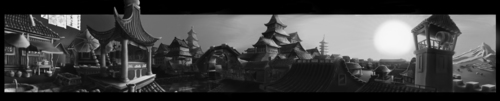
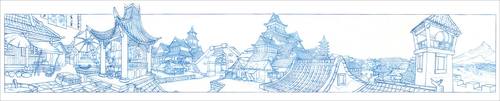
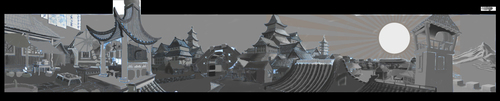
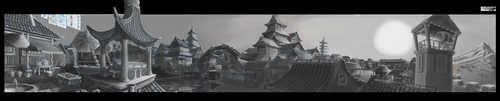
These past weeks have consisted of making myself preemptive for osteoporosis and wearing out nubs. A.k.a finishing the final assignments for our 2D graphics course. One of the assignments consisted of lighting an oriental village. This was the original image we used: I started of by coloring parts of the picture in a gray tone which will act as a standard hue. By doing this I just need to add a lighter or darker tone to each surface to act as shadows or lighting. Unfortunately, I forgot that I could set the grey tone layer to Multiply, which would basically convert all the whites of the original image into the grey color I picked. But numpty Theo decided to use the erase tool to remove some of the whites. This is the result after also decided where my light source (sun) should be. After the sun had been placed out, I used a stock image of cartoon-ish sun the help me determine how the light would spread. After that I started to add some basic values, starting off with the watch tower. My strategy was to complete a building at the time. But the picture below gives you an idea of how it would look if I did a basic pass over the whole picture first. With a basic pass applied, I started to add darker and lighter values to simulate light. It looks like a small river is running through the village. To get a water effect. I simply copied a part of the village standing behind the water and flipped it vertically to act as the reflection. I then lowered the opacity to let the previous shading shine through and used the blur tool along with some white lines to simulate small waves or disturbances on the surface. Once I was finished, I converted the picture to black and white since some of the blue from the original picture was still showing and some the grays had gotten some green or red-ish hues to them. Lastly, I adjusted the contrast and this is the final result: I adjusted the contrast quite high, since the sun is setting which would create really dark shadows and bright highlights. |