Enemy spawners and Prefabs
|
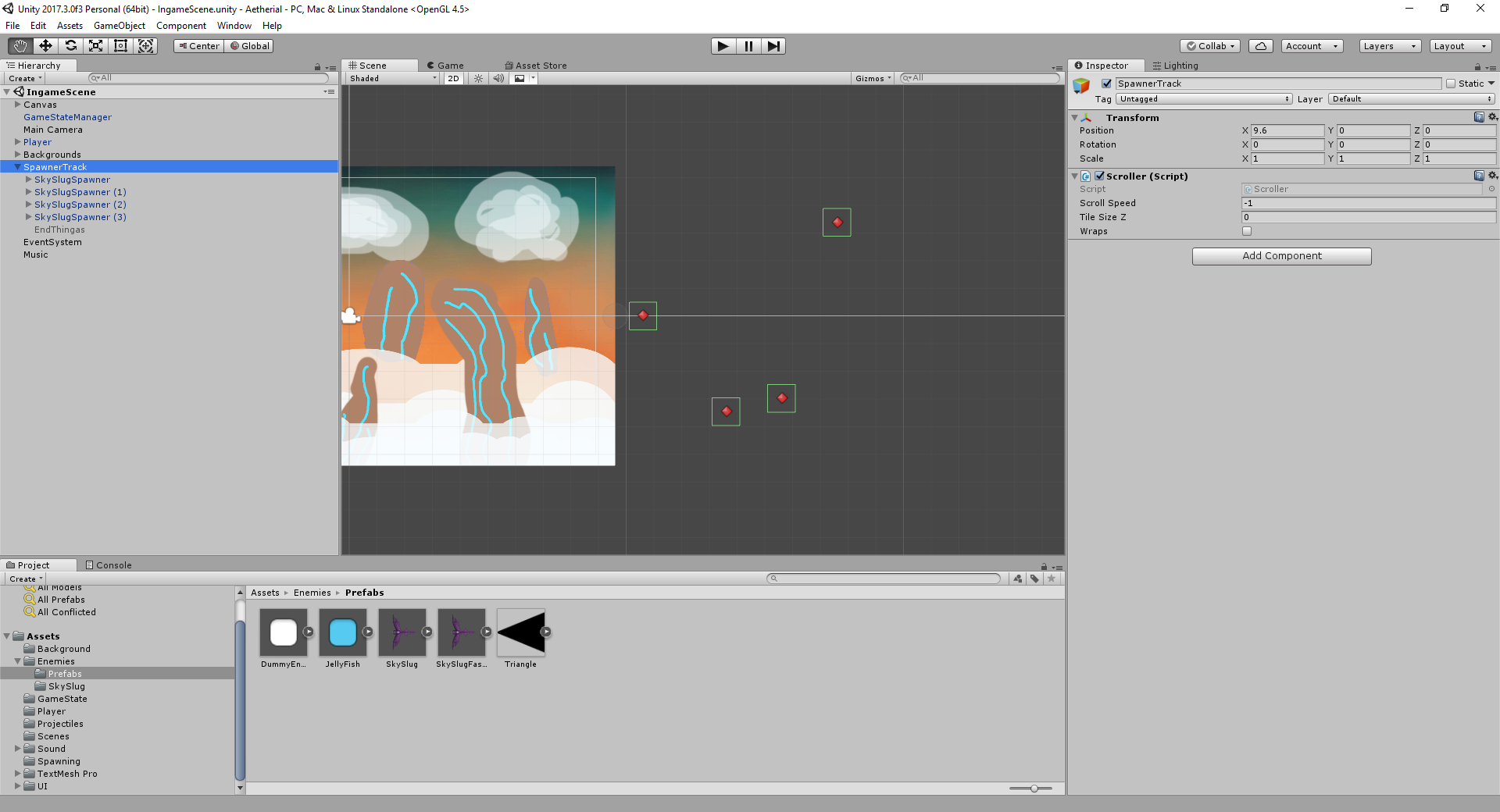
Today’s post will be about the way we handle spawning enemies in Aetherial and how this system can be used to tweak and balance the game. The camera is static in the scene and the parallax effect of the background gives the illusion of movement. By having the scene be static it becomes easier to control and design the movement of the enemies and player, since we don’t have to account for any camera movement. Then we have a game object called the spawner track where all the enemy spawners are placed on. Then we have a script attached to the spawner track which moves it one unity length unit per second. This makes it easy to control the timing of when the spawner should trigger and start spawning the enemies. Since the track move at one unity unit per second, the x position of the spawners correlates to how many seconds from game start it needs to move to start spawning. In the picture below we can see the spawners in red, and the spawner track being placed right at the edge of the camera.
When the spawners placed on the track comes into view it saves that position as the target for where the enemies spawn. There are currently two types of spawners. One of them spawns just a single enemy. The other spawns a chain of enemies at a determined interval. This chain spawner makes it easier to tweak groups of enemies without having to manually place several spawners, and makes it possible to give a relationship between the spawned enemies.
Another neat way to organize and design the spawning patterns of the enemies is to make reusable prefabs of both the enemies and spawners. In the beginning of the game we might want the enemies to move a bit slower, giving the player a chance to learn the behaviors of the enemies and then slowly increase the challenge by making the later enemies a bit faster. Using prefabs for the enemies also makes it possible to disable/enable features of the enemy like the ability to shoot or the way it moves against the player.  |