|
For our Alpha presentation, which is a presentation where we present to our fellow video game students and teachers the basic features of our upcoming video game, as well as the feature and movements of our player, obstacles, basic UI and potential power-ups, we needed to ensure that our main character was functioning in the same way described as a the concept document that was provided to us.
For our video game called Behemoth, which is a side-scrolling Shoot’em up game, similar to games such as the 80’s Atari classic “Space Invaders”, the player is taking control of a giant robot that fires at enemies with a cannon, and protects itself from the same enemies with a force shield.
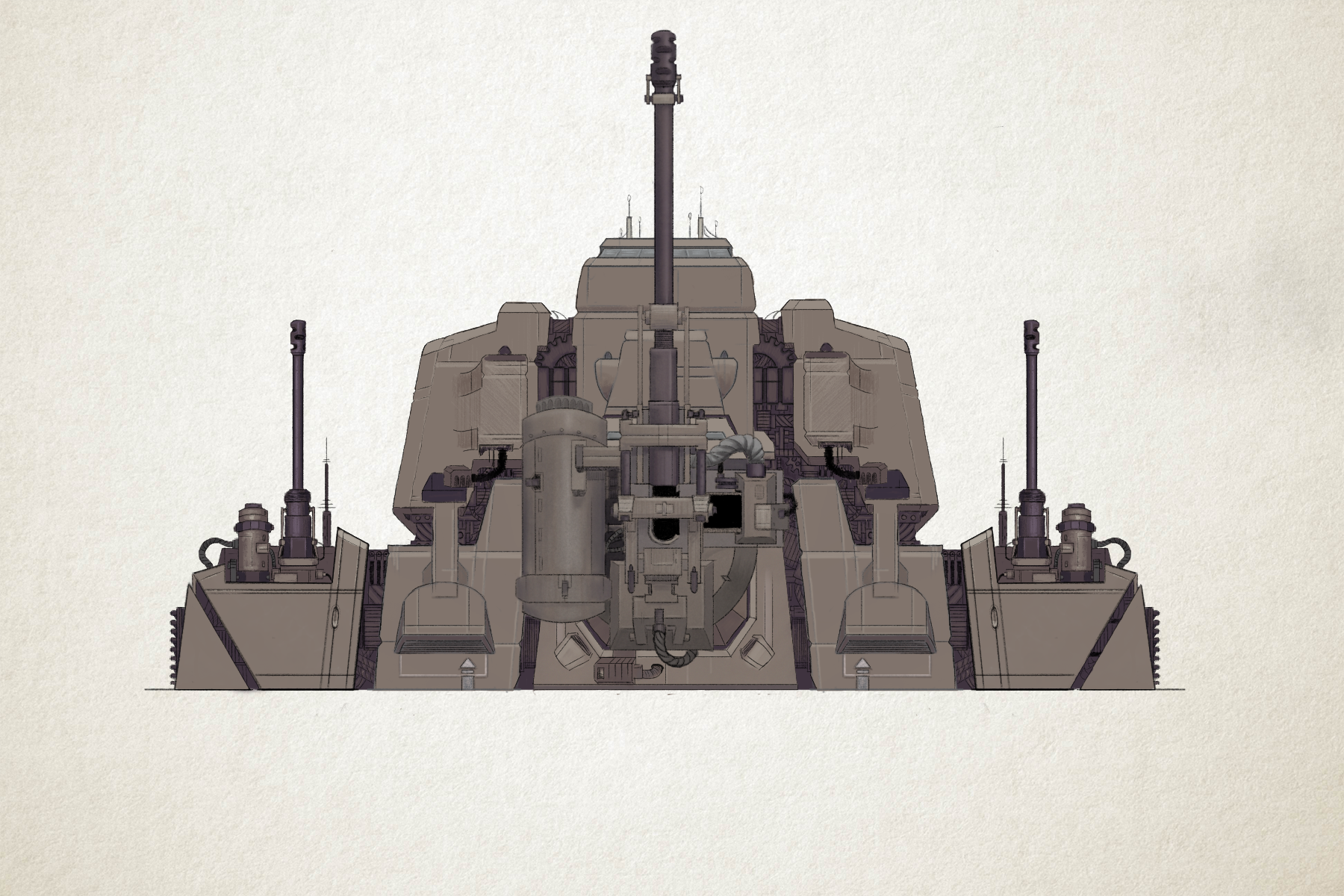
Main avatar for our video game “Behemoth”
However, for our aesthetic goal, the bullet used to shoot at enemies is not meant to cause damage as soon as it hits. This is because our concept document explained that the aesthetic goal of the game is to ensure that it feels like the player is in control of a giant weapon, and that every feature of that weapon, including the damage of the bullet, has to be controlled by the player so that it explodes on time and causes damage to all enemies surrounding it.
 Bullet-example (might get exchanged for the final game) Bullet-example (might get exchanged for the final game)
This, my dear reader, was the most difficult thing that I, as a this game’s lead programmer, had to feature for this week’s scrum (A planning feature where you chose the features of a video game that needs to be finished by the end of that specific week of work). If you are someone who is new to programming, it is not difficult to figure out how to make something explode when it collides with something else, like an enemy. It is also not difficult to ensure that it is possible to fire a bullet at an object and assigned a different button that controls the explosion of that bullet.
To use the same button for those different desired outcomes, the firing and controlling the explosion, that is a whole different ballgame!

Explosion-example (might get exchanged for the final game)
In order to solve this issue, I managed to figure out a way of coding that ensures that if there was no other bullet on the screen, then a new bullet would be fired. This was ensured by using the spacebar button for firing and exploding the bullet. The code described that if a bullet was already featured on the screen, then there would be an explosion if you pressed the spacebar, and if there was not a bullet featured on the screen, then the spacebar would fire a new bullet, but it could not do both.
While this code might create the control feature that I was aiming for, this also means that in our future game, the player cannot fire many bullets at one time. Is this something me and my group want to achieve? That is what we are going to discuss this upcoming week.
However, the problem is solved! Now the spacebar button can be used to both fire and explode the bullet that the player aims at the enemies. Let us see what other challenges this upcoming scrum week might bring…
About Sophie Ahlberg
2017 Programming
|
