One frustrating asset
Hi! Welcome to my second blog postToday I will write about a task from previous week, (because it is more interesting to write about art assets than alpha presentation preparation that I did this week) This asset has to do with the health and aether bar (which I wrote about in my first blog post) in a way that this is a power up indication animation! And the animation happens beside the bars. This animation will activate when you, as the player, pick up the power up after destroying a crystal from the Whale boss’s back. This power up will spawn a dark cloud mob/storm and make you invisible to the enemies when activated. The process of me animating was the easiest part – making the sprite sheet (which I probably did in a wrong way) is another story. So, the progress and design… Well, during the sprint planning we were discussing how the power up indication should be like, and it wasn’t really hard to come up with a design, since we knew that the power up itself will spawn a storm more or less. So why not spawn a storm in the ship icon’s (beside the health and aether bar) background? It had to be obvious for the player that he picked up a power up that is ready to be used at his/her own will.  (Sprite sheet 1) I started animating, frame by frame, starting with two clouds. I didn’t draw a new cloud for every frame (that’s just hardcore and unnecessary workload), instead, I dragged existing clouds a few millimeters to the right with every frame. I came to a point where I the existing clouds started disappearing, so I had to draw new ones. After a few frames with the new clouds, I started positioning them like the old clouds, for a simple reason – to get a “loopable” animation. The fact that the animation loops, saved a lot of work. After the clouds where done, I added rain. I drew 3 or 4 different rain scenarios and simply copy pasted (reused) those randomly for more frames. Instead of drawing new rain scenario for every frame. The rain might catch the player’s attention more as it is moving quite fast. It might not be as visible in the sprite sheet, but I also added yellow flashing contours around the ship that spawns and disappears, spawns and disappears. For extra extra attention and for the player to know that what he/she picked up is interactable. The yellow flashing is caused by a lighting strike, which I added to be in the beginning of the animation. (Sprite sheet 2) The reason the sprites are separate is because the lightning happens once – so it is not loopable. For coding purpose. 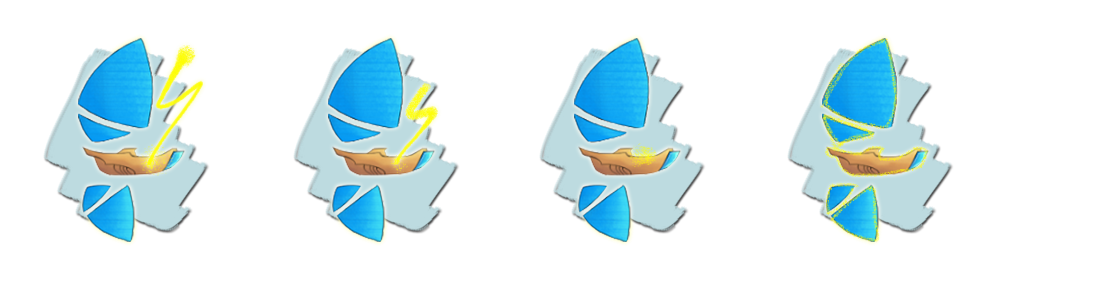 I am overall content with the outcome. I have animated before, so I know the struggles and that it takes really long time to animate only a few seconds. Thus, for time limit reasons I didn’t spend too much time making detailed or very pretty animation, even though I would have gladly done that if I had like 2 full weeks without minor being in the way, and not 3-4 hours which I had planned for this task. What took most time (~3 hours) with this task was positioning each sprite with the same distance from one another (which I tried doing in three different ways). I really tried my best, despite not having learned how to do that… However, it turned out to be wrong anyway. Frustrated 3 hours went to waste. In the end, I let one of the artists fix this, which he did in less than half an hour. At least I tried. But I felt like a GTA character after dying with “Wasted” screen going on, the moment lead code told me that the sprites ain’t good enough during a meeting.
 |