Unity Collaborate problems
|
So this week we’ve had quite some problems using Unity Collaborate. Samuel, our other programmer in our team has done a lot of work during last week, and when I’m trying to get the changes a lot of issues arises. Unity Collaborate is a tool used by teams to sync and maintain a project within the group. When working correctly that means that several team members can work on the same project and then upload their changes so that everyone in the team can download them to their local project folders. A very powerful tool for small teams!
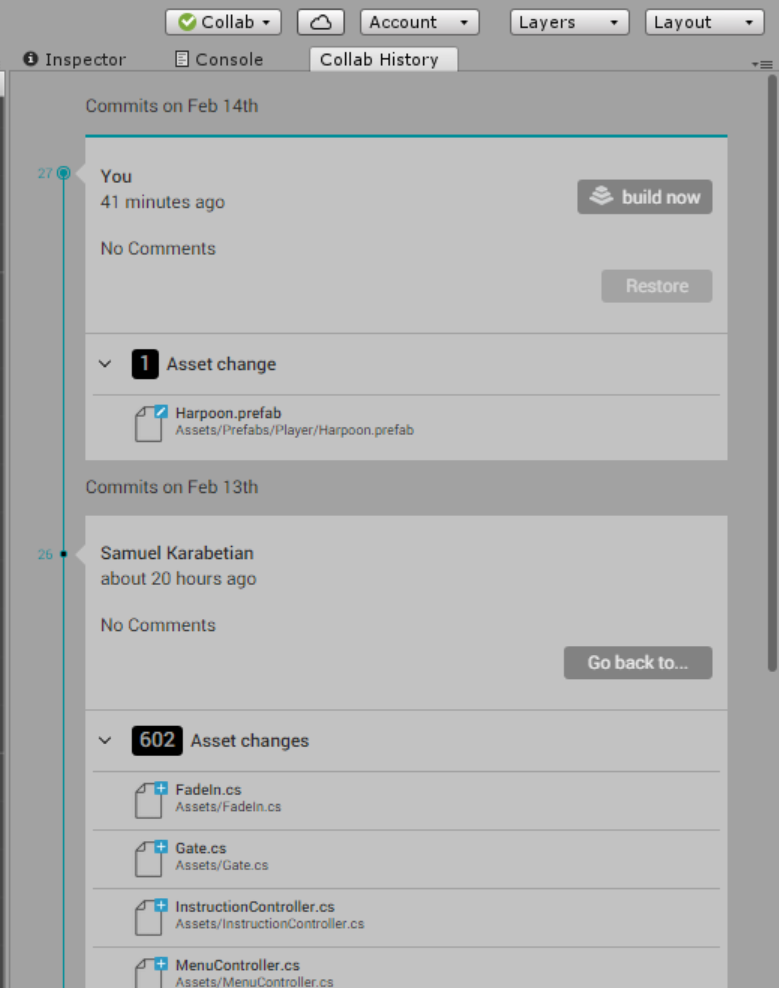
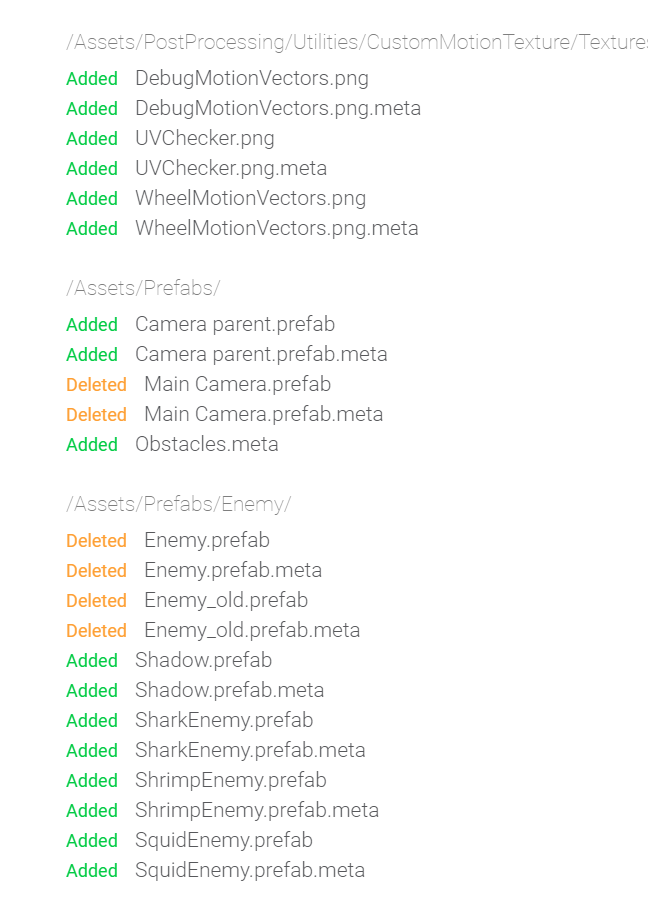
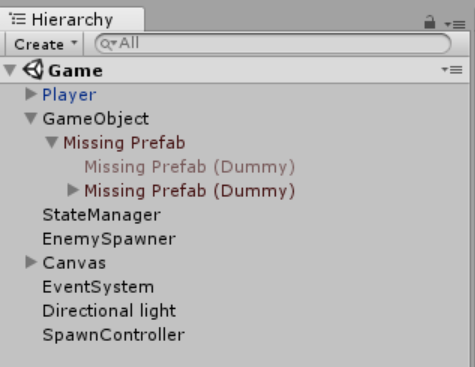
The problem with this is that if more then one person works on the same content, conflicting versions of assets seem to be quite common. Unity then seems to delete these assets since they are corrupt, and you end up with incomplete projects and/or corrupted assets. So this week we’re on a deadline for the alpha presentation, and at the moment my responsibilities are to add a basic GUI and work on the game mechanics for the power ups. The problem is that the only recent build I can access is missing so many crucial components it won’t even run. On the Unity Dashboard web page you can access a Collaborate timeline which specifies the changes made by the team, or maybe rather changes made be the team and Unity during the upload process. This game me some clues as to what has happened since I noticed that the camera was gone. In my unity project I also noticed that some game objects were just listed as “missing prefab”.
After replacing the missing prefab with a new camera prefab that we had been using in the project before, I was able to run the project again. However I noticed that there is A LOT of other stuff that is not working anymore. I’m giving up on this at the moment since I don’t really want to spend an entire day trying to recreate something that Samuel hopefully has working in his local version on his workstation. So I’m hoping for him to wake up soon so that we can resolve this the old fashioned way, by manually sending .zip files to one another. During my attempts to solve this I’ve done some basic research on what the cause to these problems might be. What I’ve read is that Unity Collaborate usually works great with scripts and and most simple assets, but is problematic with scenes. Moving forward I think we need to communicate more and make sure we’re not working on the same scene at the same time, since that might be problematic. One solution that some people seem to be using is working on copies of the main scenes and then merging them when they are sure no one else is doing changes. An other important part of avoiding problems with Unity Collaborate is to make sure that whenever you’ve made changes to the project, make sure to upload them! The reason for this is that if I work on a scene, do not upload my changes and then a few days later try and download someones changes to that same scene, I will most likely get conflicts. If I make sure to upload what I’ve done, and the others in the team make sure to sync before they start working, our progress will always be on everyone’s workstations and we will hopefully avoid conflicting version history. To conclude. Unity Collaborate is a great tool for small teams working on the same projects. Just make sure to be disciplined and communicate with another to make sure you’re all up to date with the latest changes and everyone has a version of the project of the latest version. Also don’t work on the same scenes at the same time. Make sure to upload your work after every session, and download others changes before every session. Let’s hope you get less problems than we did!
 |