Setting up ELIAS for Unity
|
First of I’ll do short description of ELIAS and then show how I implemented it in our project for easing the workflow in the later stages when the music is added. This week I’ve been converting it from working for 2D to 3D since we decided to do an overhaul of the physics in the game. What is ELIAS?It’s a software that is designed to trigger music on events in the game and create adaptive music. It’s very easy to use as I just create a score in a digital audio workstation and import the different layers in separate looping files. Then I arrange the layers in ELIAS with numbers and set up trigger points in the game scene that corresponds with these numbers. For example if the player successfully escapes a dangerous cave and emerges into calm forest area I’ll trigger a thick layer of major scaled strings and silence the stressful drums that I had playing during the challenges in the cave. Thus making sure that the music transitions well together with the visuals and game play feeling. The AI in ELIAS makes sure that the different layers transitions smoothly without having to fade it in and out. There are also some options of how you want the transitions to be, such as urgency of the change. 
Example of a setup in ELIAS. The musical loops of the different layers are assigned a specific zone it should trigger on.Here it starts off with just drums and on zone two, a different drum loop is played, together with the bass layer. Setup in UnityImplementing it in Unity is very simple thanks to the Unity plugin available. It comes with scripts and components ready so that the only thing you need to do is set up scripts for the trigger zones. I based my triggers on the example script from the plugin. This script uses the method OnTriggerEnter to check if the player is colliding with the zone and then triggers a UnityEvent. The MusicSwitcher script, also provided by the plugin, has a listener set up for that event and switches loop on the callback. 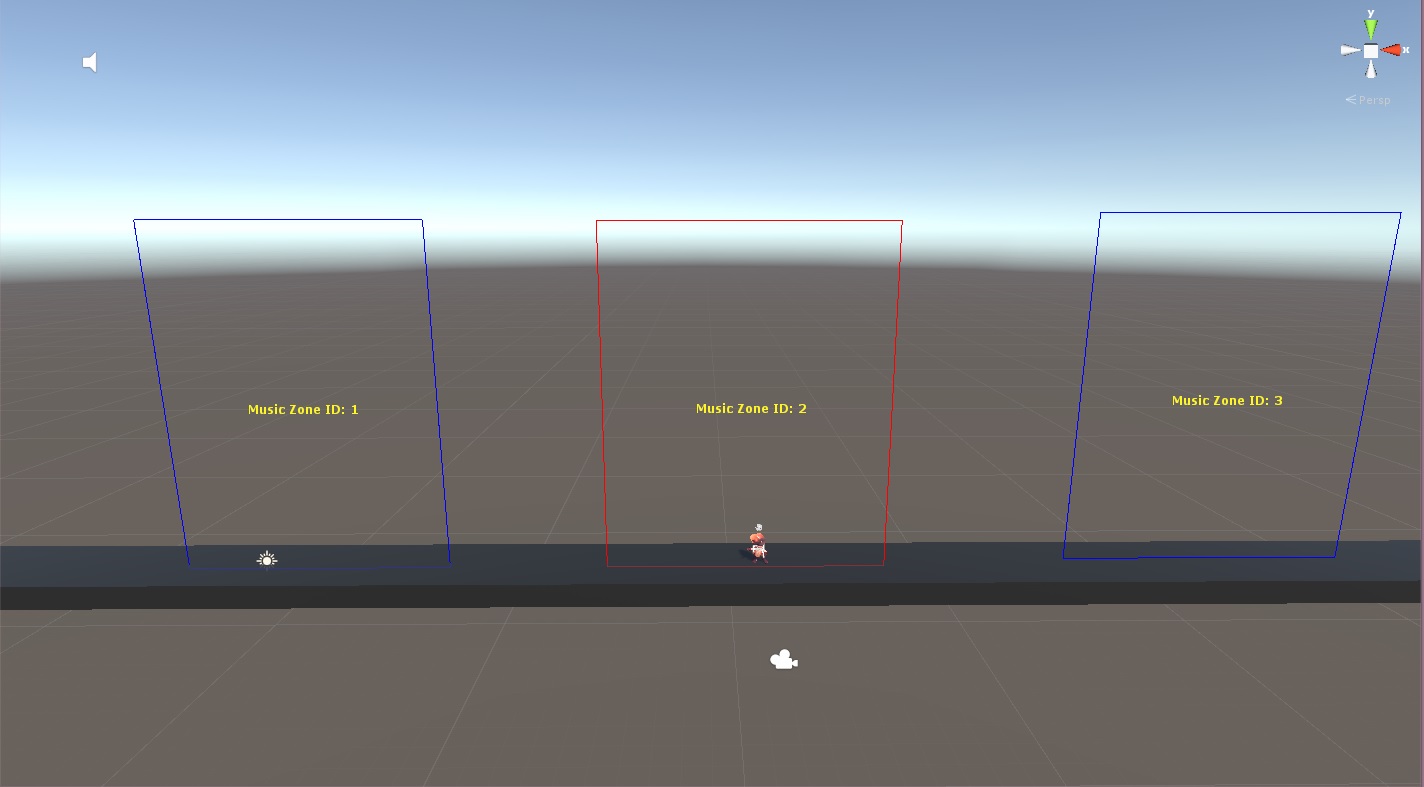
Screenshot of the test scene. As scene in the screenshot, I have three instances of the zone prefab that each triggers different layers when the player enters them. To visually aid me in placing the zones and quickly seeing which zone ID they have I used the OnDrawGizmos() method. There I can draw a line that only appears in the scene window. The line is drawn by passing the collider.bounds.size as a parameter, giving me a line that shows the size of the collider. The color also changes depending on if the zone is active or not. I use UnityEditor.Handles.Label() method to print out the Zone ID variable using m_zoneID.ToString().
 |