Last Signal – Doors and Switches
|
When the player is traversing through the levels of the Last Signal, we want to have the player want to explore the level that is presented to them. We also wanted the player to have more to do rather than go from point A to point B and shoot the enemies. This was ensured by the creations of doors that blocked off sections of the levels and having switches that the player has to interact with to open the doors. The doors started out as simple gray boxes with a hitbox that worked as walls. They had a placeholder image that I quickly made in Photoshop by measuring the openings in the walls where doors could be placed. The doors could be interacted with by using the enter key. This would cause the door to move to the right or down, depending on the orientation of the door, and would travel a number of pixels that was equal to the length of the door. 
The placeholder image for the door This was however a temporary solution since we wanted to have the player explore the levels, and we added consoles that are to be interacted with in order to open the doors. The consoles are placed in places separated from the doors to encourage exploration of the level. 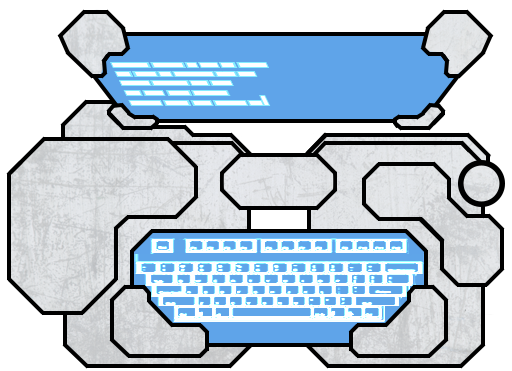
Sprite for the console, created by our Lead Art(Erik Ögren). I implemented the console and door by creating a map that contained pairs of doors and switches. The player will now interact with the console by pressing the enter key when in range of the console. When the player is interacting and in range, the console will be set to have been interacted with. The next time the game goes through and updates the various parts of the game and sees that the console is interacted with, it will set the door to be opened. For now the door stops being drawn out and collision between the door and the player is not checked while the door is open. This is because before when the door was opened the door would be visible in the wall and the hitbox would cause problems, so I decided to remove the collision check and drawing of the door when it is open as a simple solution to the problem. In the future changes that need to be made is a different sprite for the door, so that it is not a gray box that looks like it is part of the wall. It needs to look more like a door.  |

