Week 8 of the Piñata – HUD in a different order
|
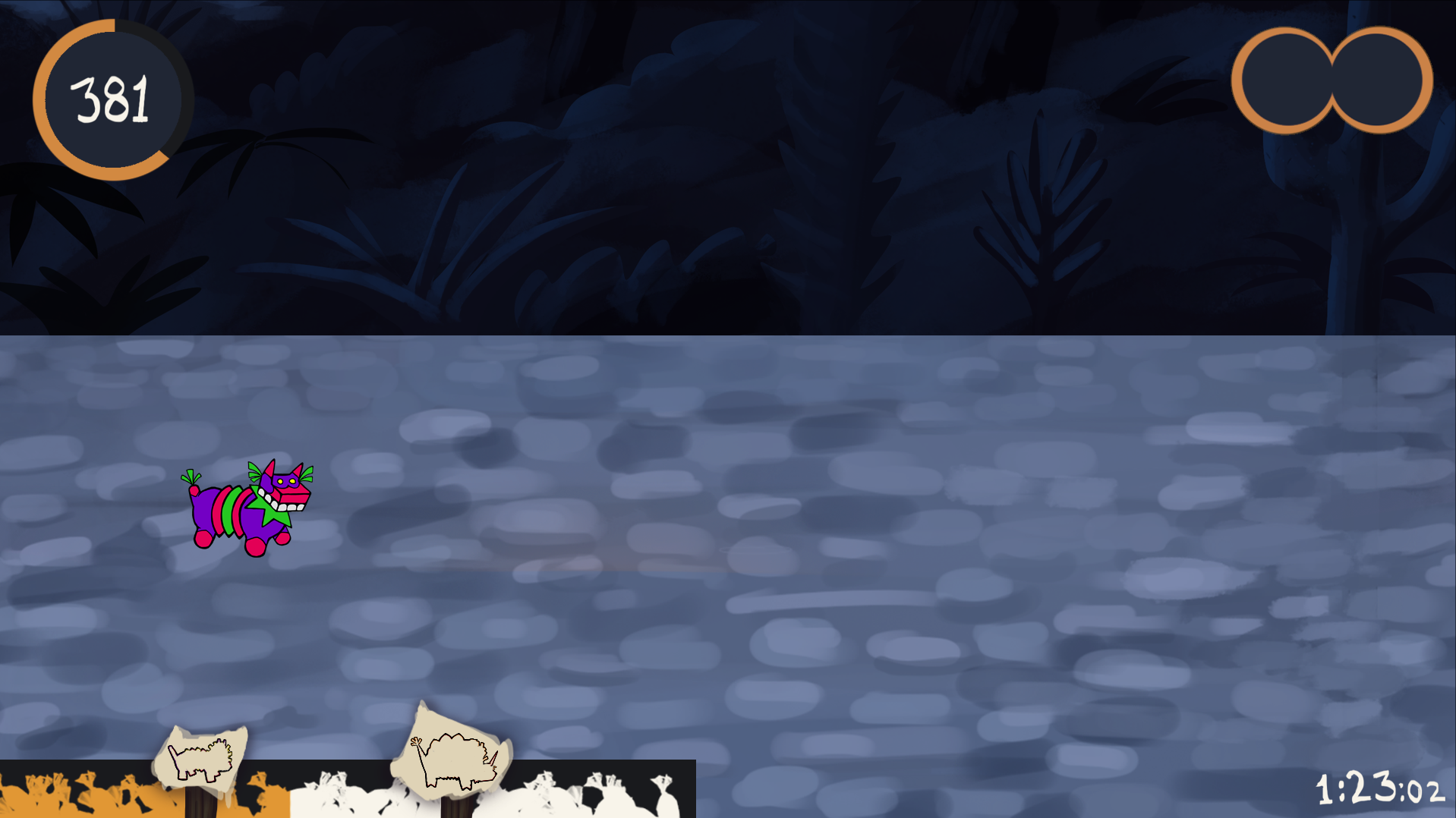
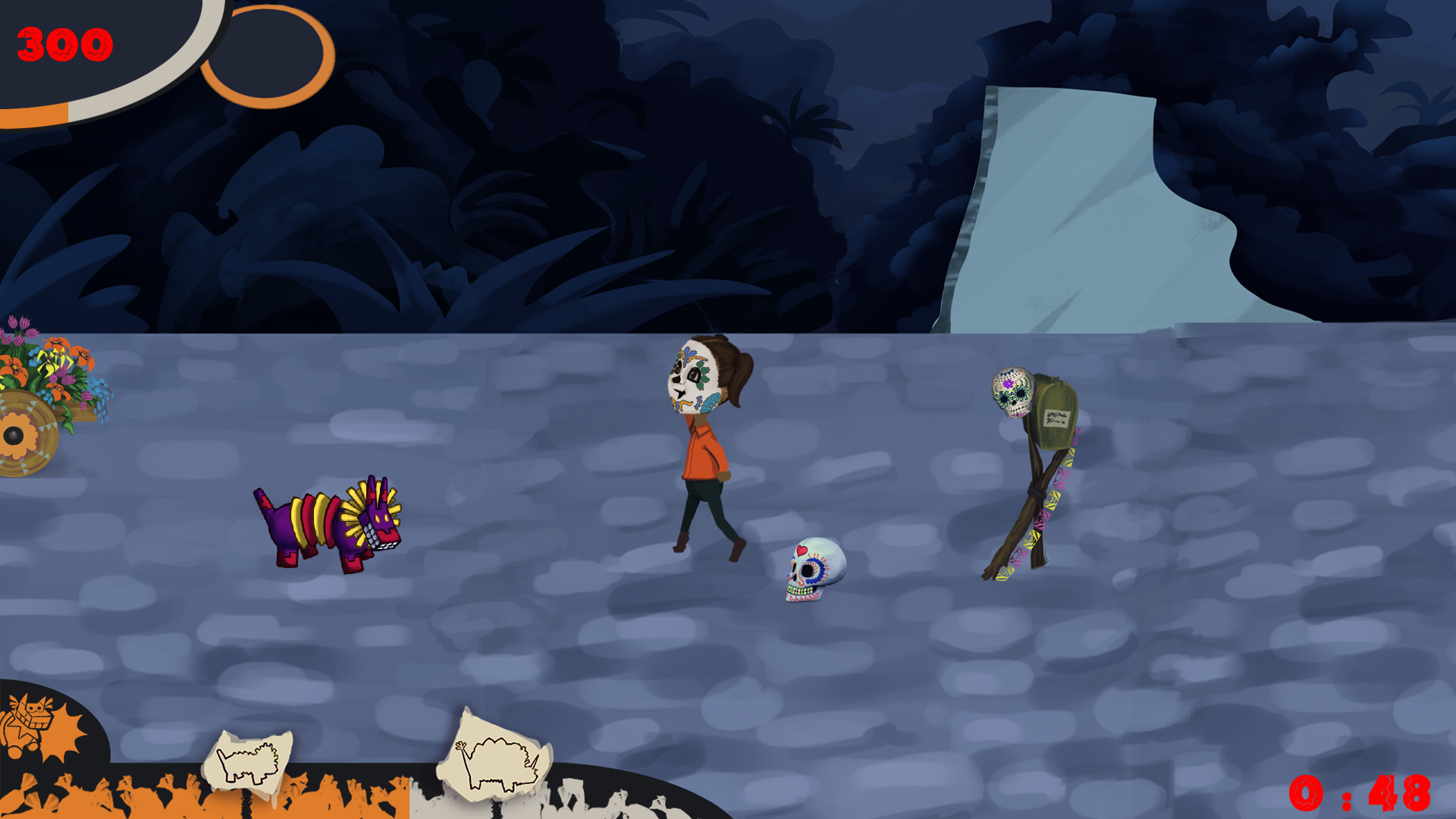
This is a continuation on last weeks work, which was on the GUI and HUD. In short I were making the different bars and working out effects that tells the player what is going on while they play the game. For this week I have changed it around as well as tweeked some shapes in it. The week kicked off with playtesting of our game and we gathered the feedback and went over it, discussing how we could use it and what is plausible to fix until our deadline in almost two weeks. We had to make a few cuts in features, one which effected the design of our heads-up display (HUD). The design of it had also gathered some critique because it was split up into every corner. So I started to make changes in the design adressing our cut features first. At first the player wouldv’e been able to pick up two power-ups and combine them to get different power-up abilities. That meant the HUD needed to include a inventory that could fit two power-up icons. But the level wouldn’t be long enough for the player to make proper use of this function, so it was decided to keep only one power-up that could be held and used at the time.
Then I moved on to the size meter that needed a lift because of its square corners that didn’t quite fit with the circles in the rest of the design. I rounded the most prominent corner to make it fit in.
Last but not least I added an icon for cooldown on the melee attack. We needed a way to show the player when they can use their melee attack because it isn’t available all the time. The icon will glow orange when the attack can be used. I based its design on the other meters, attached to the frame of the screen with one smooth rounded corner.  |