Dragon Animation version 2.
|
Continuing the animation of the dragon.
I wrote about the animation of the dragon in a post 2 weeks ago, this week I will continue to write about the animation and the alterations I made to the wing design.
The last wing design I had was just something that I threw together to have some large wing but I eventually grew to dislike the way the way how the wings looked. So it was a very simple choice to alter the visual design of the wings. The main reason I disliked the last wing design was mainly the fact that they looked way to broad. They had more of a “hand” look with webbing in-between instead of the wing look that I desired. These new wings were heavily inspired of albatross wings. They are more pointy and slimmer than the last much broader wings are. I also added length to the wings so that it more resembled the albatross wings. I did not want to stray too far from the last design though so I kept the webbing in the wings. I also knew that I had to make the animation as fast as possible because it was needed in a major part that our lead code and lead sound were to make so the design process of the new wings had to be kept short. I also noticed a slight difficulty in animating the last wings due to the fact that I did not see how it would behave if they would create a downwards motion. So to stimulate a better looking flight animation, I mimicked the albatross flight pattern with its wings. But in the end I ended up with a better new design on the new wings.
 So now that I had the graphical design on the wings, I had to make an animation for the wings and have the body make a bouncing motion. This was asked of me so that we may have the dragon move with the beat that the game. So now would not only the wings show the rhythm of the beat, but the entire body would also add to the feeling of the beat rhythm. I started with the wing animation. This was the easiest part to the animating of the dragon. I placed the dragon body without the wing on it on a row to be able to see how the wings were in comparison to the last as well as the position it were to become. So I stated with the design I had made before in the design process, where the wing was in an upward position. The wing would travel downwards so I had the tip of the wing fold downwards. After this, I had the entire wing move downwards towards the body and have it look almost folded in that position. I then drew the last key picture where the wings were in the stretched down position. I called this the “entire down position”.
This far, I had the wing in an “up position”, a “folded downwards position”, a “folded with the body position” and an “entire down position”. Now I had to fill in with some frames to make it a more smooth animation.
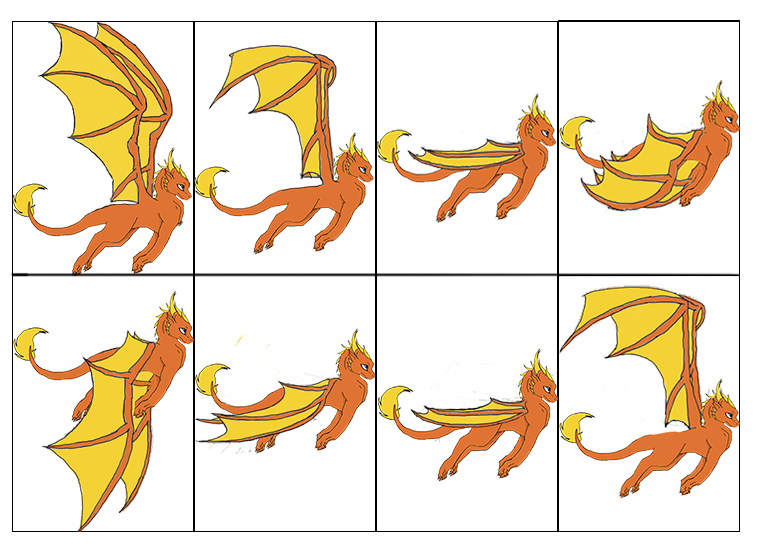 As you can figure out was this quite hard and not very eventful work. I didn’t encounter any problems
with the animation of the wings. I ended up with 8 different pictures that I added to a different Photoshop file with a timeline in it. I wanted to see how the wing animation looked like. I started with a 256×256 px (pixels) transparent background to insert the dragon in. I used the crop tool to adjust the height of the picture to fit the dragon’s wings. The width of the picture as still 256 px which our programmers asked for. The width was more important to be this than the height was. So as I added the different dragon sprites that I made previously into new layers on different frames on the timeline. When I had the different sprites in place, I noticed that it went too fast to be able to see the animation so I extended the sprite to be shown to 3 frames instead of 1. This allowed me to inspect the animation. It was here I noticed another thing. As I had adjusted the dragon sprite to fit in the box to the animation layer, the body of the dragon had changed in position so that it created a bouncing movement. The sought after bouncing effect had been implemented just by making sure the dragon sprite would fit in the box. So I didn’t have to adjust anything when it came to make the bouncing movement of the dragon’s body which I wrote about in the first segment. 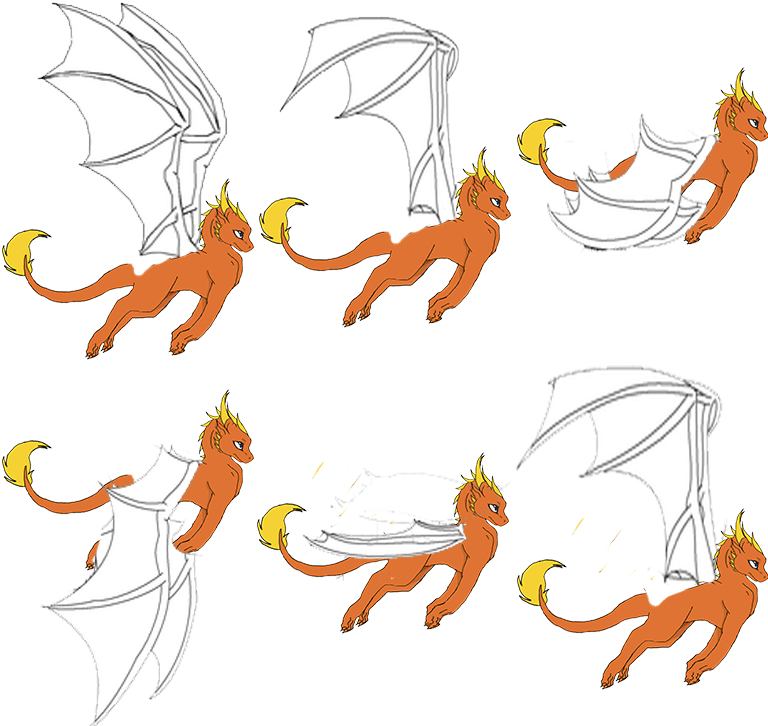 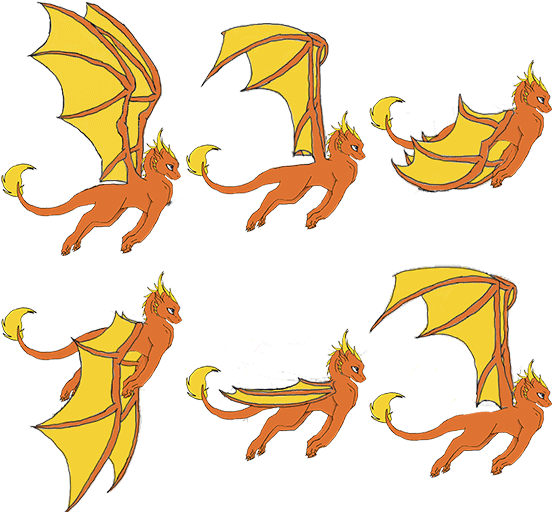 Now that I had the dragon animation that was flying, I just had to make the attack sprites. This was easily created because I had before this made an attack picture of the dragon where the dragon opened its mouth. I just inserted that head into the 8 different frames and saved these for the programmers. I had to have the attack “head” in every sprite due to that the player could press the shoot button and then the attack had to come at the sprite in the flying animation that the dragon were in on screen. So were the dragon in “Flying sprite 1” where the wings were in the fully upwards motion (the wings completely up) then the attack had to come from this sprite. This had to apply to every sprite so I added this to every sprite in the animation. I also made a gif to show about how this would look like.
 The end result was pretty satisfying. I had created new wings for the dragon and made a flying animation with inclusive attack sprite to it that looked pretty OK. I was to use the coming week before the beta to polish the animation and maybe have the body of the dragon go with the motion of the wing beat so that it would look better. This is a time consuming process though, the animating. My tip to the ones that want to do this, do it in time. The amount time you put into will affect the end result. I you sit with this for a long time and make sure that it work fine, then you end result will look better if you only have less hours to put into this. I always underestimate the time these processes will take so make sure that you have the time needed to make a good animation.
 |