”Sonic spike trap”
|
This week I’ve been working on implementing another object for the game In order to get this object in to the game I just added a sprite and gave it a position, but it’s also animated, giving it kind of like a lightning effect on the inner sprite, and the blue circle outside of the sprite goes further away from the sprite and then back in again. In order to get a correct hitbox for this object I added a rectangle shape at the sprites position which I don’t draw on the screen, and instead of checking the sprites global bounding box I check the rectangles outer lines for collision. I did this since the sprite will change its texture size at some points since it’s an animation, but I still want the hitbox to be at the max range of the sprite. The collision is done by checking the moles global bounding box and the rectangles global bounding box, if they collide we just push back the mole. I also added a finite state machine for the trap, giving it different states, three states to be more specific. The first state is when the trap is active and where the mole can’t enter it. Another state is when the trap has been hit from a rock which will change the atlas that the animation is on, making it look more like “broken” and when that animation is done it will change to the broken state, where we just have a broken trap which does nothing special. The finite state machine is done by using a switch and different cases by predetermined enums in the header file. By using simple if statements you can easily switch between different cases, giving the object different behaviors. On Monday we will have play testing where we will have the opportunity to collect feedback and give feedback to other groups as well before the deadline of the beta of our game. Until then I will work on trying to get a working score system.  |
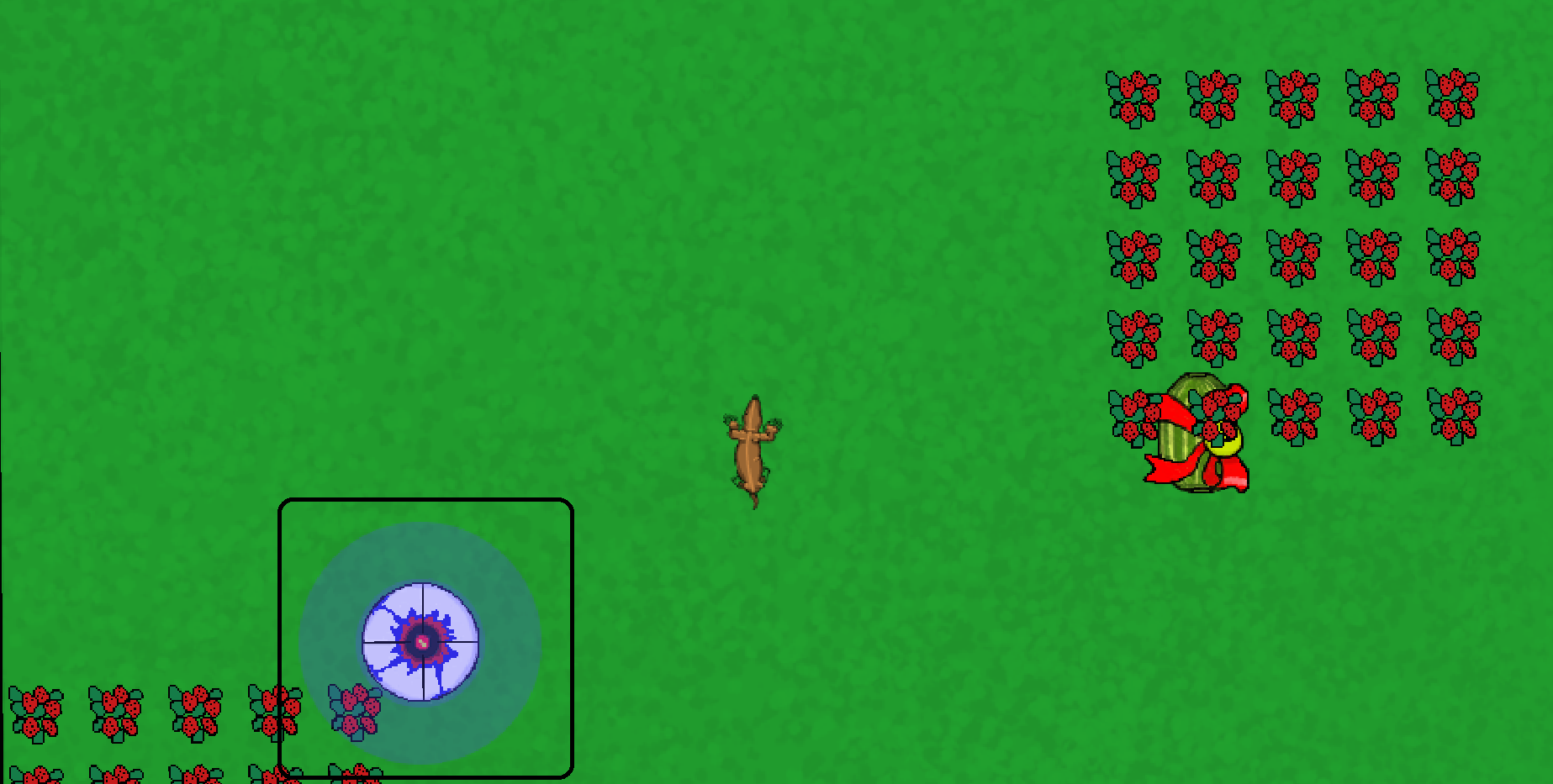 , the “Sonic spike trap”. The main purpose for this object is that it will serve as a distraction for the player. As you can see it’s a circle shaped sprite with a blue circle outside of it. The blue circle is the traps “aggro range” which means that the player can’t enter unless it’s destroyed. Think of it as some kind of sound waves that this trap emits which forces the mole to stay away from it. Later in the game we will add some bonus objectives that will be under this trap, so that the player will have to “waste” one of his rocks to destroy the trap in order to get these objectives, which isn’t mandatory for a win condition though.