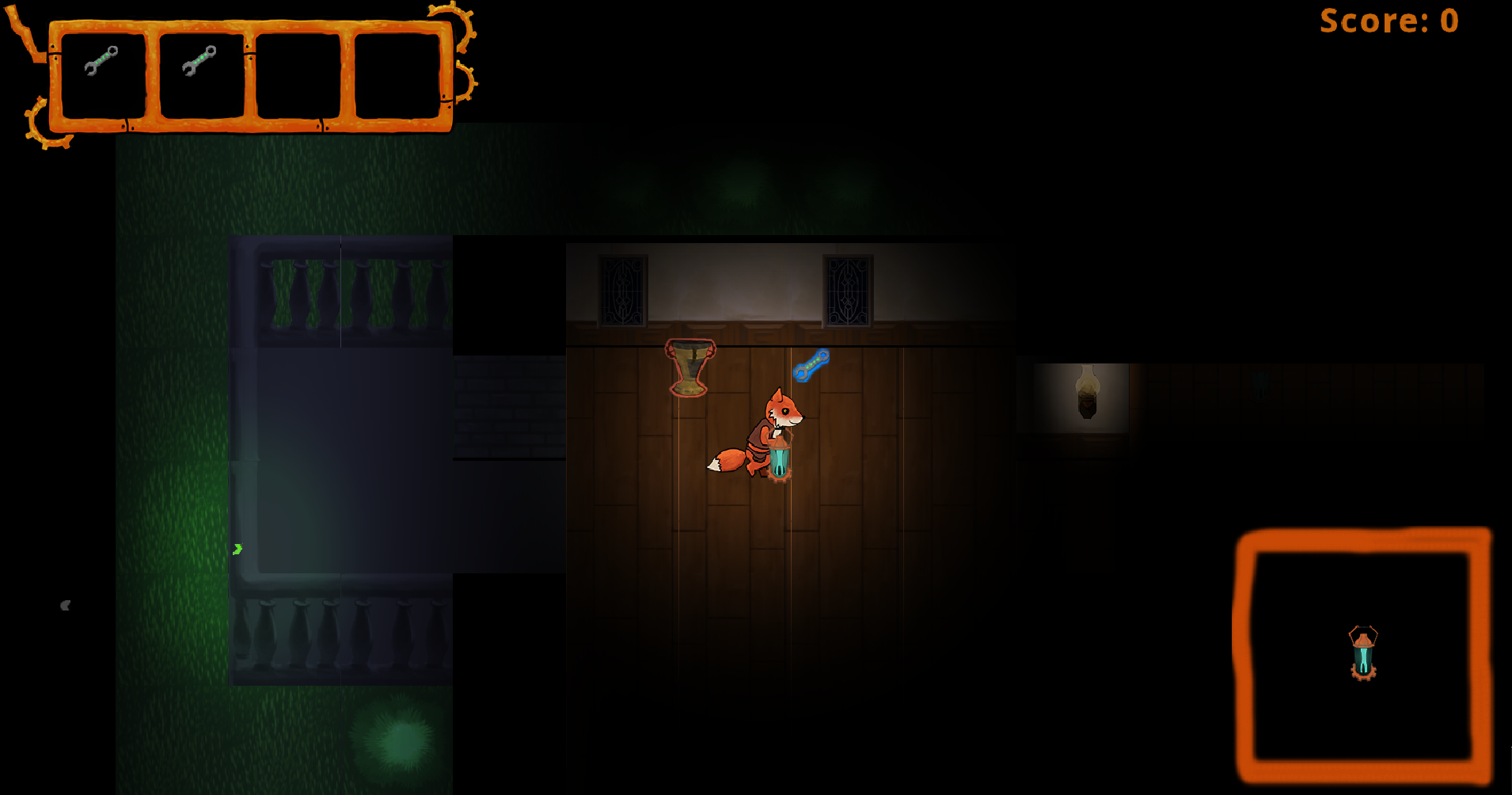
The Heads Up Display, early stage [WIP]
|
So this past week I’ve been working on the Heads Up Display, the HUD for our space shooter project Fancy Mansion. Well, the name is about to change to something else once we come up with a fitting name. I went through some iterations when working on this task, since I couldn’t really decide on one solution over the other in the beginning until I remembered what a second year student told me about RenderTextures. Now, remember, at the moment, all the screenshots you’re about to see, is a work in progress, and I will post an update on the HUD in its final state later down the line. Inventory Score So the HUD shows what the player has in her inventory, how much score she has and what the avatar is currently holding in its hands (the Hand slot). When the player is located at the drop off zone the items in the inventory light up, showing the player that she is within the drop off zone and that she can empty the inventory. From this:  To this:  Later when the proper art is in place, a picture of the Q-button on the keyboard will be visible as well, which when pressed empties the inventory, and increases the score. Some animations and sound effects will play as well. Yeah, feedback! It’s good for you. 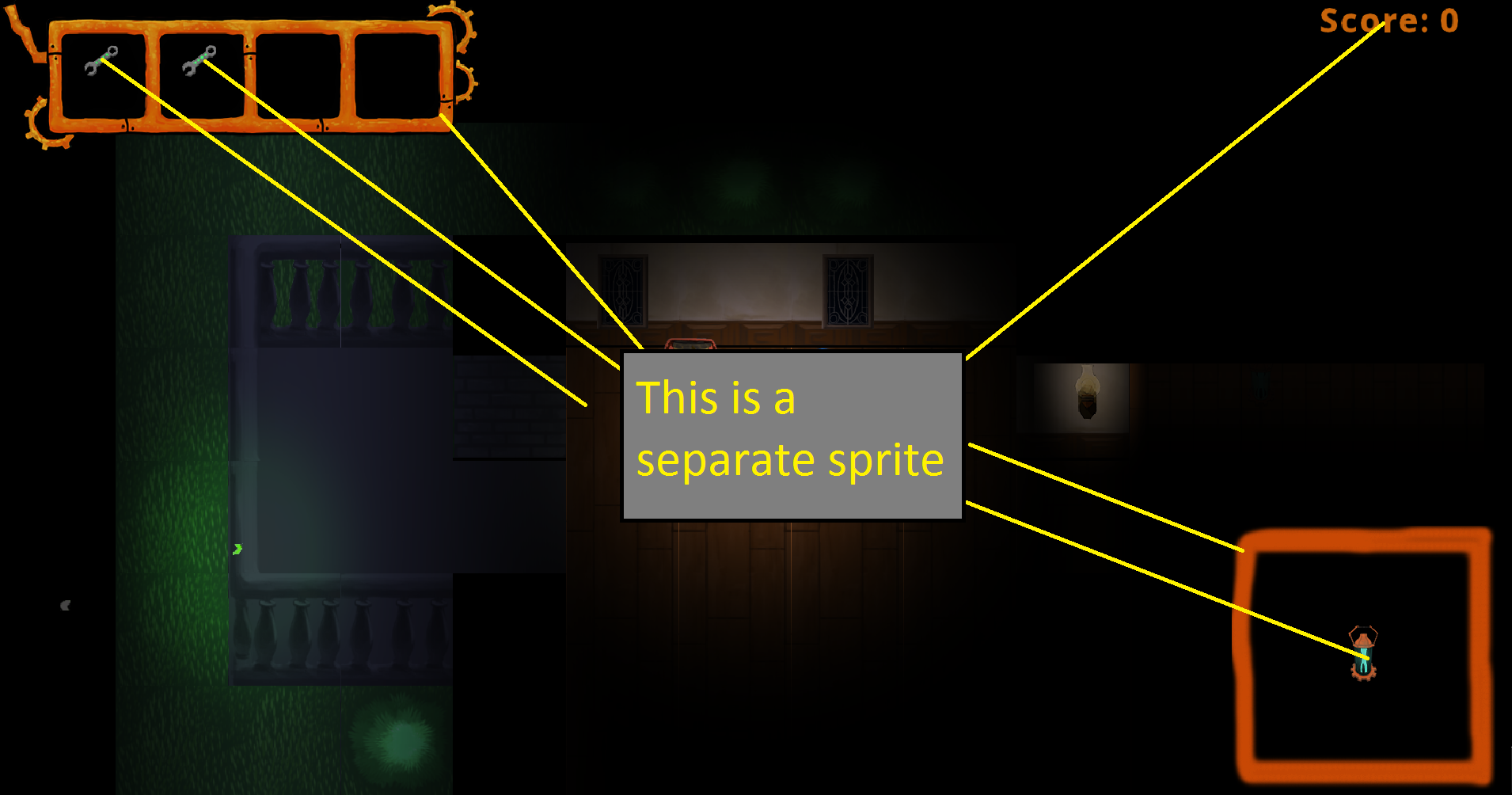 The problem is that there will be a lot of sprites in the HUD, each that take up some RAM and CPU power. Each sprite must stay in its correct location on the screen when moving the camera, so I need to move all the sprites and things might get messy. So instead of having lots of sprites, I let the program draw each and every sprite to one big sprite and then draw this one big sprite to the screen:
From this ————–> To this Instead of using a regular texture, SFML has a thing called a sf::RenderTexture. This is really easy use and I did it like this: Using and drawing to RenderTextures is practical since I don’t have to create 30+ different sprites that all take its fair share of RAM and CPU power. The GPU does not have to draw 30+ different sprites to the screen for the HUD, it only draws one sprite. This is however more practical when dealing with huge amount of sprites, like in a tile map system that can contain several thousand sprites. This HUD consisting of 30+ sprites wont really have an impact on the performance of the game, however, it is super cool and practical.  |